package
React Native Progress View iOS Library
npm install @react-native-community/progress-viewGitHub-flavored package documentation.
Across all versions.
Download trend unavailable.
Runtime metadata.
Tagged topics.
Estimated unpacked size across 1 packages.
518.3 kB
Includes dependencies.
titozzz
malbranche.thibault@gmail.com
mattoakes
hello@mattoakes.net
ferrannp
fnp.developer@gmail.com
mike866
michal.chudziak@gmail.com
krizzu
dev@kborowy.com
trensik
dawid.urbaniak.dev@gmail.com
thymikee
thymikee@gmail.com
nicholaslee119
nicholaslee119@gmail.com
mmazzarolo
me@mazzarolomatteo.com
rewieer
ancyr@pm.me
janicduplessis
janicduplessis@gmail.com
swaagie
martijn@swaagman.online
kelset
notkelset@kelset.dev
johandutoit
jdutoit.dev@gmail.com
vonovak
vonovak@gmail.com
wojteg1337
feelun132@gmail.com
naturalclar
jesse.katsumata@gmail.com
connectdotz
vsun@connectdotz.com
pvinis
pvinis@gmail.com
brentvatne
brentvatne@gmail.com
evanbacon
baconbrix@gmail.com
eliwhite
npm@eli-white.com
simek
gosimek@gmail.com
alloy
eloy.de.enige@gmail.com
cortinico
corti.nico@gmail.com
safaiyeh
safaiyeh@protonmail.com
dmitryrykun
dmitry.rykun@gmail.com
lunaleaps
lunaleaps@gmail.com
wootwootwoot
platcool@gmail.com
react-native-bot
opensource+react-native-bot@fb.com
szymonrybczak
szymon.rybczak@gmail.com
react-native-community-bot
malbranche.thibault+bot@gmail.com
okwasniewski
oskar@okwasniewski.com


ProgressBar Component for macOS, iOS (based on UIProgressView), Android, and Windows.
| macOS | iOS | Android | Windows |
|---|---|---|---|
 | 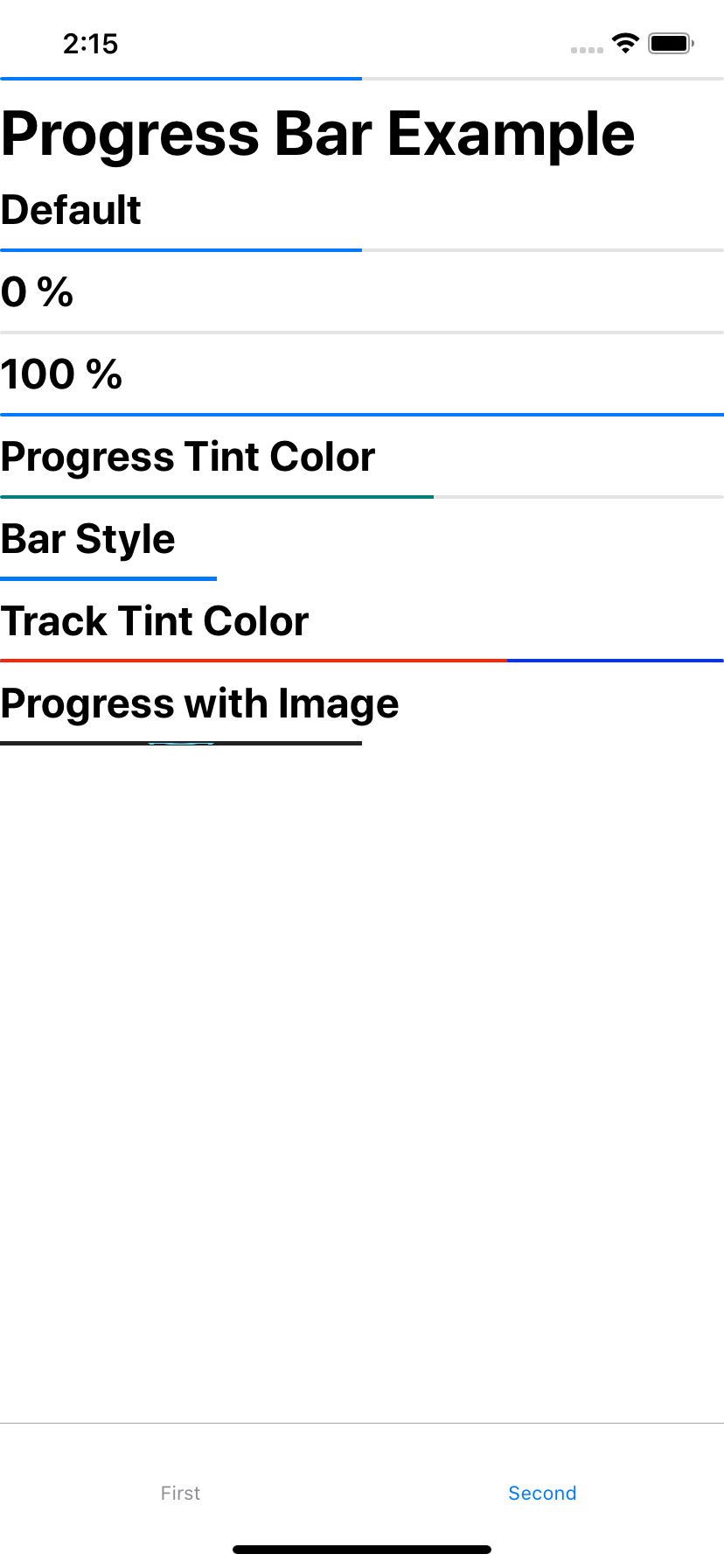 | 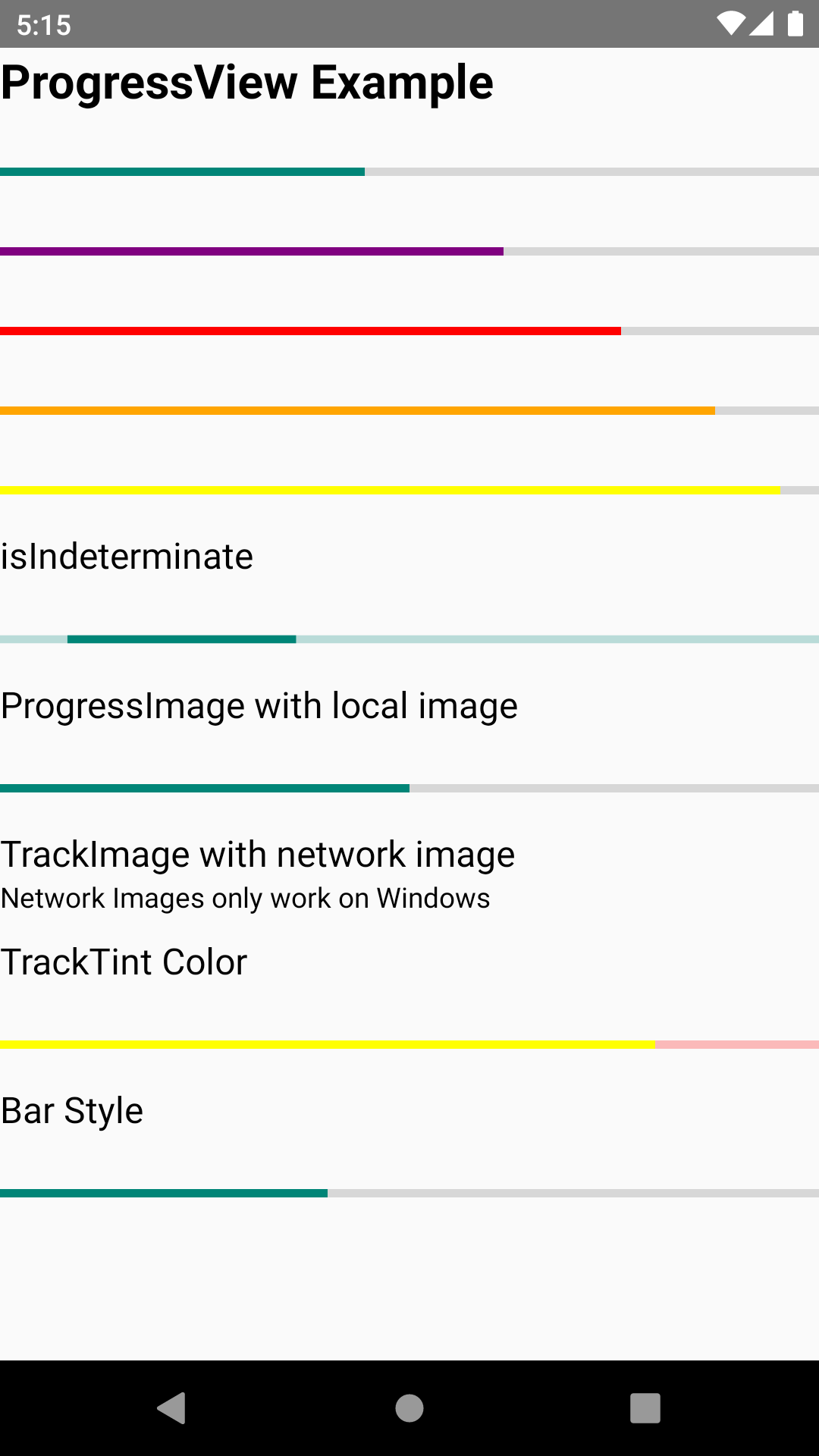 |  > |
npm install @react-native-community/progress-view --saveor
yarn add @react-native-community/progress-viewThe package is automatically linked when building the app. All you need to do is:
npx pod-installRun the following commands
react-native link @react-native-community/progress-viewprogress-view project to your solution.node_modules\@react-native-community\progress-view\windows\progress-view\progress-view.vcxprojAdd a reference to progress-view to your main application project. From Visual Studio 2019:
Right-click main application project > Add > Reference...
Check progress-view from Solution Projects.
Add #include "winrt/progress_view.h".
Add PackageProviders().Append(winrt::progress_view::ReactPackageProvider()); before InitializeComponent();.
Libraries ➜ Add Files to [your project's name]node_modules ➜ @react-native-community/progress-view and add RNCProgressView.xcodeprojlibRNCProgressView.a to your project's Build Phases ➜ Link Binary With LibrariesCmd+R)Import ProgressView from @react-native-community/progress-view
import {ProgressView} from "@react-native-community/progress-view";Add ProgressView like this
<ProgressView
          progressTintColor="orange"
          trackTintColor="blue"
          progress={0.7}
/>yarn installyarn start:windowsexample/windows/ProgressViewExample.slnyarn installpod installyarn iosyarn installpod installprogressThe progress value (between 0 and 1).
| Type | Required |
|---|---|
| number | No |
progressImageA stretchable image to display as the progress bar.
| Type | Required |
|---|---|
| Image.propTypes.source | No |
progressTintColorThe tint color of the progress bar itself.
| Type | Required |
|---|---|
| string | No |
progressViewStyleThe progress bar style. Network images only work on Windows.
| Type | Required |
|---|---|
| enum('default', 'bar') | No |
trackImageA stretchable image to display behind the progress bar. Network images only work on Windows.
| Type | Required |
|---|---|
| Image.propTypes.source | No |
trackTintColorThe tint color of the progress bar track.
| Type | Required |
|---|---|
| string | No |
isIndeterminateTurns progress bar into an indeterminate progress bar
| Type | Required | Platform |
|---|---|---|
| bool | No | Windows |
The library is released under the MIT license. For more information see LICENSE.


