contents

React Native Firebase CLI


Introduction
Firstly lets start off by stating that this has not been released yet and is still very much a work in progress, but, that's where you as a potential contributor come in.
We're at the stage now where most of the core is stable and ready to be opened up for contributions.
We've built the CLI up with extensibility, performance and ease of development in mind and as such most of the common internal functionality such as reading files, working out directory paths, prompting for inputs, storing data between sessions and so on has been abstracted into high level apis onto the global node context of the CLI process.
Pro Tip: Enter the interactive debugger on the CLI by typing
debug. Once there typeGlobalsand press ENTER to inspect all available globals.
This README file documents the internals/setup of the CLI and is (for now) aimed at contributors.
Authenticate your Firebase account(s)
If you're a user of the official Firebase CLI you'll find yourself automatically signed in ✨ Just a little bit of magic from us to help you get started quickly ⚡️
We've built the CLI to support multiple Firebase accounts at it's core by default. Because of this it's dead easy to switch accounts on multiple levels e.g. the default account for all CLI sessions, the account to use for the current CLI session or the account to use just for the command you're running:
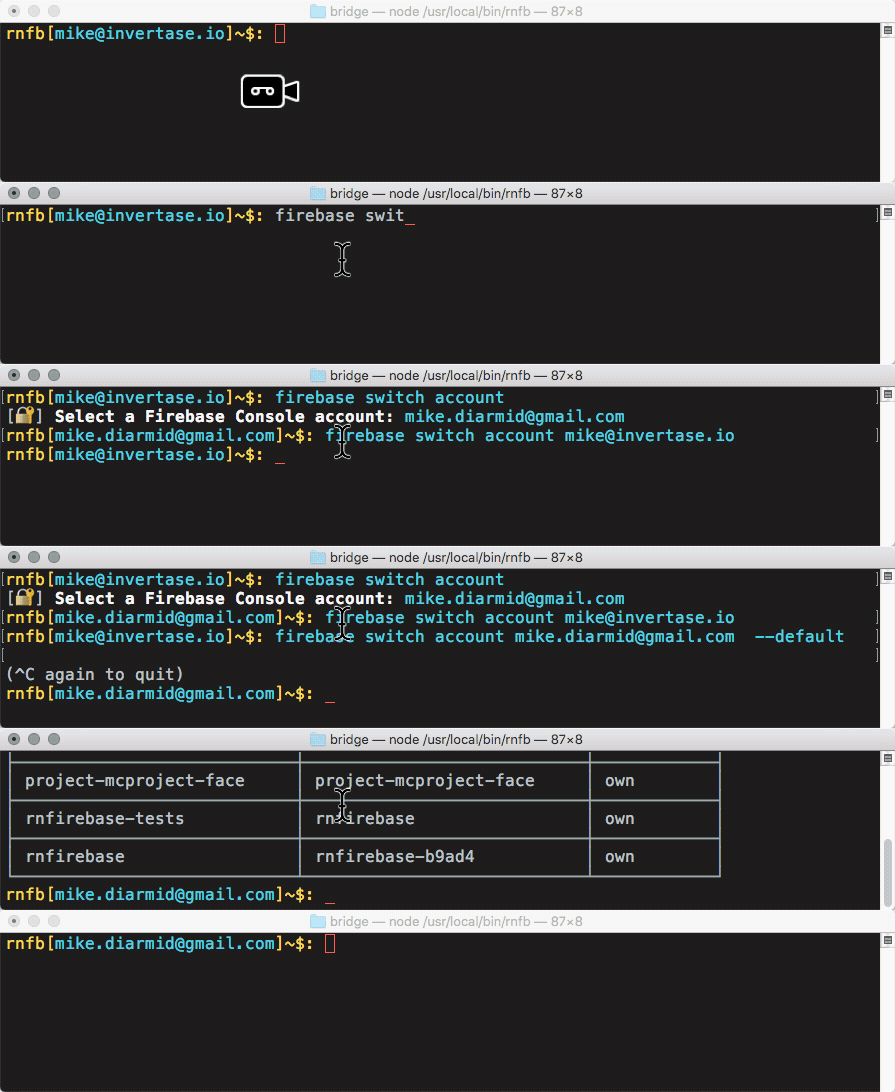
Adding a new account
Adding a new account is as simple as typing firebase add account or fb auth for short. Run this command and your browser will open with Google's OAuth consent authorisation flow. Quick and simple.
Interactivity
The CLI supports both an interactive CLI mode as well as directly running command outside the interactive mode.
Use
Program.isREPL() === trueto detect if in interactive mode.
Differences
Interactive
- Auto completes args
- Firebase account can be set for the session or it defaults to the default account
- Prompts: choose from a list, input a value etc
- Arguments should always be optional where possible, any missing args then interactivly prompted for.
- Command history
Non Interactive
- No autocomplete
- Firebase account is the default account or the provided one if
--account [email]option is provided - No prompts
- Required args should always be required - no prompting for input - error and exit if missing
- No command history except for what the users terminal provides
Command Definition
On top of the standard Vorpal command argument definition syntax we've also added {argName} syntax.
Command args defined using {argName} syntax become required in Command Mode (they will automatically error if not provided). However, in Interactive Mode these become optional - it's then up to the command run function to interactivly prompt for missing args.
You can still make an arg always required (<argName>) or always optional ([argName]) no matter the mode if required.
Examples
Interactive Mode: rnfb + enter - enters the interactive CLI mode. Then typing firebase projects will list the projects for the default or current session account.
Command Mode: rnfb firebase projects + enter will immediately list the projects for the default account and not enter interactive mode.
Setup for local development
(or just to have a play around with it - we won't judge)
- Clone the repo:
git clone https://github.com/invertase/react-native-firebase-cli.git - Install dependencies:
npm i - Link the project globally so you can run
rnfbon any terminal session:npm link --local
Typing rnfb into your terminal should now run the CLI - any changes you make are automatically reflected. Type help to view all available commands.

See /extensions/firebase/commands for examples of how current commands have been defined and how they function.
Debugging / Playground REPL
The CLI has a built in debugging shell which allows you to execute JS in the context of the CLI.
Type
debugto enter the RNFB Debugging REPL.
Features
- Code is executed inside an
AsyncFunctiontherefore allowing the use ofawaitsyntax - If executed code returns a
Promiseit will automatically try fulfil the Promise - Exceptions are automatically caught and pretty printed
Example
