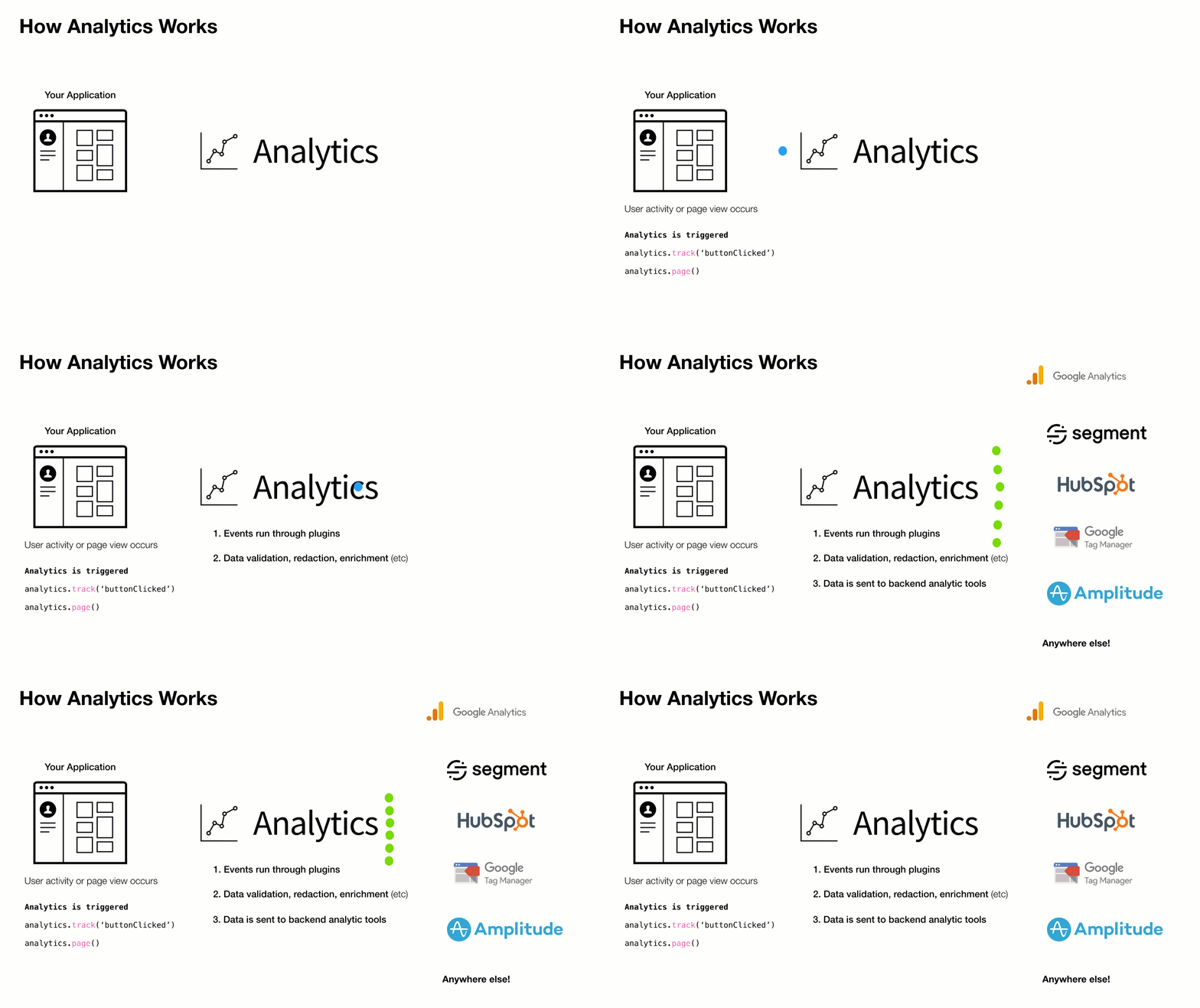
Lightweight analytics library for tracking events, page views, & identifying users. Works with any third party analytics provider via an extendable plugin system.
Companies frequently change analytics requirements based on evolving needs. This results in a lot of complexity, maintenance, & extra code when adding/removing analytic services to a site or application.
This library aims to solves that with a simple pluggable abstraction layer.
Driving philosophy:
You should never be locked into an analytics tool
DX is paramount. Adding & removing analytic tools from your application should be easy
Respecting visitor privacy settings & allowing for opt-out mechanisms is crucial
A pluggable API makes adding new business requests easy
To add or remove an analytics provider, adjust the plugins you load into analytics during initialization.
Install
This module is distributed via npm, which is bundled with node and should be installed as one of your project's dependencies.
After the library is initialized with config, the core API is exposed & ready for use in the application.
Arguments
configobject - analytics core config
[config.app] (optional) string - Name of site / app
[config.version] (optional) string - Version of your app
[config.debug] (optional) boolean - Should analytics run in debug mode
[config.plugins] (optional) Array.<AnalyticsPlugin> - Array of analytics plugins
Example
import Analytics from 'analytics'import pluginABC from 'analytics-plugin-abc'import pluginXYZ from 'analytics-plugin-xyz'// initialize analyticsconst analytics = Analytics({ app: 'my-awesome-app', plugins: [ pluginABC, pluginXYZ ]})
analytics.identify
Identify a user. This will trigger identify calls in any installed plugins and will set user data in localStorage
Arguments
userIdString - Unique ID of user
[traits] (optional) Object - Object of user traits
[options] (optional) Object - Options to pass to identify call
[callback] (optional) Function - Callback function after identify completes
Example
// Basic user id identifyanalytics.identify('xyz-123')// Identify with additional traitsanalytics.identify('xyz-123', { name: 'steve', company: 'hello-clicky'})// Fire callback with 2nd or 3rd argumentanalytics.identify('xyz-123', () => { console.log('do this after identify')})// Disable sending user data to specific analytic toolsanalytics.identify('xyz-123', {}, { plugins: { // disable sending this identify call to segment segment: false }})// Send user data to only to specific analytic toolsanalytics.identify('xyz-123', {}, { plugins: { // disable this specific identify in all plugins except customerio all: false, customerio: true }})
analytics.track
Track an analytics event. This will trigger track calls in any installed plugins
Arguments
eventNameString - Event name
[payload] (optional) Object - Event payload
[options] (optional) Object - Event options
[callback] (optional) Function - Callback to fire after tracking completes
Example
// Basic event trackinganalytics.track('buttonClicked')// Event tracking with payloadanalytics.track('itemPurchased', { price: 11, sku: '1234'})// Fire callback with 2nd or 3rd argumentanalytics.track('newsletterSubscribed', () => { console.log('do this after track')})// Disable sending this event to specific analytic toolsanalytics.track('cartAbandoned', { items: ['xyz', 'abc']}, { plugins: { // disable track event for segment segment: false }})// Send event to only to specific analytic toolsanalytics.track('customerIoOnlyEventExample', { price: 11, sku: '1234'}, { plugins: { // disable this specific track call all plugins except customerio all: false, customerio: true }})
analytics.page
Trigger page view. This will trigger page calls in any installed plugins
[callback] (optional) Function - Callback to fire after page view call completes
Example
// Basic page trackinganalytics.page()// Page tracking with page data overridesanalytics.page({ url: 'https://google.com'})// Fire callback with 1st, 2nd or 3rd argumentanalytics.page(() => { console.log('do this after page')})// Disable sending this pageview to specific analytic toolsanalytics.page({}, { plugins: { // disable page tracking event for segment segment: false }})// Send pageview to only to specific analytic toolsanalytics.page({}, { plugins: { // disable this specific page in all plugins except customerio all: false, customerio: true }})
analytics.user
Get user data
Arguments
[key] (optional) string - dot.prop.path of user data. Example: 'traits.company.name'
Example
// Get all user dataconst userData = analytics.user()// Get user idconst userId = analytics.user('userId')// Get user company nameconst companyName = analytics.user('traits.company.name')
analytics.reset
Clear all information about the visitor & reset analytic state.
Arguments
[callback] (optional) Function - Handler to run after reset
Example
// Reset current visitoranalytics.reset()
analytics.ready
Fire callback on analytics ready event
Arguments
callbackFunction - function to trigger when all providers have loaded
Example
analytics.ready((payload) => { console.log('all plugins have loaded or were skipped', payload);})
analytics.on
Attach an event handler function for analytics lifecycle events.
Arguments
nameString - Name of event to listen to
callbackFunction - function to fire on event
Example
// Fire function when 'track' calls happenanalytics.on('track', ({ payload }) => { console.log('track call just happened. Do stuff')})// Remove listener before it is calledconst removeListener = analytics.on('track', ({ payload }) => { console.log('This will never get called')})// cleanup .on listenerremoveListener()
analytics.once
Attach a handler function to an event and only trigger it only once.
Arguments
nameString - Name of event to listen to
callbackFunction - function to fire on event
Example
// Fire function only once 'track'analytics.once('track', ({ payload }) => { console.log('This will only triggered once when analytics.track() fires')})// Remove listener before it is calledconst listener = analytics.once('track', ({ payload }) => { console.log('This will never get called b/c listener() is called')})// cleanup .once listener before it fireslistener()
analytics.getState
Get data about user, activity, or context. Access sub-keys of state with dot.prop syntax.
Arguments
[key] (optional) string - dot.prop.path value of state
Example
// Get the current state of analyticsanalytics.getState()// Get a subpath of stateanalytics.getState('context.offline')
analytics.storage
Storage utilities for persisting data.
These methods will allow you to save data in localStorage, cookies, or to the window.
Example
// Pull storage off analytics instanceconst { storage } = analytics// Get valuestorage.getItem('storage_key')// Set valuestorage.setItem('storage_key', 'value')// Remove valuestorage.removeItem('storage_key')
The analytics library comes with a large variety of event listeners that can be used to fire custom functionality when a specific lifecycle event occurs.
These listeners can be fired using analytics.on & analytics.once
Fires when analytics library starts up. This is the first event fired. '.on/once' listeners are not allowed on bootstrap Plugins can attach logic to this event
params
Fires when analytics parses URL parameters
campaign
Fires if params contain "utm" parameters
initializeStart
Fires before 'initialize', allows for plugins to cancel loading of other plugins
initialize
Fires when analytics loads plugins
initializeEnd
Fires after initialize, allows for plugins to run logic after initialization methods run
ready
Fires when all analytic providers are fully loaded. This waits for 'initialize' and 'loaded' to return true
resetStart
Fires if analytic.reset() is called. Use this event to cancel reset based on a specific condition
reset
Fires if analytic.reset() is called. Use this event to run custom cleanup logic (if needed)
resetEnd
Fires after analytic.reset() is called. Use this event to run a callback after user data is reset
pageStart
Fires before 'page' events fire. This allows for dynamic page view cancellation based on current state of user or options passed in.
page
Core analytics hook for page views. If your plugin or integration tracks page views, this is the event to fire on.
pageEnd
Fires after all registered 'page' methods fire.
pageAborted
Fires if 'page' call is cancelled by a plugin
trackStart
Called before the 'track' events fires. This allows for dynamic page view cancellation based on current state of user or options passed in.
track
Core analytics hook for event tracking. If your plugin or integration tracks custom events, this is the event to fire on.
trackEnd
Fires after all registered 'track' events fire from plugins.
trackAborted
Fires if 'track' call is cancelled by a plugin
identifyStart
Called before the 'identify' events fires. This allows for dynamic page view cancellation based on current state of user or options passed in.
identify
Core analytics hook for user identification. If your plugin or integration identifies users or user traits, this is the event to fire on.
identifyEnd
Fires after all registered 'identify' events fire from plugins.
identifyAborted
Fires if 'track' call is cancelled by a plugin
userIdChanged
Fires when a user id is updated
registerPlugins
Fires when analytics is registering plugins
enablePlugin
Fires when 'analytics.plugins.enable()' is called
disablePlugin
Fires when 'analytics.plugins.disable()' is called
online
Fires when browser network goes online. This fires only when coming back online from an offline state.
offline
Fires when browser network goes offline.
setItemStart
Fires when analytics.storage.setItem is initialized. This event gives plugins the ability to intercept keys & values and alter them before they are persisted.
setItem
Fires when analytics.storage.setItem is called. This event gives plugins the ability to intercept keys & values and alter them before they are persisted.
setItemEnd
Fires when setItem storage is complete.
setItemAborted
Fires when setItem storage is cancelled by a plugin.
removeItemStart
Fires when analytics.storage.removeItem is initialized. This event gives plugins the ability to intercept removeItem calls and abort / alter them.
removeItem
Fires when analytics.storage.removeItem is called. This event gives plugins the ability to intercept removeItem calls and abort / alter them.
removeItemEnd
Fires when removeItem storage is complete.
removeItemAborted
Fires when removeItem storage is cancelled by a plugin.
Analytic plugins
The analytics has a robust plugin system. Here is a list of currently available plugins:
@analytics/core Lightweight analytics library for tracking events, page views, & identifying users. Works with any third party analytics provider via an extendable plugin system.
Plugins can react to any event flowing through the analytics library.
For example, if you wanted to trigger custom logic when analytics bootstraps, you can attach a function handler to the bootstrap event.
For a full list of core events, checkout events.js.
// Example Plugin plugin.jsexport default function myPlugin(userConfig) { return { /* Name is a required field for plugins */ name: 'my-plugin', /* Bootstrap runs when analytics starts */ bootstrap: ({ payload, config, instance }) => { // Do whatever on `bootstrap` event }, pageStart: ({ payload, config, instance }) => { // Fire custom logic before analytics.page() calls }, pageEnd: ({ payload, config, instance }) => { // Fire custom logic after analytics.page() calls }, trackStart: ({ payload, config, instance }) => { // Fire custom logic before analytics.track() calls }, 'track:customerio': ({ payload, config, instance }) => { // Fire custom logic before customer.io plugin runs. // Here you can customize the data sent to individual analytics providers }, trackEnd: ({ payload, config, instance }) => { // Fire custom logic after analytics.track() calls }, // ... hook into other events }}
Using this plugin is the same as any other.
import Analytics from 'analytics'import customerIoPlugin from '@analytics/customerio'import myPlugin from './plugin.js'const analytics = Analytics({ app: 'my-app-name', plugins: [ // include myPlugin myPlugin(), customerIoPlugin({ trackingId: '1234' }) ...otherPlugins ]})
Custom methods
Analytics plugins can provide their own custom functionality via the methods key.
import Analytics from 'analytics'// Example plugin with custom methodsconst pluginOne = { name: 'one', // ... page, track, etc // Custom functions to expose to analytics instance methods: { myCustomThing(one, two, three) { const analyticsInstance = this.instance console.log('Use full analytics instance', analyticsInstance) }, otherCustomThing: (one, two, ...args) => { // Arrow functions break this.instance context. // The instance is instead injected as last arg const analyticsInstance = args[args.length - 1] console.log('Use full analytics instance', analyticsInstance) }, // Async function examples async fireCustomThing(one, two, three) { const { track } = this.instance track('customThing') return 'data' }, triggerSpecial: async (argOne, argTwo, ...args) => { // Arrow functions break this.instance context. // The instance is instead injected as last arg const analyticsInstance = args[args.length - 1] return argOne + argTwo } }}// Example plugin with custom methodsconst pluginTwo = { name: 'two', page: () => { console.log('page view fired') } // Custom functions to expose to analytics instance methods: { cookieBanner(one, two, three) { const analyticsInstance = this.instance console.log('Use full analytics instance', analyticsInstance) const cookieSettings = analyticsInstance.storage.getItem('preferences-set') if (!cookieSettings) { // Show cookie settings } }, }}// Initialize analytics instance with pluginsconst analytics = Analytics({ app: 'your-app-name', plugins: [ pluginOne, pluginTwo ]})// Using custom methods in your codeanalytics.plugins.one.myCustomThing()analytics.plugins.two.cookieBanner()
Plugin Naming Conventions
Plugins should follow this naming convention before being published to npm
analytics-plugin-{your-plugin-name}
E.g. An analytics plugin that does awesome-stuff should be named
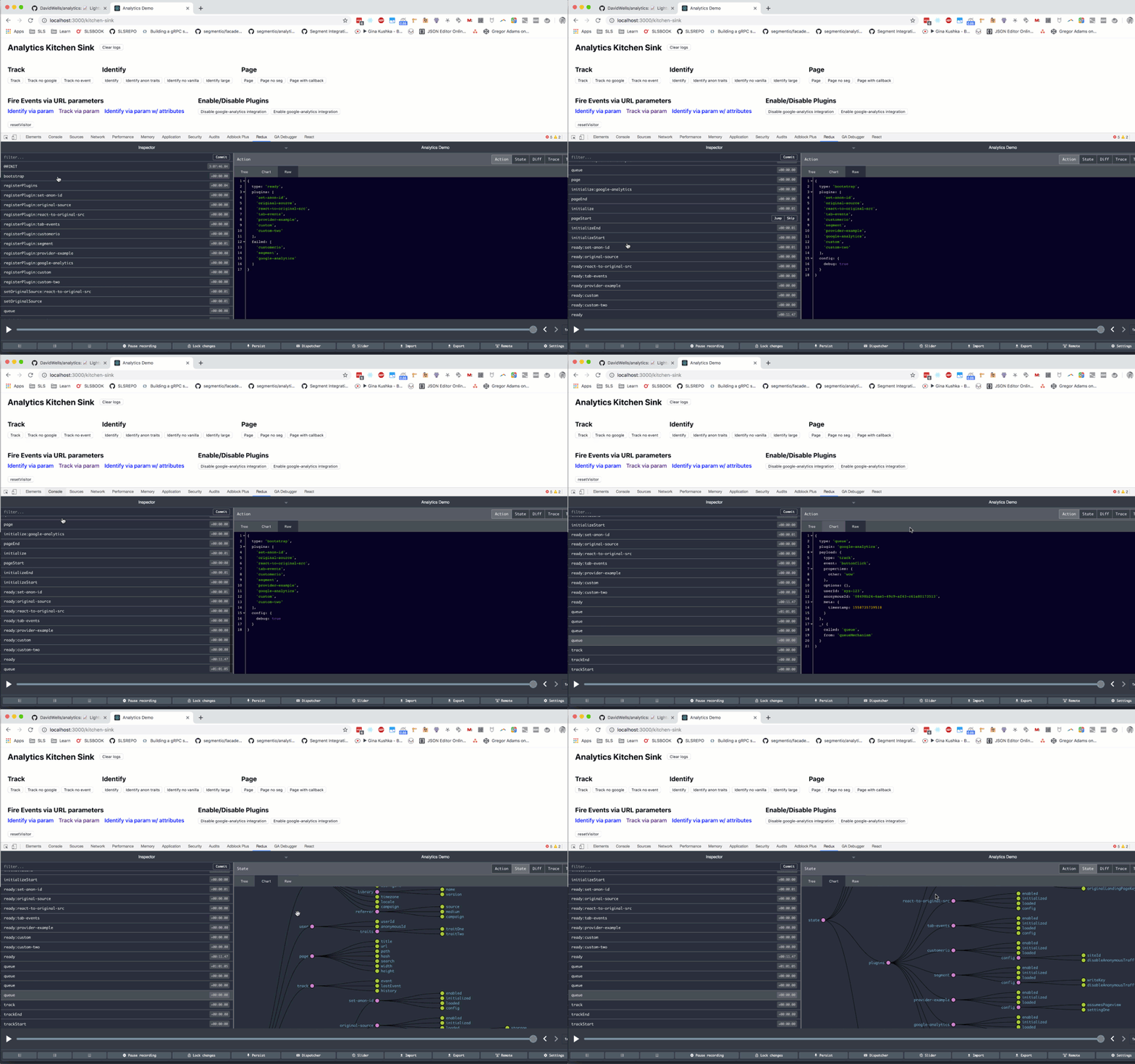
During development, you can turn on debug mode. This will connect the dev tools for you to see the analytics events passing through your application visually.