Command And Conquer is a JavaScript library for building CLI apps.
Features
Super light-weight: No dependency, just a single file.
Easy to learn. There're only 4 APIs you need to learn for building simple CLIs: cli.optioncli.versioncli.helpcli.parse.
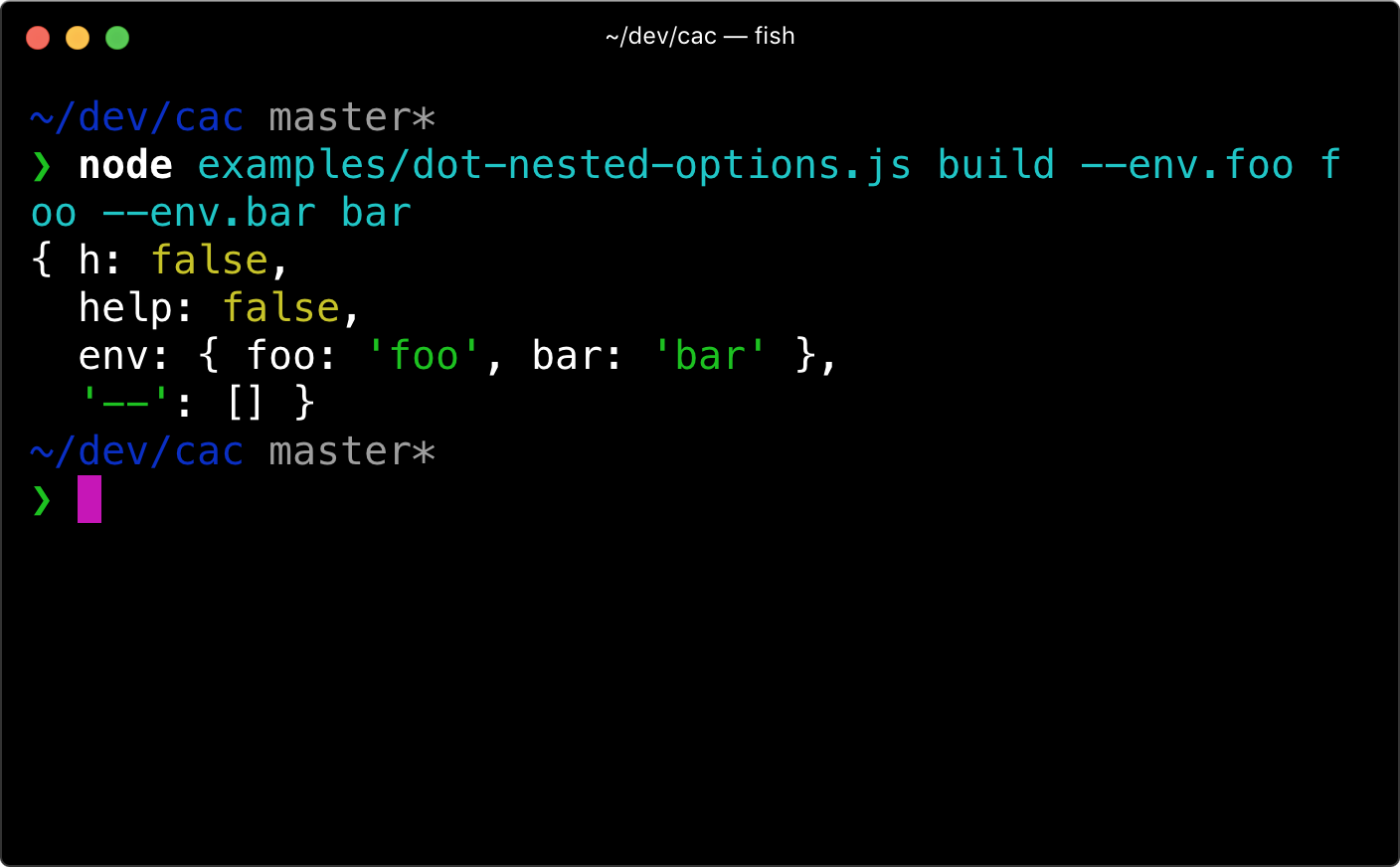
Yet so powerful. Enable features like default command, git-like subcommands, validation for required arguments and options, variadic arguments, dot-nested options, automated help message generation and so on.
// examples/help.jsimport cac from 'cac'const cli = cac()cli.option('--type [type]', 'Choose a project type', { default: 'node',})cli.option('--name <name>', 'Provide your name')cli.command('lint [...files]', 'Lint files').action((files, options) => { console.log(files, options)})// Display help message when `-h` or `--help` appearscli.help()// Display version number when `-v` or `--version` appears// It's also used in help messagecli.version('0.0.0')cli.parse()
A command's options are validated when the command is used. Any unknown options will be reported as an error. However, if an action-based command does not define an action, then the options are not validated. If you really want to use unknown options, use command.allowUnknownOptions.
Dash in option names
Options in kebab-case should be referenced in camelCase in your code:
In fact --clear-screen and --clearScreen are both mapped to options.clearScreen.
Brackets
When using brackets in command name, angled brackets indicate required command arguments, while square bracket indicate optional arguments.
When using brackets in option name, angled brackets indicate that a string / number value is required, while square bracket indicate that the value can also be true.
To allow an option whose value is false, you need to manually specify a negated option:
cli
  .command('build [project]', 'Build a project')
  .option('--no-config', 'Disable config file')
  .option('--config <path>', 'Use a custom config file')
This will let CAC set the default value of config to true, and you can use --no-config flag to set it to false.
Variadic Arguments
The last argument of a command can be variadic, and only the last argument. To make an argument variadic you have to add ... to the start of argument name, just like the rest operator in JavaScript. Here is an example:
Register a command that will be used when no other command is matched.
import cac from 'cac'const cli = cac()cli // Simply omit the command name, just brackets .command('[...files]', 'Build files') .option('--minimize', 'Minimize output') .action((files, options) => { console.log(files) console.log(options.minimize) })cli.parse()
Supply an array as option value
node cli.js --include project-a# The parsed options will be:# { include: 'project-a' }node cli.js --include project-a --include project-b# The parsed options will be:# { include: ['project-a', 'project-b'] }
Error Handling
To handle command errors globally:
try { // Parse CLI args without running the command cli.parse(process.argv, { run: false }) // Run the command yourself // You only need `await` when your command action returns a Promise await cli.runMatchedCommand()} catch (error) { // Handle error here.. // e.g. console.error(error.stack) process.exit(1)}
With TypeScript
First you need @types/node to be installed as a dev dependency in your project:
npm i @types/node --dev
Then everything just works out of the box:
import { cac } from 'cac'
Projects Using CAC
Projects that use CAC:
Vite: ⚡️ Next generation frontend tooling. It's fast!
Vitest - Next generation testing framework powered by Vite.
tsdown - The elegant bundler for libraries powered by Rolldown.
VuePress: :memo: Minimalistic Vue-powered static site generator.
Taze: 🥦 A modern cli tool that keeps your deps fresh.
Feel free to add yours here...
References
💁 Check out API reference from source code if you want a more in-depth API references.
Below is a brief overview.
CLI Instance
CLI instance is created by invoking the cac function:
import cac from 'cac'const cli = cac()
cac(name?)
Create a CLI instance, optionally specify the program name which will be used to display in help and version message. When not set we use the basename of argv[1].
The option also accepts a third argument config for additional option config:
config.default: Default value for the option.
config.type: any[] When set to [], the option value returns an array type. You can also use a conversion function such as [String], which will invoke the option value with String.
Add a global usage text. This is not used by sub-commands.
Command Instance
Command instance is created by invoking the cli.command method:
const command = cli.command('build [...files]', 'Build given files')
command.option()
Basically the same as cli.option but this adds the option to specific command.
command.action(callback)
Type: (callback: ActionCallback) => Command
Use a callback function as the command action when the command matches user inputs.
type ActionCallback = ( // Parsed CLI args // The last arg will be an array if it's a variadic argument ...args: string | string[] | number | number[], // Parsed CLI options options: Options) => anyinterface Options { [k: string]: any}
command.alias(name)
Type: (name: string) => Command
Add an alias name to this command, the name here can't contain brackets.
command.allowUnknownOptions()
Type: () => Command
Allow unknown options in this command, by default CAC will log an error when unknown options are used.
command.example(example)
Type: (example: CommandExample) => Command
Add an example which will be displayed at the end of help message.
type CommandExample = ((name: string) => string) | string
command.usage(text)
Type: (text: string) => Command
Add a usage text for this command.
Events
Listen to commands:
// Listen to the `foo` commandcli.addEventListener('command:foo', () => { // Do something})// Listen to the default commandcli.addEventListener('command:!', () => { // Do something})// Listen to unknown commandscli.addEventListener('command:*', () => { console.error('Invalid command: %s', cli.args.join(' ')) process.exit(1)})
FAQ
How is the name written and pronounced?
CAC, or cac, pronounced C-A-C.
This project is dedicated to our lovely C.C. sama. Maybe CAC stands for C&C as well :P
Why not use Commander.js?
CAC is very similar to Commander.js, while the latter does not support dot nested options, i.e. something like --env.API_SECRET foo. Besides, you can't use unknown options in Commander.js either.
And maybe more...
Basically I made CAC to fulfill my own needs for building CLI apps like Poi, SAO and all my CLI apps. It's small, simple but powerful :P
Contributing
Fork it!
Create your feature branch: git checkout -b my-new-feature
Commit your changes: git commit -am 'Add some feature'
Push to the branch: git push origin my-new-feature