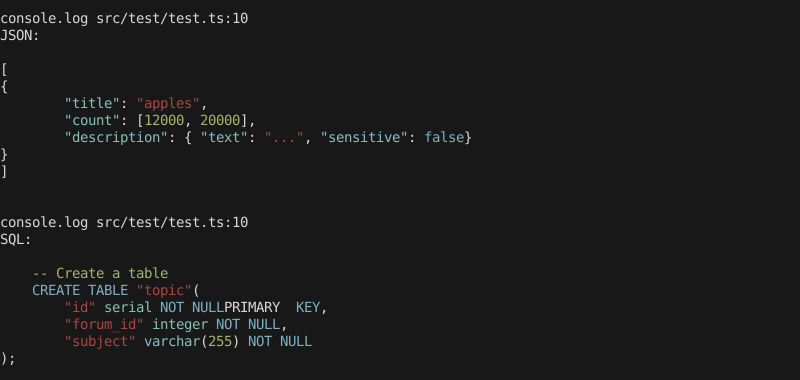
Color output of another program with piping. Example: A database migration script that logs SQL Queries
$ db-migrate --dry-run | highlight
Command line options:
Usage: highlight [options] [file]Outputs a file or STDIN input with syntax highlightingOptions: --language, -l Set the langugage explicitely If omitted will try to auto-detect --theme, -t Use a theme defined in a JSON file --version, -v Show version number [boolean] --help, -h Show help [boolean]
Programmatic Usage
You can use this module programmatically to highlight logs of your Node app. Example:
const highlight = require('cli-highlight').highlightconst Sequelize = require('sequelize')const db = new Sequelize(process.env.DB, { logging(log) { console.log(highlight(log, {language: 'sql', ignoreIllegals: true})) }})
You can write your own theme in a JSON file and pass it with --theme.
The key must be one of the highlight.js CSS class names or "default",
and the value must be one or an array of Chalk styles to be applied to that token.
The style for "default" will be applied to any substrings not handled by highlight.js. The specifics depend on the language but this typically includes things like commas in parameter lists, semicolons at the end of lines, etc.
The theme is combined with the default theme.
The default theme is still not colored a lot or optimized for many languages, PRs welcome!