========= This module has been deprecated in favor of oclif/core and will no longer be maintained. =========
cli IO utilities
Usage
The following assumes you have installed cli-ux to your project with npm install cli-ux or yarn add cli-ux and have it required in your script (TypeScript example):
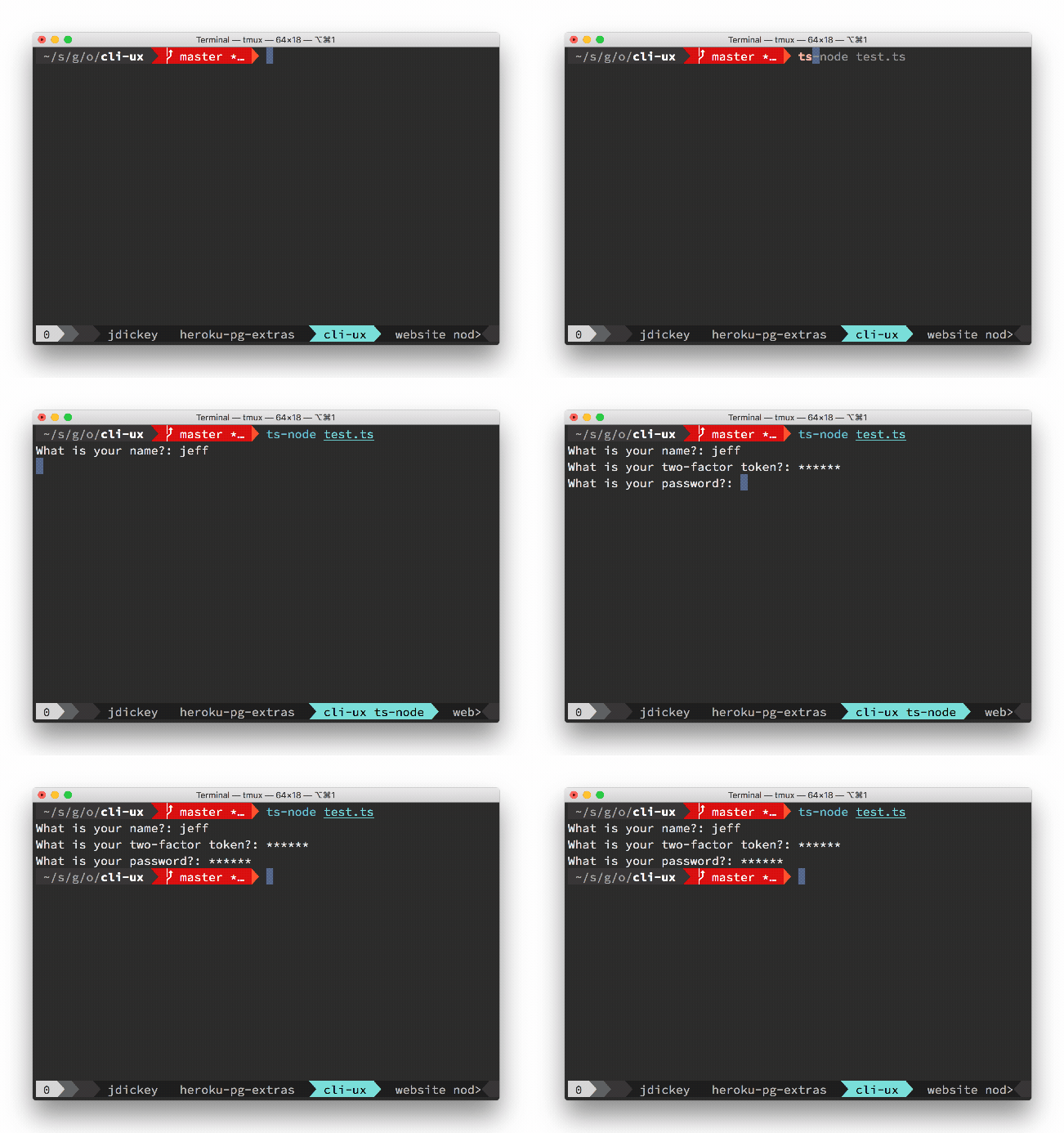
import cli from 'cli-ux'cli.prompt('What is your name?')
JavaScript:
const {cli} = require('cli-ux')cli.prompt('What is your name?')
cli.prompt()
Prompt for user input.
// just prompt for inputawait cli.prompt('What is your name?')// mask input after enter is pressedawait cli.prompt('What is your two-factor token?', {type: 'mask'})// mask input on keypress (before enter is pressed)await cli.prompt('What is your password?', {type: 'hide'})// yes/no confirmationawait cli.confirm('Continue?')// "press any key to continue"await cli.anykey()
cli.url(text, uri)
Create a hyperlink (if supported in the terminal)
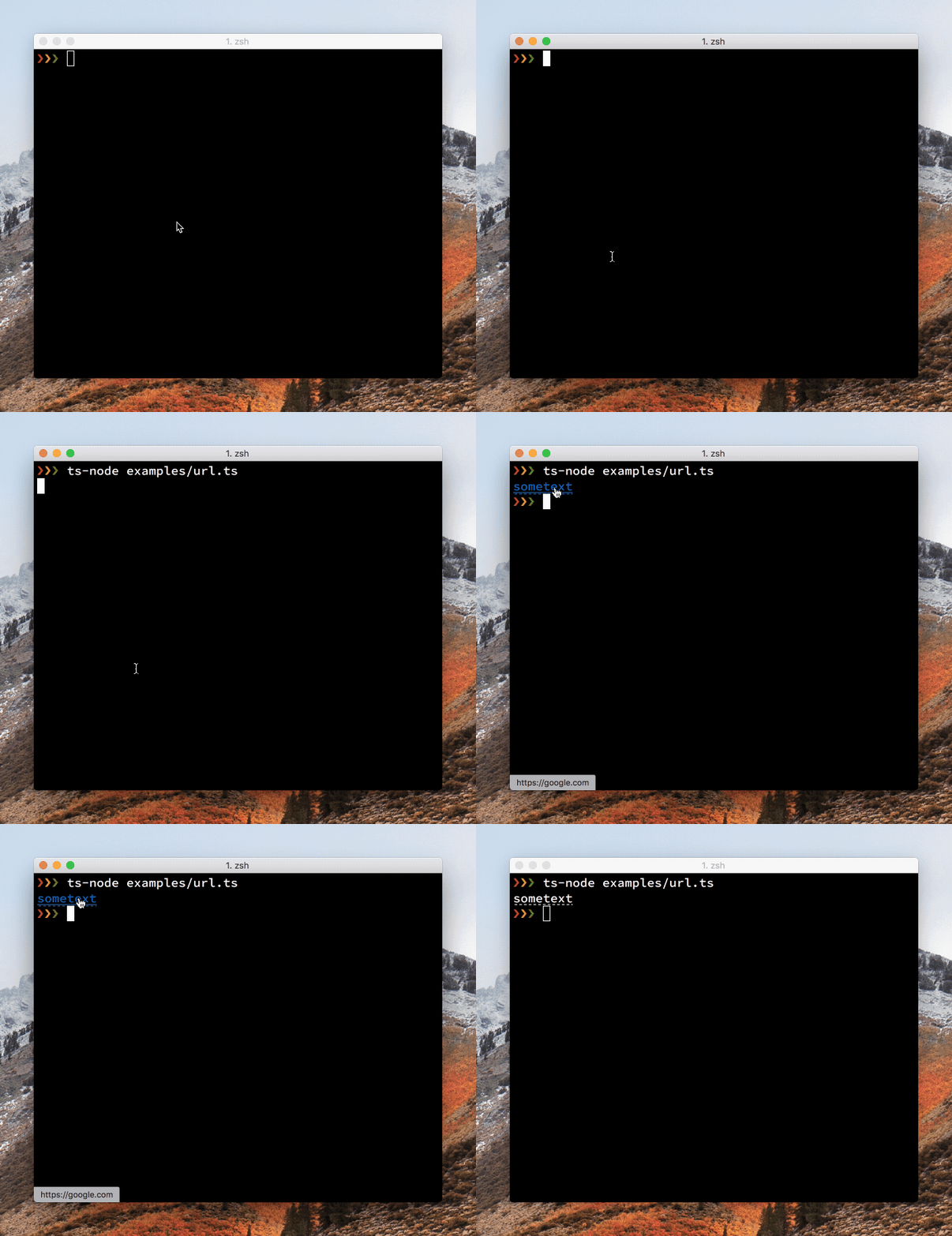
await cli.url('sometext', 'https://google.com')// shows sometext as a hyperlink in supported terminals// shows https://google.com in unsupported terminals
cli.open
Open a url in the browser
await cli.open('https://oclif.io')
cli.action
Shows a spinner
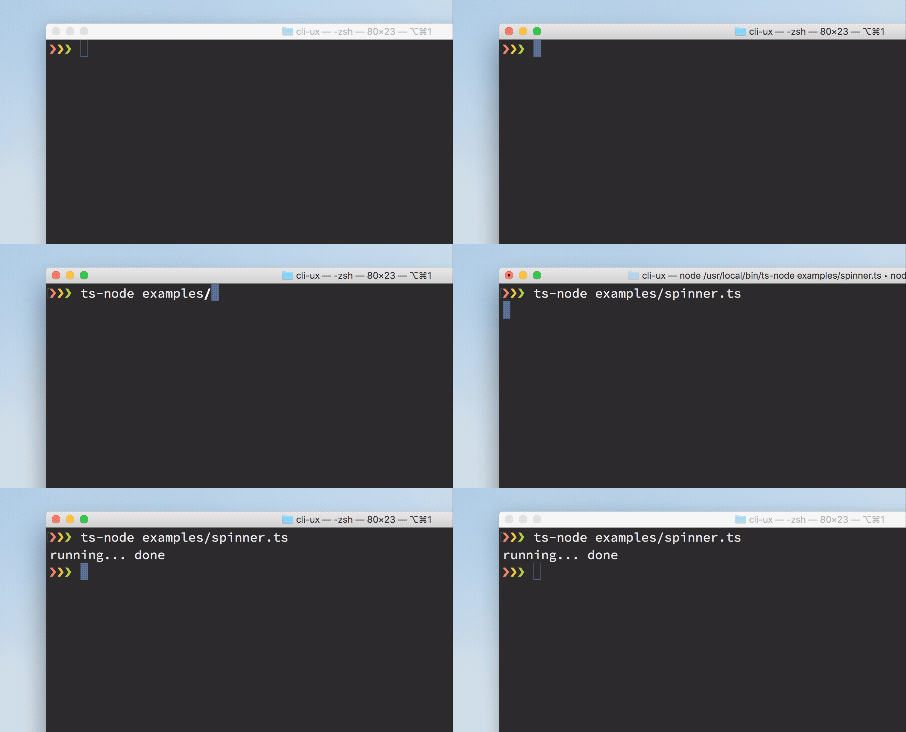
// start the spinnercli.action.start('starting a process')// show on stdout instead of stderrcli.action.start('starting a process', 'initializing', {stdout: true})// stop the spinnercli.action.stop() // shows 'starting a process... done'cli.action.stop('custom message') // shows 'starting a process... custom message'
This degrades gracefully when not connected to a TTY. It queues up any writes to stdout/stderr so they are displayed above the spinner.
cli.annotation
Shows an iterm annotation
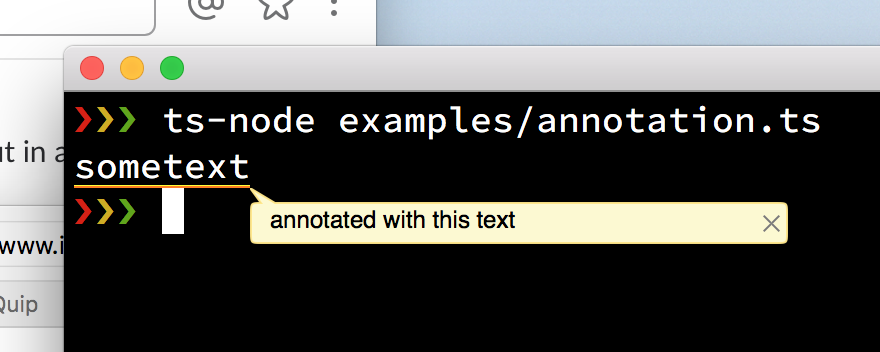
cli.annotation('sometext', 'annotated with this text')
cli.table.flags() returns an object containing all the table flags to include in your command.
{
  columns: Flags.string({exclusive: ['additional'], description: 'only show provided columns (comma-separated)'}),
  sort: Flags.string({description: 'property to sort by (prepend '-' for descending)'}),
  filter: Flags.string({description: 'filter property by partial string matching, ex: name=foo'}),
  csv: Flags.boolean({exclusive: ['no-truncate'], description: 'output is csv format'}),
  extended: Flags.boolean({char: 'x', description: 'show extra columns'}),
  'no-truncate': Flags.boolean({exclusive: ['csv'], description: 'do not truncate output to fit screen'}),
  'no-header': Flags.boolean({exclusive: ['csv'], description: 'hide table header from output'
Passing {only: ['columns']} or {except: ['columns']} as an argument into cli.table.flags() will allow/block those flags from the returned object.
Table.Columns defines the table columns and their display options.
const columns: Table.Columns = { // where `.name` is a property of a data object name: {}, // "Name" inferred as the column header id: { header: 'ID', // override column header minWidth: '10', // column must display at this width or greater extended: true, // only display this column when the --extended flag is present get: row => `US-O1-${row.id}`, // custom getter for data row object },}
Table.Options defines the table options, most of which are the parsed flags from the user for display customization, all of which are optional.
$ example-cli usersName CompanyLeanne Graham Romaguera-CronaErvin Howell Deckow-CristClementine Bauch Romaguera-JacobsonPatricia Lebsack Robel-CorkeryChelsey Dietrich Keebler LLCMrs. Dennis Schulist Considine-LockmanKurtis Weissnat Johns GroupNicholas Runolfsdottir V Abernathy GroupGlenna Reichert Yost and SonsClementina DuBuque Hoeger LLC$ example-cli users --extendedName Company ID
cli.tree
Generate a tree and display it
let tree = cli.tree()tree.insert('foo')tree.insert('bar')let subtree = cli.tree()subtree.insert('qux')tree.nodes.bar.insert('baz', subtree)tree.display()
Outputs:
├─ foo└─ bar └─ baz └─ qux
cli.progress
Generate a customizable progress bar and display it
This extends cli-progress
see all of the options and customizations there, which can be passed in with the options object.
Only the single bar variant of cli-progress is currently supported.