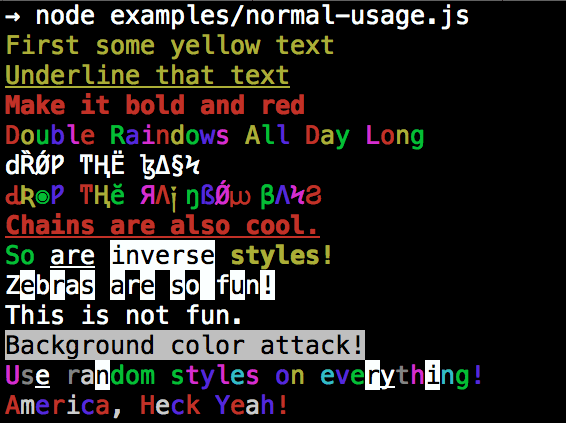
Please check out the roadmap for upcoming features and releases. Please open Issues to provide feedback, and check the develop branch for the latest bleeding-edge updates.
get color and style in your node.js console
Installation
npm install colors
colors and styles!
text colors
black
red
green
yellow
blue
magenta
cyan
white
gray
grey
background colors
bgBlack
bgRed
bgGreen
bgYellow
bgBlue
bgMagenta
bgCyan
bgWhite
styles
reset
bold
dim
italic
underline
inverse
hidden
strikethrough
extras
rainbow
zebra
america
trap
random
Usage
By popular demand, colors now ships with two types of usages!
The super nifty way
var colors = require('colors');console.log('hello'.green); // outputs green textconsole.log('i like cake and pies'.underline.red) // outputs red underlined textconsole.log('inverse the color'.inverse); // inverses the colorconsole.log('OMG Rainbows!'.rainbow); // rainbowconsole.log('Run the trap'.trap); // Drops the bass
or a slightly less nifty way which doesn't extend String.prototype
var colors = require('colors/safe');console.log(colors.green('hello')); // outputs green textconsole.log(colors.red.underline('i like cake and pies')) // outputs red underlined textconsole.log(colors.inverse('inverse the color')); // inverses the colorconsole.log(colors.rainbow('OMG Rainbows!')); // rainbowconsole.log(colors.trap('Run the trap')); // Drops the bass
I prefer the first way. Some people seem to be afraid of extending String.prototype and prefer the second way.
If you are writing good code you will never have an issue with the first approach. If you really don't want to touch String.prototype, the second usage will not touch String native object.
Disabling Colors
To disable colors you can pass the following arguments in the command line to your application: