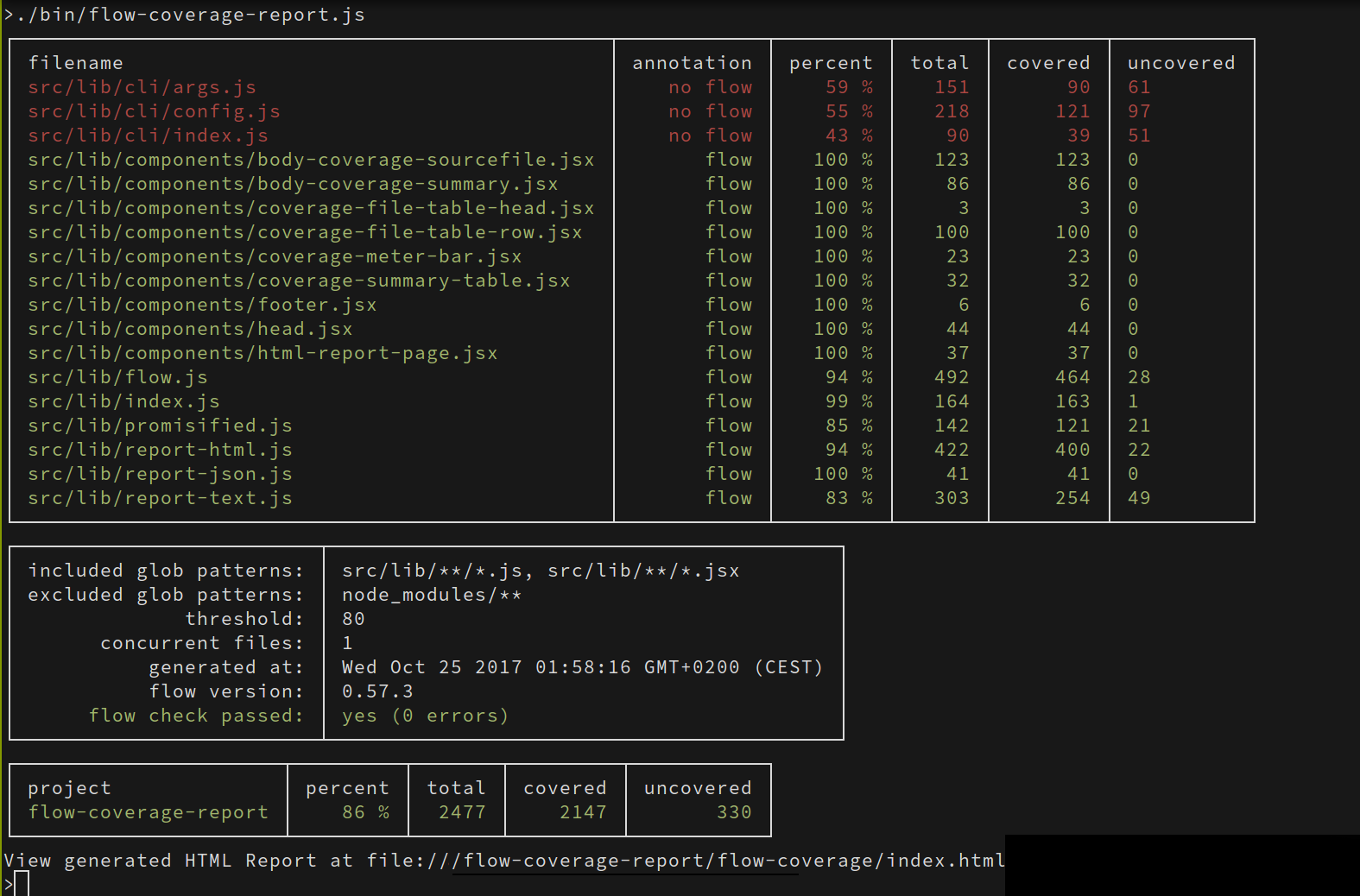
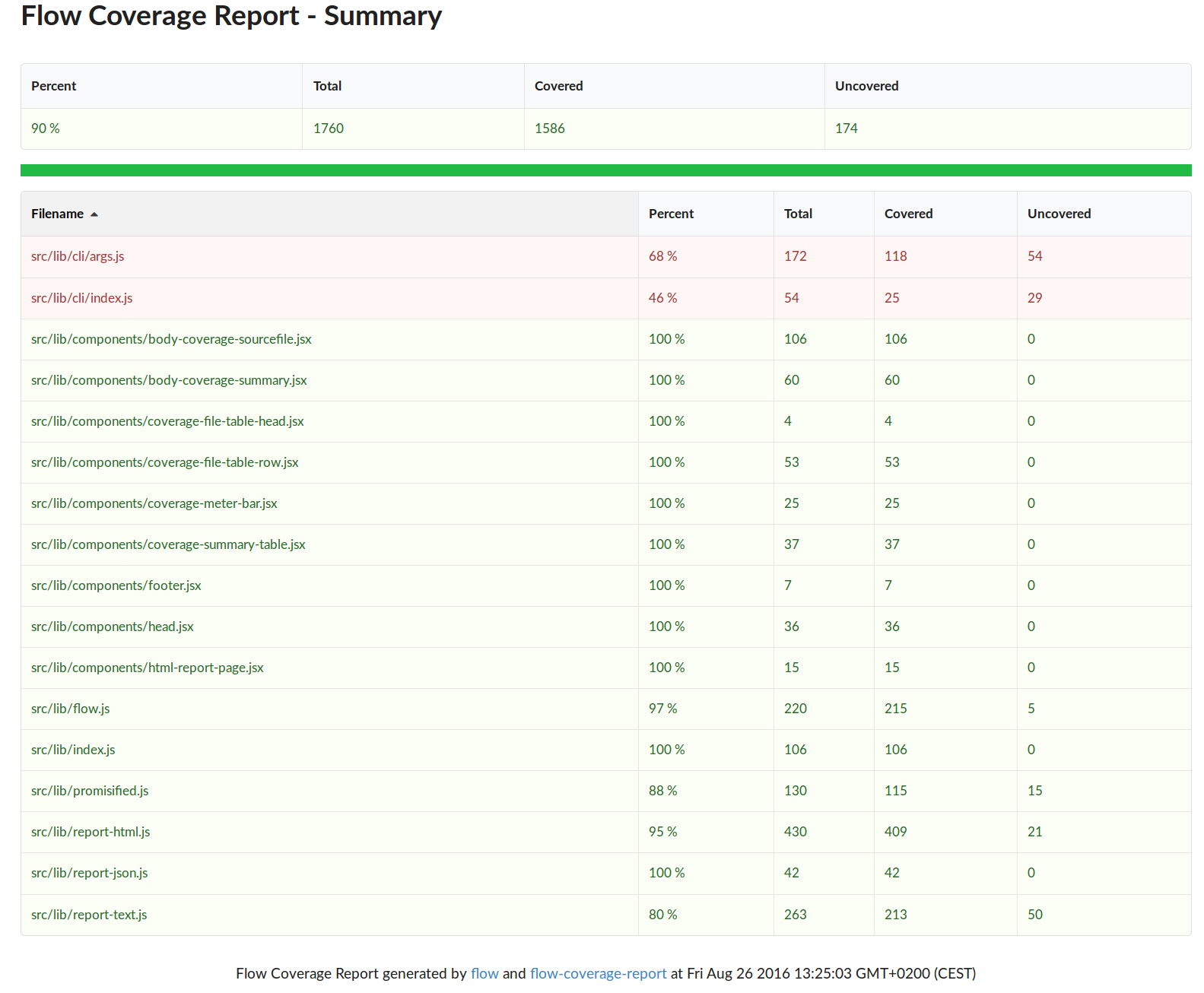
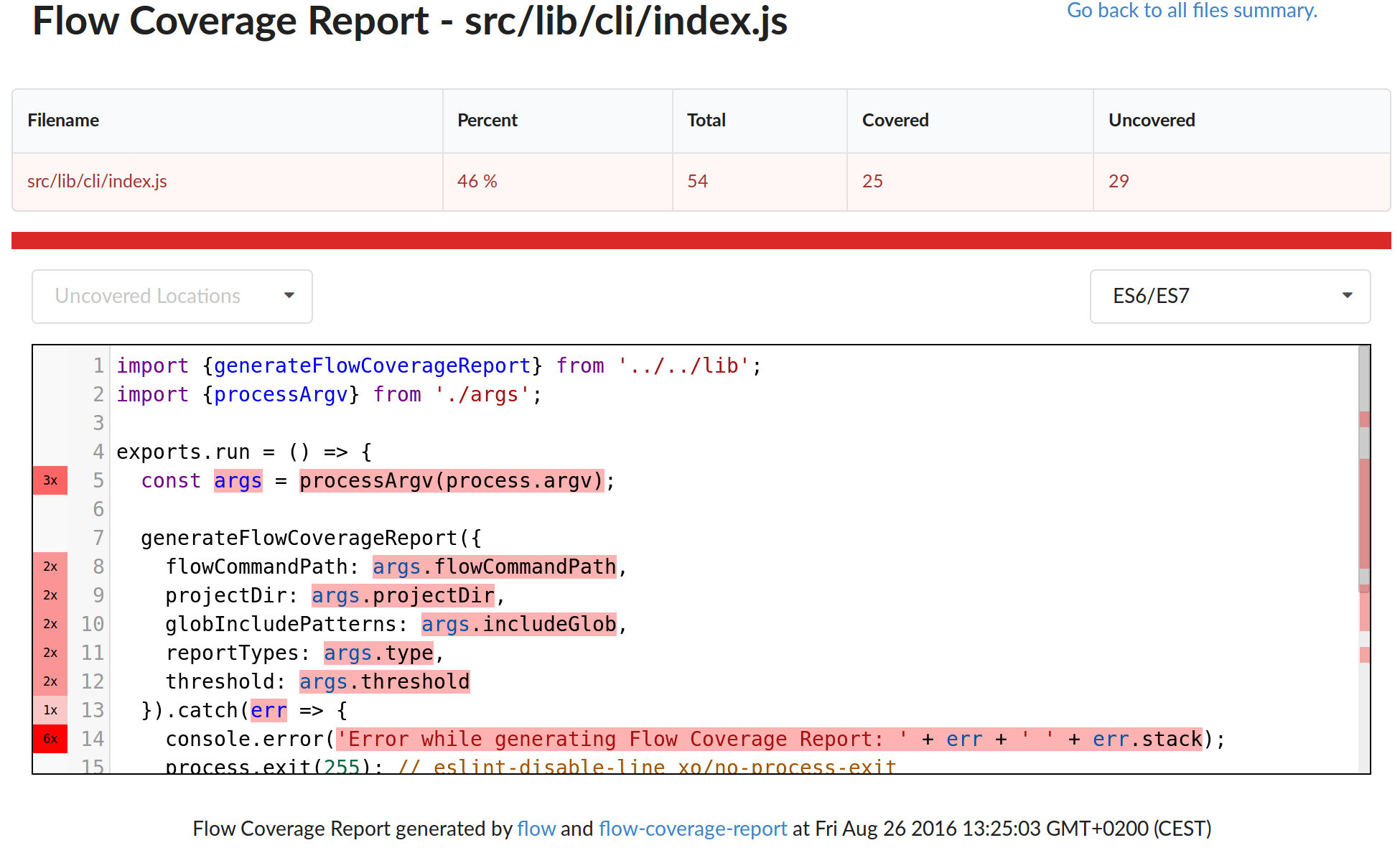
flow-coverage-report is a node command line tool to help projects which are
using flow types in their JavaScript code to keep track and visualize
the coverage of the flow types checks.
How to generate flow coverage reports for your project
Install the command line tool (globally or as a dev dependency of your project)
Run the flow reporter (-i configures the include globs, -x the exclude patterns, --threshold to configure a minimum coverage below which the build should fail, which defaults to 80%, and -t the report types enabled):
flow-coverage-report -i 'src/**/*.js' -i 'src/**/*.jsx' -x 'src/test/**' -t html -t json -t text --threshold 90
If the flow executable is not in your PATH, you can specified it using the
-f option:
flow-coverage-report -f /path/to/flow ...
To customize the output dir (which defaults to flow-coverage/). you can use the -o option:
As a gradual typing system for JavaScript, flow will help you to statically checks
parts of your JavaScript code by:
supporting syntaxes to annotate your code with types;
supporting syntaxes to declare, export and import new types implicitly and explicitly;
inferencing the type of the identifier used in your code as much as possible;
Unfortunately, even with a good amount of powerful inferencing strategies,
sometimes flow is not able to inference the types in some chunks of our code.
That's usually the source of a "Meh!" moment, and we blame flow for not being able to catch
some issue that we thought it would catch statically.
Fortunately, flow has a coverage command which can give us a quantitative
info of the flow types coverage, and optionally a color-based visualization of the
parts of the source file that are not covered, for a single file.
How to generate this quantitative info and this very useful visualization of the
uncoverage parts of our sources for our entire project?
npm audit: changed the badge-up npm dependency to @rpl/badge-up, forked from the original (currently unmantained) package
to update its svgo dependency, as it is detected by npm audit as the source of a moderate security vulnerability
(#178, See #177 for a rationale).
This new release fixes the issues with the new flow annotations (e.g. strict and strict-local) and
introduces two new command line options:
--exclude-non-flow to automatically ignore any file that match the patterns but do not have any flow annotation
--percent-decimals N to include N decimals digits in the coverage percent values
Thanks to Ville Saukkonen and Ben Styles for contributing the new --exclude-non-flow and
--percent-deciments options, and Xandor Schiefer for adding support to the new flow annotations.
0.5.0
Features:
added a new badge reporter (#140)
added a new --strict-coverage option to enforce a more strict coverage reporting mode. (#141)
The new badge reporter is implicitly executed when the html report is enabled and it generates
two badges: 'flow-badge.svg' is a badge related to the flow validation check, 'flow-coverage-badge.svg'
is a badge related to the flow coverage level reached by the project.
The new --strict-coverage option enables a more strict coverage reporting where only the flow
annotated files are considered as covered (while all the non annotated files and the "@flow weak"
annotated ones are considered as fully uncovered).
Thanks to Rúnar Berg Baugsson Sigríðarson for contributing the new badge reporter, and to Desmond Brand
and Matt Sprague for contributing the new --strict-coverage option.
0.4.1
Bug Fixes:
fixed wrong annotation on multiple pragmas on the same line (#135)
Thanks to Ryan Albrecht and Karolis Grinkevičius for their help on this bugfix release.
0.4.0
Features:
collect and report flow preamble annotation type along with coverage information (thanks to Ryan Albrecht)
Bug Fixes:
fixed bug related to ignored custom threshold in the rendered HTML report (thanks to Boris Egorov)
fixed coverage percent 0 rendered as NaN in report text
upgraded flow to v.0.57.3 and fixed new flow error (Julien Wajsberg)
fix flow coverage for escaped special chars in filenames
Thanks to Ryan Albrecht, Boris Egorov, Julien Wajsberg for their help on this new release.
0.3.0
Introduces the new command line options:
submit more then 1 concurrent file to flow using -c numManConcurentFilesSubmitted (defaults to 1)
load options from a specific config file using --config filepath
and disable config loading using --no-config
flow-coverage-report v0.3.0 loads the configuration automatically from the flow-coverage-report
section of the target project package.json (or from a .flow-coverage-report.json file in the
project dir), which is going to help to reduce the number of command line options that have to
be explicitly passed on the command line.
In this version, the flow-coverage-report npm package is also switching to a MIT license.
Features:
enhancements on the HTML report template (thanks to Jason Laster)
added optional -c/--concurrent-files option, to submit multiple files to flow
optionally load config from package.json or json config file
Bug Fixes:
fixed missing error exit code with text reporter
fixed the link to GitHub in the cli help
saved collected coverage data in temp json file to support larger project
Thanks to Ryan Albrecht, Jason Laster, Guillaume Claret and Steven Luscher for their help on this
new release.
0.2.0
Introduces the new command line options:
excluded file patterns using -x "pattern"
customize the output dir using -o reportDirPath
flow-coverage-report v0.2.0 also introduces some fixes needed to be able to generate flow coverage reports on larger projects (and projects with flow issues) and new command line options:
fix: fixed NaN percent and React false-positive mutation warning (thanks to Ilia Saulenko)
feat: new -o cli option to customize the output dir (thanks to Ryan Albrecht)
fix: cleanup old dirs before a new babel build (thanks to Ryan Albrecht)
fix: fixed issues with larger projects and projects with flow issues (thanks to Ilia Saulenko and Ryan Albrecht for the help hunting this issue down)
feat: new -x cli option to exclude files from the coverage report
fix: fixed report-text rendering issues on larger number of files
feat: highlight files with errors and no coverage data in the reports
feat: included URL to the generated HTML report in the console output (thanks to Jason Laster)
Thanks to Ilia Saulenko, Ryan Albrecht and Jason Laster for their help on this new release.
0.1.0
Initial prototype release:
collect and report coverage data as json, text and html
navigable sourcefile coverage html view based on CodeMirror
run unit tests on travis
Thanks to Kumar McMillan and Andy MacKay for their advice and support, this project and its github repo wouldn't exist without you.