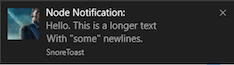
Send native desktop notifications from Node.js on macOS, Windows and Linux.
Uses Notification Center on macOS, Toasts on Windows 8+ (taskbar balloons on older
Windows) and notify-send on Linux, with Growl as a fallback.
Works with Electron.
Install
npm install node-notifier
Requires Node.js 22.22+, 24.15+ or 26+. The package is ES modules only, but
require('node-notifier') still works through Node's require(esm) support.
TypeScript types are included, so @types/node-notifier is no longer needed
(uninstall it if you have it). Each notifier has its own options type, e.g.
NotificationCenterNotification or NotifySendNotification.
CLI
Need notifications from the terminal or a shell script? Use
node-notifier-cli, no install
needed:
import notifier from 'node-notifier';notifier.notify('Message');notifier.notify( { title: 'My notification', message: 'Hello, there!', icon: '/absolute/path/to/icon.png', // Not supported on macOS or balloons sound: true, actions: ['OK', 'Cancel'] // Waits for the user (macOS, Windows, Linux) }, (error, response, metadata) => { // metadata.activationType, and metadata.activationValue for actions and replies });notifier.on('click', (notifierObject, options, event) => {});notifier.on('timeout', (notifierObject, options) => {});
The default notifier picks the right notifier for your platform (see the
decision flow). Options that a platform doesn't support are
ignored. To tune options per platform, use a notifier directly:
import { NotificationCenter, // macOS WindowsToaster, // Windows 8+ WindowsBalloon, // Windows < 8 NotifySend, // Linux Growl} from 'node-notifier';new NotifySend(options).notify(notification, callback);
Requirements
macOS: 10.14 or newer.
Windows: 8 or newer for Toasts. Earlier versions use taskbar balloons.
Linux: notify-send (libnotify-bin on Debian/Ubuntu).
Wraps the bundled terminal-notifier 3.0.0
(universal binary for Intel and Apple silicon). Other terminal-notifier flags can be
passed as options, e.g. -group becomes { group: 'id' }.
import { NotificationCenter } from 'node-notifier';const notifier = new NotificationCenter({ withFallback: false, // Use Growl on macOS < 10.14 customPath: undefined // Path to your own terminal-notifier binary});notifier.notify( { title: undefined, subtitle: undefined, message: undefined, sound: false, // true ('Bottle') or a name: Basso, Blow, Bottle, Frog, Funk, Glass, Hero, Morse, Ping, Pop, Purr, Sosumi, Submarine, Tink contentImage: undefined, // Absolute path to a local image open: undefined, // URL to open on click group: undefined, // Notifications in the same group replace each other actions: undefined, // String | Array<String>. Action buttons reply: false, // Boolean | String. Adds a text field, a string is used as placeholder timeout: 10, // Seconds to wait for actions/reply, or false to wait forever wait: false // Shorthand for timeout: 5 }, (error, response, metadata) => {});
Only notifications with actions or reply wait for the user. Others call the
callback right away and emit no click or timeout events.
metadata.activationType is contentsClicked, actionClicked, replied,
closed or timeout.
A waiting notification keeps your process alive. Call notifier.clearAll() to
stop waiting on all notifications from that instance.
icon is not supported. macOS always shows the icon of the sending app. For a
custom icon, build terminal-notifier with your icon
(make icon ICON=logo.png APP_NAME=my-tool) and point customPath to it.
macOS asks for notification permission the first time a notification is sent.
import { WindowsToaster } from 'node-notifier';const notifier = new WindowsToaster({ withFallback: false, // Use balloons on Windows < 8 customPath: undefined // Path to your own SnoreToast.exe});notifier.notify( { title: undefined, message: undefined, // Required unless `remove` is set icon: undefined, // Absolute path to a PNG, max 1024×1024 px and 200 KB sound: false, // true, or a Windows sound such as 'Notification.Mail' actions: undefined, // Array<String>. Action buttons appID: undefined, // Your app's ID. Without it the toast shows "SnoreToast" id: undefined, // Number. ID to use with `remove` remove: undefined, // Number. ID of a notification to close duration: undefined, // 'short' (~7s, default) or 'long' (~25s) install: undefined, // Creates a Start menu shortcut for `appID` application: undefined // Executable to start when clicked after node-notifier stopped listening }, (error, response, metadata) => {});
Set appID to the ID your app registered at install (e.g.
com.squirrel.your.app with Squirrel). Otherwise the toast shows "SnoreToast".
Toasts always wait for the user. wait and timeout don't change how long a
toast is shown, use duration. After that it stays in the Action Center.
On 32-bit Windows the bundled SnoreToast is 0.7.0: duration is ignored, and
clicks with a custom appID aren't reported. Use customPath with a newer
SnoreToast to get both.
No toasts? Check that banners are enabled for the app under
Settings › System › Notifications.
import { WindowsBalloon } from 'node-notifier';new WindowsBalloon({ withFallback: false, customPath: undefined }).notify( { title: undefined, message: undefined, sound: false, time: 5000, // Milliseconds to show the balloon wait: false, type: 'info' // info | warn | error }, (error, response) => {});
NotifySend (Linux)
import { NotifySend } from 'node-notifier';new NotifySend().notify( { title: 'Foo', message: 'Hello World', icon: '/absolute/path/to/icon.png', timeout: 10, // Seconds before the notification expires actions: undefined, // String | Array<String>. Requires notify-send 0.7.10+ transient: false, // Don't keep it in the notification history 'app-name': 'node-notifier', urgency: undefined, // low | normal | critical category: undefined, hint: undefined }, (error, response, metadata) => {});
Only notifications with actions wait for the user. Choosing an action emits
click with the label in metadata.activationValue, running out of time emits
timeout. See example/notify-send-actions.ts.
actions needs libnotify 0.7.10+ (e.g. Ubuntu 24.04, Debian 12) and a
notification daemon that supports actions.
Under WSL, notifications are shown in Windows. To use Linux notifications instead
(with an X server and a notification daemon), start the process with:
NODE_NOTIFIER_WSL_NOTIFIER=linux node app.js
It is read when node-notifier is imported, so setting process.env later has no
effect. You can also use NotifySend directly.
Windows can only show icons from a Windows drive. An icon on a mounted drive
(e.g. /mnt/c/Users/me/icon.png) is converted to its Windows path, other icons are
skipped. If you copied the package without keeping file permissions, run
chmod +x on the .exe files in vendor/.
Cron, PM2 and services
Notifications are shown on the desktop of the logged-in user, so the process must
run as that user while they are logged in.
Linux: cron and some process managers start without the session environment,
so notify-send can't reach the session bus. Set XDG_RUNTIME_DIR (and
DBUS_SESSION_BUS_ADDRESS if needed):