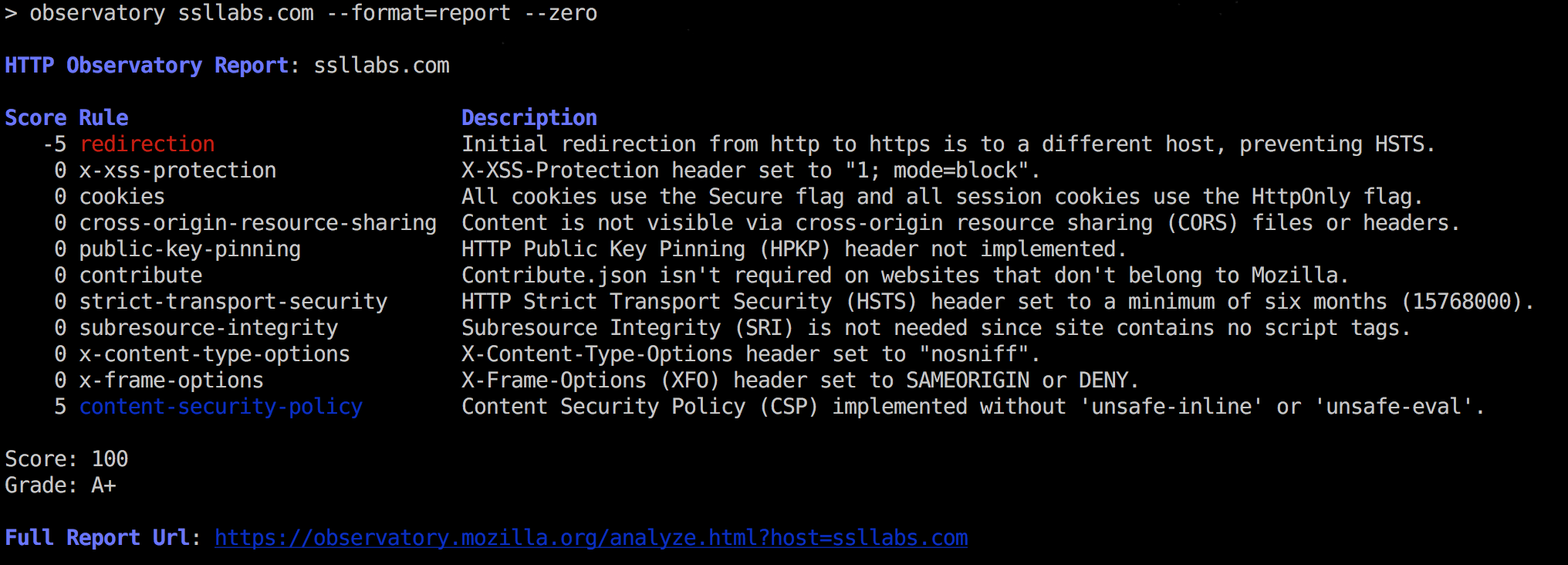
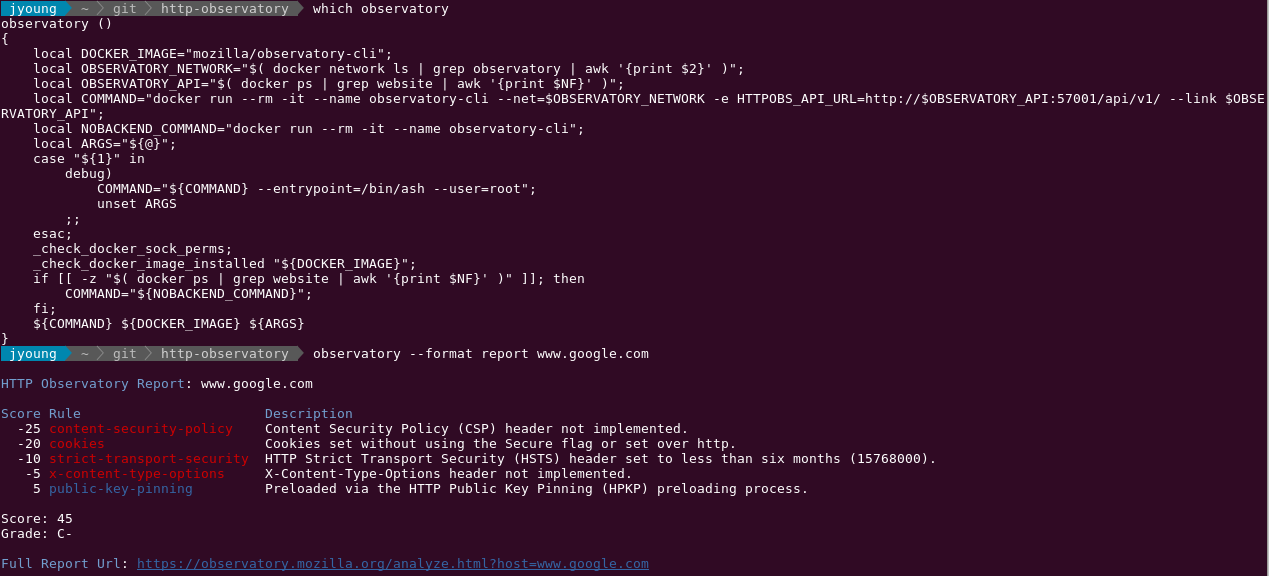
Observatory by Mozilla is a project designed to help developers, system administrators, and security professionals configure their sites safely and securely.
The full report url has suggestions to repair each of these issues.
Install
$ npm install -g observatory-cli
(Optional Docker instructions below.)
Usage
Scan a site for https best practices.
# json!$ observatory some.site.name# include 'zero' scores, display as a tabular report$ observatory some.site.name --zero --format=report# attempt to force a re-scan$ observatory some.site.name --rescan
Test a site as part of a Continuous Integration pipeline.
For --nagios <failcode>, failcode will be the exit code if the test fails.
Help Ouput
$ observatory --help

  Usage: observatory [options] <site>

  cli for interacting with Mozilla HTTP Observatory

  https://observatory.mozilla.org/

  Options:

    -h, --help               output usage information
    -V, --version            output the version number
    --format [format]        format for output.  choice:  (json|report|csv|url).  `json` is default
    --min-grade <grade>      testing: this grade or better, or exit(1)
    --min-score <score>      testing: this score or better, or exit(1)
    --nagios [failcode]      nagios mode, exits with [failcode] on failure
    --rescan                 initiate a rescan instead of showing recent scan results
    -z, --zero               show test results that don't affect the final score
    --attempts <n>           number of attempts to try before failing
    --api-version [version]  api version:  defaults to 1
    --skip <rule>            skip rules by name.  works with min-score only
    --tls                    do tls checks instead
    -q, --quiet              turns off all logging


  Output Formats (--format)
    - json    json of the report
    - report  plain-text tabular format
    - csv     alias for report
    - url     url for online version
Example Report, Text Version
Report, with options:
-z to show '0' rules (all rules)
--skip to skip a rule (affects SCORE, but not GRADE)
$ observatory some.site --format=report -z --skip redirectionobservatory [INFO] modfiying score, because of --skip. was: 60, now: 65HTTP Observatory Report: some.siteScore Description -20 content-security-policy Content Security Policy (CSP) implemented, but allows 'unsafe-inline' inside script-src -10 x-xss-protection X-XSS-Protection header not implemented -5 x-content-type-options X-Content-Type-Options header not implemented 0 contribute Contribute.json implemented with the required contact information 0 cookies No cookies detected 0 cross-origin-resource-sharing Content is not visible via cross-origin resource sharing (CORS) files or headers 0 public-key-pinning HTTP Public Key Pinning (HPKP) header not implemented 0 strict-transport-security HTTP Strict Transport Security (HSTS) header set to a minimum of six months (15768000) 0 subresource-integrity Subresource Integrity (SRI) not implemented, but all scripts are loaded from a similar origin 0 x-frame-options X-Frame-Options (XFO) header set to SAMEORIGIN or DENYScore: 65 (modified due to --skip)Grade: C+Full Report Url: https://observatory.mozilla.org/analyze.html?host=some.site
Use the provided Dockerfile, to build and execute observatory in Docker container. Useful for Continuous Integration/Continuous Deployment (CI/CD) pipelines capable of running containers but that otherwise don't need a lot of extra software.
To get started,
Build the container. Tag it as mozilla/observatory-cli
docker build -t mozilla/observatory-cli .
Add a section like this to your profile (varies depending on your operating system and shell. bash shown).
## $HOME/.bashrcif [[ -d $HOME/.bash_functions ]]; then for file in $HOME/.bash_functions/*; do . $file donefi
Create the directory referenced in point 2 and copy the files in shell_functions (not bash_completion) into that directory:
$ mkdir $HOME/.bash_functions$ find shell_functions -maxdepth 1 -type f -executable | while read file; do cp $file $HOME/.bash_functions; done
Optional: Add Bash completion to your shell. (varies depending on your host operating system)
## On Red Hat based distributions:sudo cp shell_functions/bash_completion/observatory.bash /etc/bash_completion.d/
Start a new shell and execute . Now it's in a Docker container. Bash completion is available if you've added it.