contents
Observatory by Mozilla CLI Client
Score your site's HTTPS practices
Observatory by Mozilla is a project designed to help developers, system administrators, and security professionals configure their sites safely and securely.
Observatory in action!
Example site report, with additional options
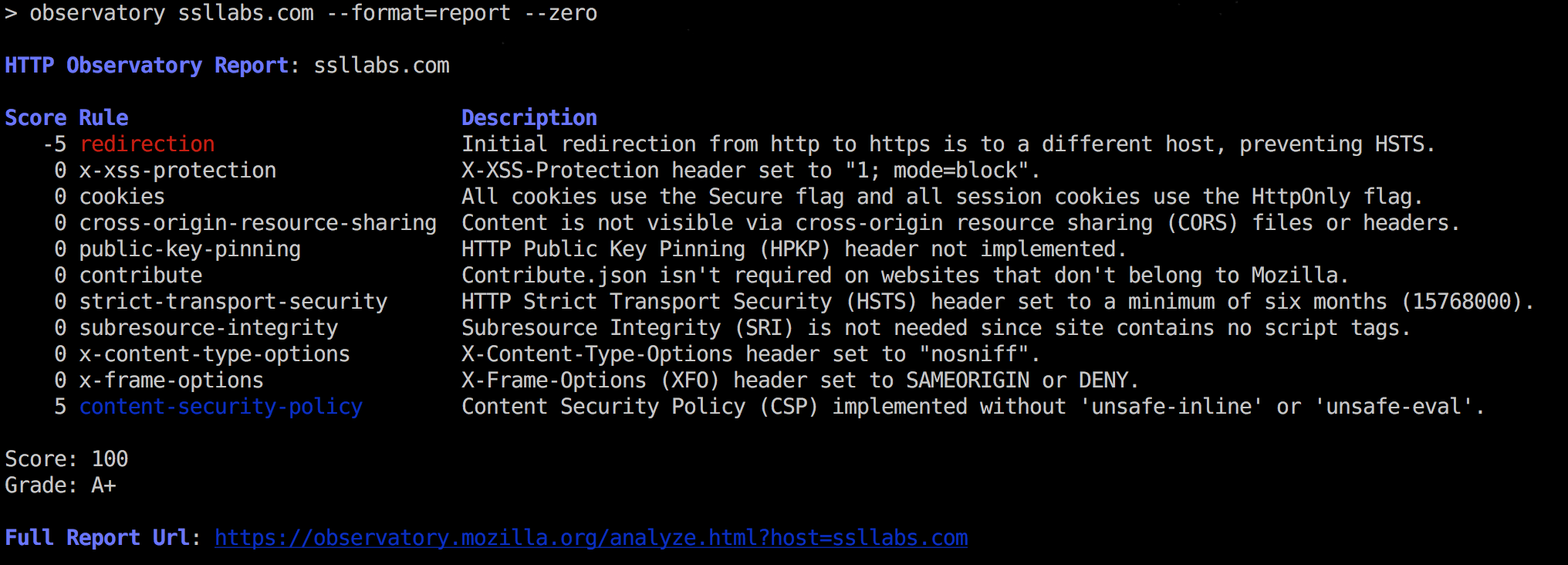
The full report url has suggestions to repair each of these issues.
Install
$ npm install -g observatory-cli(Optional Docker instructions below.)
Usage
-
Scan a site for
httpsbest practices.# json! $ observatory some.site.name # include 'zero' scores, display as a tabular report $ observatory some.site.name --zero --format=report # attempt to force a re-scan $ observatory some.site.name --rescan -
Test a site as part of a Continuous Integration pipeline.
Script will FAIL unless the grade is AT LEAST
B+$ observatory some.site.name --min-grade B+...and the score is at least 50.
$ observatory some.site.name --min-grade B+ --min-score 50 -
Print the URL for the expanded online report.
$ observatory some.site.name --format=url -
nagios monitoring plugin mode.
For
--nagios <failcode>,failcodewill be the exit code if the test fails.
Help Ouput
$ observatory --help

  Usage: observatory [options] <site>

  cli for interacting with Mozilla HTTP Observatory

  https://observatory.mozilla.org/

  Options:

    -h, --help               output usage information
    -V, --version            output the version number
    --format [format]        format for output.  choice:  (json|report|csv|url).  `json` is default
    --min-grade <grade>      testing: this grade or better, or exit(1)
    --min-score <score>      testing: this score or better, or exit(1)
    --nagios [failcode]      nagios mode, exits with [failcode] on failure
    --rescan                 initiate a rescan instead of showing recent scan results
    -z, --zero               show test results that don't affect the final score
    --attempts <n>           number of attempts to try before failing
    --api-version [version]  api version:  defaults to 1
    --skip <rule>            skip rules by name.  works with min-score only
    --tls                    do tls checks instead
    -q, --quiet              turns off all logging


  Output Formats (--format)
    - json    json of the report
    - report  plain-text tabular format
    - csv     alias for report
    - url     url for online version
Example Report, Text Version
Report, with options:
-zto show '0' rules (all rules)--skipto skip a rule (affects SCORE, but not GRADE)
$ observatory some.site --format=report -z --skip redirection

observatory [INFO] modfiying score, because of --skip.  was: 60, now: 65

HTTP Observatory Report: some.site

Score Description

  -20 content-security-policy        Content Security Policy (CSP) implemented, but allows 'unsafe-inline' inside script-src
  -10 x-xss-protection               X-XSS-Protection header not implemented
   -5 x-content-type-options         X-Content-Type-Options header not implemented
    0 contribute                     Contribute.json implemented with the required contact information
    0 cookies                        No cookies detected
    0 cross-origin-resource-sharing  Content is not visible via cross-origin resource sharing (CORS) files or headers
    0 public-key-pinning             HTTP Public Key Pinning (HPKP) header not implemented
    0 strict-transport-security      HTTP Strict Transport Security (HSTS) header set to a minimum of six months (15768000)
    0 subresource-integrity          Subresource Integrity (SRI) not implemented, but all scripts are loaded from a similar origin
    0 x-frame-options                X-Frame-Options (XFO) header set to SAMEORIGIN or DENY

Score: 65 (modified due to --skip)
Grade: C+

Full Report Url: https://observatory.mozilla.org/analyze.html?host=some.site
Technical / Development
Debug observatory api urls
NODE_DEBUG=request observatory --format report --rescan --zero www.mozilla.orgAPI Documentation
https://github.com/mozilla/http-observatory/blob/master/httpobs/docs/api.md
Dockerized observatory-cli
Use the provided Dockerfile, to build and execute observatory in Docker container. Useful for Continuous Integration/Continuous Deployment (CI/CD) pipelines capable of running containers but that otherwise don't need a lot of extra software.
To get started,
-
Build the container. Tag it as
mozilla/observatory-clidocker build -t mozilla/observatory-cli . -
Add a section like this to your
profile(varies depending on your operating system and shell.bashshown).## $HOME/.bashrc if [[ -d $HOME/.bash_functions ]]; then for file in $HOME/.bash_functions/*; do . $file done fi -
Create the directory referenced in point 2 and copy the files in
shell_functions(notbash_completion) into that directory:$ mkdir $HOME/.bash_functions $ find shell_functions -maxdepth 1 -type f -executable | while read file; do cp $file $HOME/.bash_functions; done -
Optional: Add Bash completion to your shell. (varies depending on your host operating system)
## On Red Hat based distributions: sudo cp shell_functions/bash_completion/observatory.bash /etc/bash_completion.d/ -
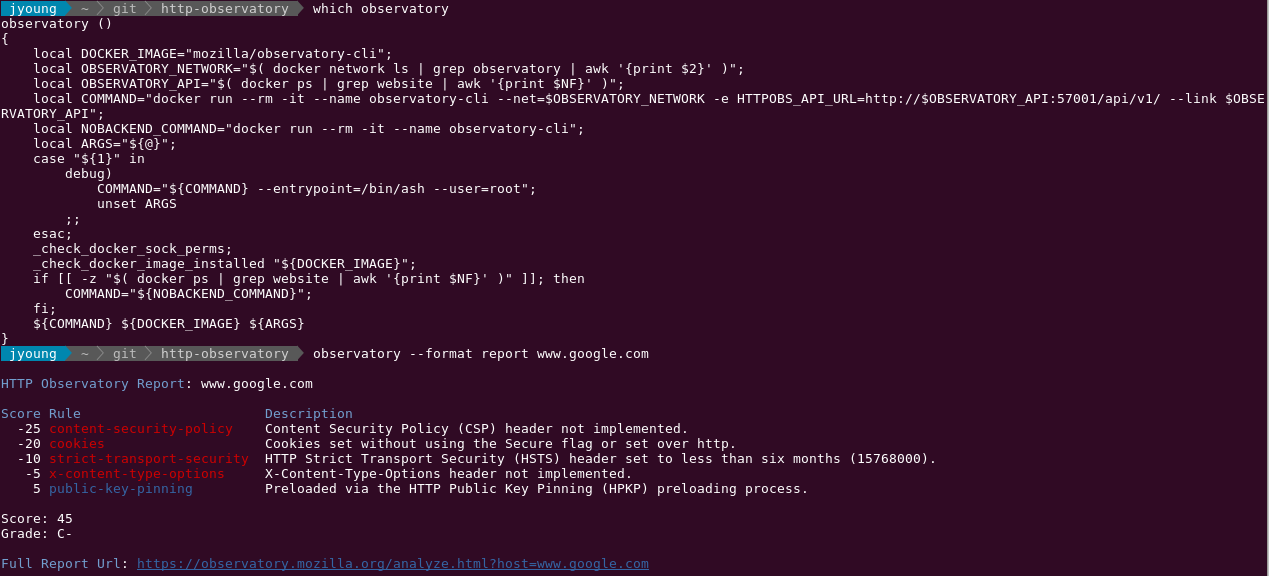
Start a new shell and execute . Now it's in a Docker container. Bash completion is available if you've added it.
Related projects
- HTTP Observatory by April King
- Python observatory-cli by April King