Pretty Exceptions
Pretty and more helpful uncaught exceptions, automatically.
Usage
Library
const pretty = require ( 'pretty-exceptions/lib' ) const options = { source: true , native: true , color: true , cwd: process. cwd () } const output = pretty ( new Error ( 'foo' ), options) copy optionsname type required default description source Boolean✖ falseShow source code in stack native Boolean✖ falseShow native code in stack color Boolean✖ trueuse ansi colors cwd String✖ process.cwd()resolve file names relative to this path
CLI (preferred)
This is the preferred approach to best avoid mistakingly including into production builds
setup your NODE_PATH
export NODE_PATH = " $NODE_PATH :$( npm root -g)" copy
install pretty-exceptions
npm install --global pretty-exceptions copy
run your application with the --require
Pro Tip:
Use Bash Aliases for less typing
# make a special alias for debugging alias node-ex = 'node --require pretty-exceptions' # or even better: alias node = 'node --require pretty-exceptions/source' copy
To make this persistent, you need to add this into your ~/.bashrc (or ~/.bash_profile) .
Environment Variables
env default description PRETTY_EXCEPTIONS_SOURCE0Show source code in stack PRETTY_EXCEPTIONS_NATIVE0Show native code in stack PRETTY_EXCEPTIONS_COLOR1use ansi colors
Source (if you really must!)
Require at the top-most entry point of your app:
require ( 'pretty-exceptions' ) // alternative modes (see below): require ( 'pretty-exceptions/source-native' ) copy Modes
Default
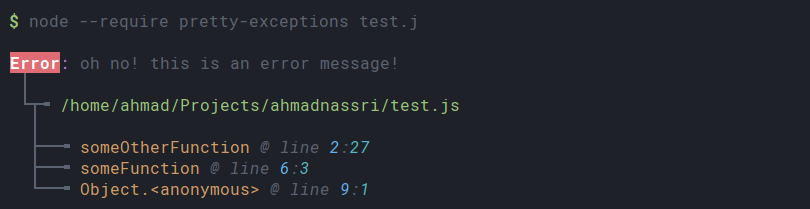
$ node --require pretty-exceptions my-app.js copy Output
Error: oh no! this is an error message!
 │
 └┬╼ /path/to/my-app.js
  │
  ├──╼ someOtherFunction @ line 2:27
  ├──╼ someFunction @ line 6:3
  └──╼ Object.<anonymous> @ line 9:1
copy Demo
Colors will vary based on your local terminal configuration
View Source
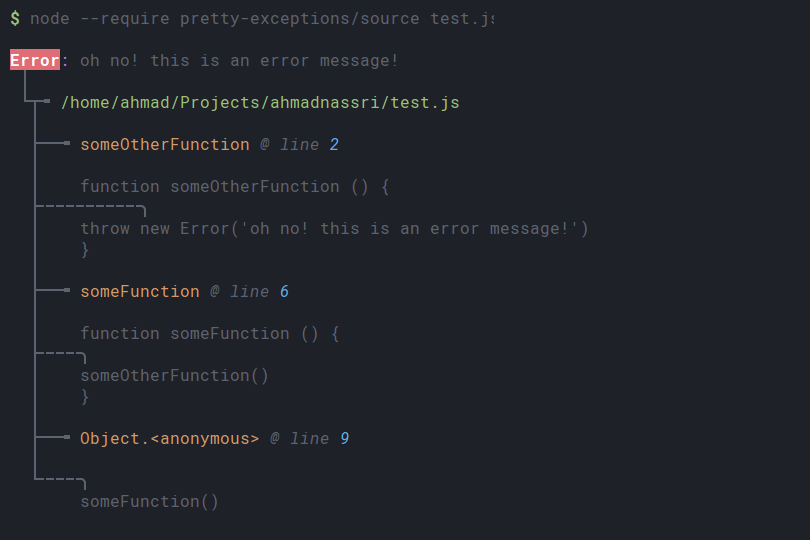
$ node --require pretty-exceptions/source my-app.js # OR $ PRETTY_EXCEPTIONS_SOURCE= 1 node --require pretty-exceptions my-app.js copy Output
Error: oh no! this is an error message!
 │
 └┬╼ /path/to/my-app.js
  │
  ├──╼ someOtherFunction @ line 2
  │
  │    function someOtherFunction () {
  ├╌╌╌╌╌╌╌╌╌╌╮
  │    throw new Error('oh no! this is an error message!')
  │    }
  │
  ├──╼ someFunction @ line 6
  │
  │    function someFunction () {
  ├╌╌╌╌╮
  │    someOtherFunction()
  │    }
  │
  ├──╼ Object.<anonymous> @ line 9
  │
  └╌╌╌╌╮
       someFunction()
copy Demo
Colors will vary based on your local terminal configuration
View Native Calls
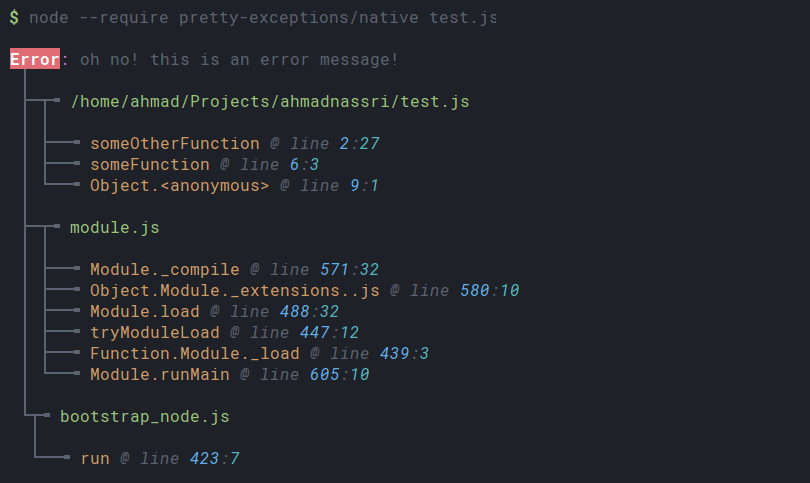
$ node --require pretty-exceptions/native my-app.js
# OR
$ PRETTY_EXCEPTIONS_NATIVE=true node --require pretty-exceptions my-app.js
copy Output
Error: oh no! this is an error message!
 │
 ├─┬╼ /path/to/my-app.js
 │ │
 │ ├──╼ someOtherFunction @ line 2:27
 │ ├──╼ someFunction @ line 6:3
 │ └──╼ Object.<anonymous> @ line 9:1
 │
 ├─┬╼ module.js
 │ │
 │ ├──╼ Module._compile @ line 571:32
 │ ├──╼ Object.Module._extensions..js @ line 580:10
 │ ├──╼ Module.load @ line 488:32
 │ ├──╼ tryModuleLoad @ line 447:12
 │ ├──╼ Function.Module._load @ line 439:3
 │ └──╼ Module.runMain @ line 605:10
 │
 └┬╼ bootstrap_node.js
  │
  └──╼ run @ line 423:7
copy Demo
Colors will vary based on your local terminal configuration
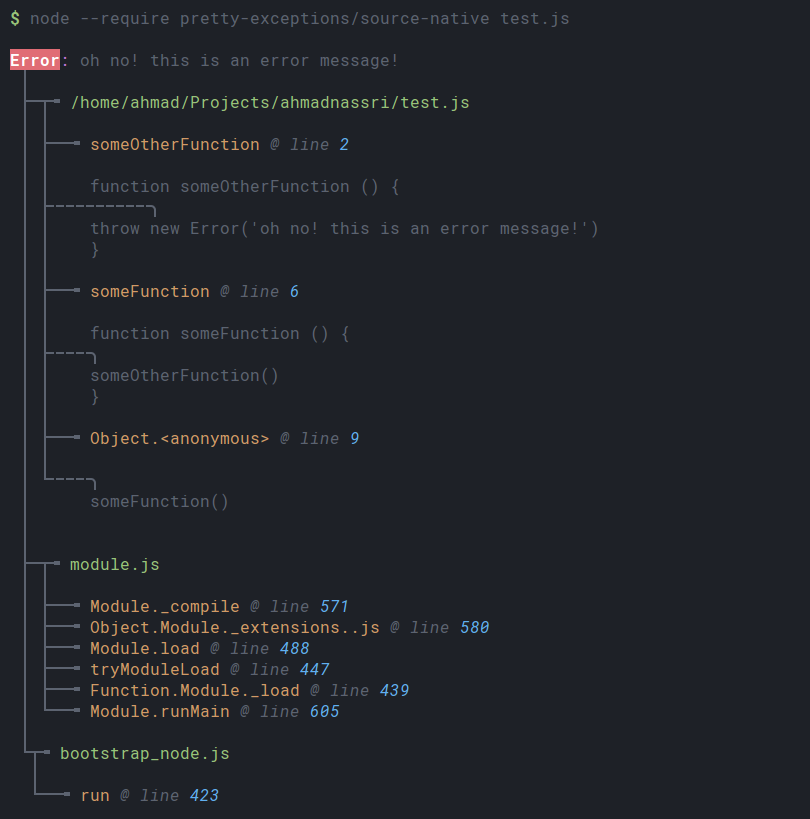
View Source & Native
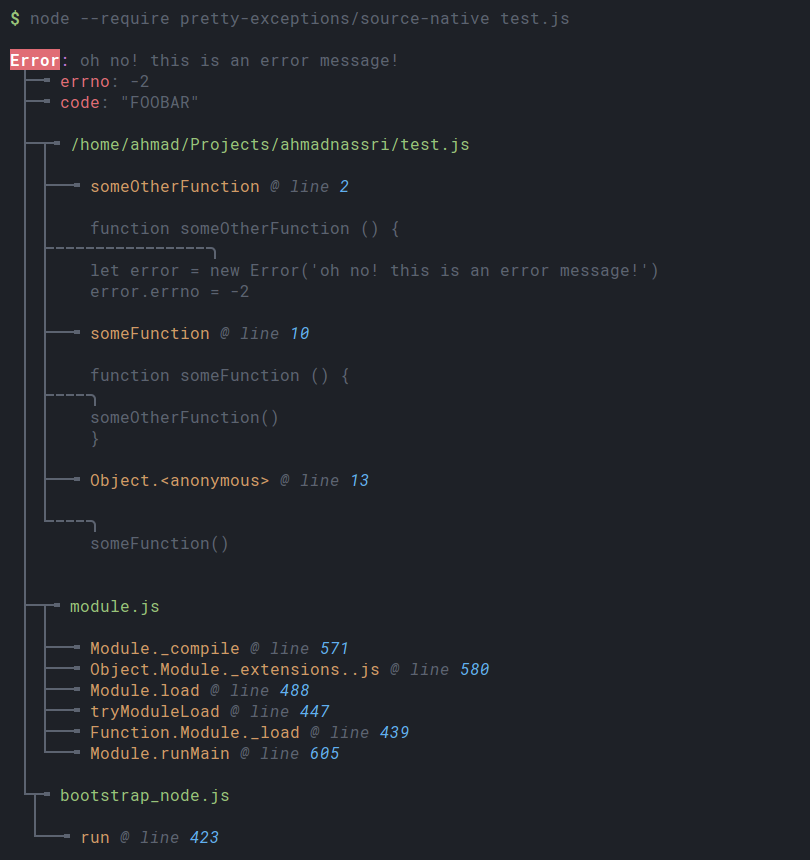
$ node --require pretty-exceptions/source-native my-app.js # OR $ PRETTY_EXCEPTIONS_SOURCE= 1 PRETTY_EXCEPTIONS_NATIVE= 1 node --require pretty-exceptions my-app.js copy Output
Error: oh no! this is an error message!
 │
 ├─┬╼ /path/to/my-app.js
 │ │
 │ ├──╼ someOtherFunction @ line 2
 │ │
 │ │    function someOtherFunction () {
 │ ├╌╌╌╌╌╌╌╌╌╌╮
 │ │    throw new Error('oh no! this is an error message!')
 │ │    }
 │ │
 │ ├──╼ someFunction @ line 6
 │ │
 │ │    function someFunction () {
 │ ├╌╌╌╌╮
 │ │    someOtherFunction()
 │ │    }
 │ │
 │ ├──╼ Object.<anonymous> @ line 9
 │ │
 │ └╌╌╌╌╮
 │      someFunction()
 │
 │
 ├─┬╼ module.js
 │ │
 │ ├──╼ Module._compile @ line 571
 │ ├──╼ Object.Module._extensions..js @ line 580
 │ ├──╼ Module.load @ line 488
 │ ├──╼ tryModuleLoad @ line 447
 │ ├──╼ Function.Module._load @ line 439
 │ └──╼ Module.runMain @ line 605
 │
 └┬╼ bootstrap_node.js
  │
  └──╼ run @ line 423
copy Demo
Colors will vary based on your local terminal configuration
Author: Ahmad Nassri •
Twitter: @AhmadNassri