A fast QR code generator with logo embedding support, built with Rust as a native Node.js addon for best performance while avoiding additional modules (example: canvas).
Features
Fast: Built with Rust for maximum performance and caching 🚀
Fast SVG: High-performance SVG rendering from a self-contained Rust QR engine — no JS QR library or node canvas required
Cross-platform: Works on iOS, Windows, Linux, and macOS
Logo embedding: Add custom logos to your QR codes with no need for node canvas!
Error correction: Configurable error correction levels (L, M, Q, H)
Customizable: Custom colors, sizes, and margins
Multiple formats: Generate SVG, PNG, JPEG, and WebP outputs
Scalable: With caching you can also use a secondary store for persistence
Well-tested: Comprehensive test coverage with Vitest
Maintained: Actively maintained with regular updates
QrBit v2 upgrades the underlying hookified dependency from v1 to v2. This is a breaking change for consumers who use HookifiedOptions properties in their QrOptions.
Breaking Changes
v1 (qrbit 1.x)
v2 (qrbit 2.x)
logger option
Renamed to eventLogger
throwHookErrors option
Removed, use throwOnHookError
throwOnEmptyListeners defaults to false
Now defaults to true
maxListeners defaults to 100
Now defaults to 0 (unlimited)
HookEntry type
Replaced by IHook interface
Hook type (function alias)
Renamed to HookFn
What Didn't Change
All QR code generation methods (.toSvg(), .toPng(), .toJpg(), .toWebp(), and their file variants) work identically.
Event emitting (.on(), .emit(), .once(), .off()) works identically.
Constructor options for QR code configuration (text, size, margin, logo, logoSizeRatio, backgroundColor, foregroundColor, errorCorrection, cache) are unchanged.
Caching behavior is unchanged.
Logo embedding (path and buffer) works identically.
Migration Steps
Update your qrbit dependency to v2:
npm install qrbit@latest
If you pass a logger in your options, rename it to eventLogger:
// Before (v1)const qr = new QrBit({ text: "hello", logger: myLogger });// After (v2)const qr = new QrBit({ text: "hello", eventLogger: myLogger });
If you reference throwHookErrors, use throwOnHookError instead:
// Before (v1)const qr = new QrBit({ text: "hello", throwHookErrors: true });// After (v2)const qr = new QrBit({ text: "hello", throwOnHookError: true });
If you rely on throwOnEmptyListeners being false, explicitly set it:
const qr = new QrBit({ text: "hello", throwOnEmptyListeners: false });
Installation
npm install qrbit
Requirements
Node.js 22, 24, and 26
Supported platforms: Windows x64, macOS (Apple Silicon and Intel), Linux x64 (glibc and musl)
Usage
const qr = new QrBit({ text: "https://github.com/jaredwray/qrbit", size: 200 });const svg = await qr.toSvg();console.log(svg); // here is the svg!
Here is how you add a logo:
const qr = new QrBit({ text: "https://github.com/jaredwray/qrbit", logo: '/path/to/logo.png', size: 200 });const svg = await qr.toSvg();console.log(svg); // here is the svg with an embedded logo!
const qr = new QrBit({ text: "https://github.com/jaredwray/qrbit", logo: '/path/to/logo.png', size: 200 });const png = await qr.toPng(); // buffer of the png!
API
constructor(options: QrOptions)
Creates a new QrBit instance with the specified options.
Parameters:
options (QrOptions): Configuration object for the QR code
interface QrOptions { text: string; // The text content to encode size?: number; // Size in pixels (default: 200) margin?: number; // Margin in pixels (default: undefined) logo?: string | Buffer; // Logo file path or buffer logoSizeRatio?: number; // Logo size ratio (default: 0.2) logoBackgroundColor?: string | false; // Backing patch color behind the logo (default: backgroundColor; pass false to disable) logoPaddingRatio?: number; // Patch padding per side, ratio of logo size (default: 0.1) backgroundColor?: string; // Background color (default: "#FFFFFF") foregroundColor?: string; // Foreground color (default: "#000000") errorCorrection?: ECLevel; // "L"|"M"|"Q"|"H"|"Low"|"Medium"|"Quartile"|"High" (default: "M") cache?: Cacheable | boolean; // Caching configuration (default: true)}interface toOptions { cache?: boolean; // Enable/disable caching (default: true) quality?: number; // Quality 1-100 (default: 90) - for toJpg; reserved for toWebp}
Example:
import { QrBit } from 'qrbit';const qr = new QrBit({ text: "https://github.com/jaredwray/qrbit", size: 300, margin: 20, logo: "./logo.png", logoSizeRatio: 0.25, backgroundColor: "#FFFFFF", foregroundColor: "#000000", errorCorrection: "H"});
Properties
text
Get or set the text content for the QR code.
const qr = new QrBit({ text: "Hello World" });console.log(qr.text); // "Hello World"qr.text = "New content";
size
Get or set the size of the QR code in pixels.
const qr = new QrBit({ text: "Hello World" });console.log(qr.size); // 200 (default)qr.size = 400;
margin
Get or set the margin around the QR code in pixels.
const qr = new QrBit({ text: "Hello World" });console.log(qr.margin); // undefined (default)qr.margin = 20;
logo
Get or set the logo as a file path or buffer.
const qr = new QrBit({ text: "Hello World" });qr.logo = "./path/to/logo.png";// orqr.logo = fs.readFileSync("./logo.png");
logoSizeRatio
Get or set the logo size ratio relative to QR code size (0.0 to 1.0).
const qr = new QrBit({ text: "Hello World" });qr.logoSizeRatio = 0.3; // 30% of QR code size
logoBackgroundColor
Get or set the color rendered as a backing patch behind the logo. The patch prevents QR modules from showing through transparent areas of the logo. Defaults to backgroundColor. Pass false to disable the patch and overlay the logo directly on the QR.
const qr = new QrBit({ text: "Hello World", logo: "./logo.png",});qr.logoBackgroundColor = "#FFFFFF"; // explicit white patchqr.logoBackgroundColor = false; // no patch (legacy behavior)
logoPaddingRatio
Get or set the padding around the logo for the backing patch, expressed as a ratio of the logo size on each side. e.g. 0.1 makes the patch 1.2× the logo size. Defaults to 0.1.
const qr = new QrBit({ text: "Hello World", logo: "./logo.png" });qr.logoPaddingRatio = 0; // patch matches logo size exactlyqr.logoPaddingRatio = 0.25; // patch is 1.5× logo size
backgroundColor
Get or set the background color in hex format.
const qr = new QrBit({ text: "Hello World" });qr.backgroundColor = "#FF0000"; // Red background
foregroundColor
Get or set the foreground color in hex format.
const qr = new QrBit({ text: "Hello World" });qr.foregroundColor = "#FFFFFF"; // White foreground
errorCorrection
Get or set the error correction level. Higher levels recover more damage but produce denser codes.
Accepts initials or full names:
"L" / "Low" — Low (~7% recovery)
"M" / "Medium" — Medium (~15% recovery, default)
"Q" / "Quartile" — Quartile (~25% recovery)
"H" / "High" — High (~30% recovery, recommended when using logos)
const qr = new QrBit({ text: "Hello World" });qr.errorCorrection = "H";qr.errorCorrection = "High"; // equivalent
cache
Get or set the cache instance for performance optimization.
import { Cacheable } from 'cacheable';const qr = new QrBit({ text: "Hello World" });qr.cache = new Cacheable(); // Custom cache instanceqr.cache = false; // Disable caching
Methods
.toSvg(options?: toOptions)
Generate SVG QR code with optional caching. Uses the native Rust QR engine for both the no-logo and logo cases. The no-logo output is byte-for-byte identical to the legacy qrcode package.
Parameters:
options.cache?: boolean - Whether to use caching (default: true)
Returns: Promise - The SVG string
const qr = new QrBit({ text: "Hello World" });const svg = await qr.toSvg();console.log(svg); // <svg xmlns="http://www.w3.org/2000/svg"...// Without cachingconst svgNoCache = await qr.toSvg({ cache: false });
.toSvgNapi()
Generate SVG QR code using the native Rust implementation directly. Automatically selects between file path and buffer logo functions. If a logo file path doesn't exist, a QrBitEvents.error event is emitted.
Note: By default (throwOnEmitError = true), emitting an error with no registered listener will throw rather than fall back to generating the SVG without a logo. To handle the error and still receive the SVG, register an error listener before calling this method.
Returns: Promise<string> - The SVG string
// Default behavior – throws if logo file is missing and no error listener is registeredconst qr = new QrBit({ text: "Hello World", logo: "./logo.png" });const svg = await qr.toSvgNapi();console.log(svg); // <svg xmlns="http://www.w3.org/2000/svg"...// To fall back gracefully, register an error listener firstqr.on("error", (err) => console.warn("Logo not found:", err));const svgFallback = await qr.toSvgNapi(); // generates SVG without logo
.toSvgFile(filePath: string, options?: toOptions)
Generate SVG QR code and save it to a file. Creates directories if they don't exist.
Parameters:
filePath: string - The file path where to save the SVG
options.cache?: boolean - Whether to use caching (default: true)
Returns: Promise
const qr = new QrBit({ text: "Hello World" });await qr.toSvgFile("./output/qr-code.svg");// With optionsawait qr.toSvgFile("./output/qr-code.svg", { cache: false });
.toPng(options?: toOptions)
Generate PNG QR code with optional caching. Uses high-performance SVG to PNG conversion.
Parameters:
options.cache?: boolean - Whether to use caching (default: true)
Returns: Promise - The PNG buffer
const qr = new QrBit({ text: "Hello World" });const pngBuffer = await qr.toPng();// Save to filefs.writeFileSync("qr-code.png", pngBuffer);// Without cachingconst pngNoCache = await qr.toPng({ cache: false });
.toPngFile(filePath: string, options?: toOptions)
Generate PNG QR code and save it to a file. Creates directories if they don't exist.
Parameters:
filePath: string - The file path where to save the PNG
options.cache?: boolean - Whether to use caching (default: true)
Returns: Promise
const qr = new QrBit({ text: "Hello World" });await qr.toPngFile("./output/qr-code.png");// With optionsawait qr.toPngFile("./output/qr-code.png", { cache: false });
.toJpg(options?: toOptions)
Generate JPEG QR code with optional caching and quality control. Uses high-performance SVG to JPEG conversion.
Parameters:
options.cache?: boolean - Whether to use caching (default: true)
options.quality?: number - JPEG quality from 1-100 (default: 90)
Returns: Promise - The JPEG buffer
const qr = new QrBit({ text: "Hello World" });const jpgBuffer = await qr.toJpg();// With high qualityconst jpgHigh = await qr.toJpg({ quality: 95 });// With compression for smaller file sizeconst jpgCompressed = await qr.toJpg({ quality: 70 });// Save to filefs.writeFileSync("qr-code.jpg", jpgBuffer);// Without cachingconst jpgNoCache = await qr.toJpg({ cache: false, quality: 85 });
.toJpgFile(filePath: string, options?: toOptions)
Generate JPEG QR code and save it to a file. Creates directories if they don't exist.
Parameters:
filePath: string - The file path where to save the JPEG
options.cache?: boolean - Whether to use caching (default: true)
options.quality?: number - JPEG quality from 1-100 (default: 90)
Returns: Promise
const qr = new QrBit({ text: "Hello World" });await qr.toJpgFile("./output/qr-code.jpg");// With high qualityawait qr.toJpgFile("./output/qr-code.jpg", { quality: 95 });// With compressionawait qr.toJpgFile("./output/qr-code.jpg", { quality: 70, cache: false });
.toWebp(options?: toOptions)
Generate WebP QR code with optional caching. Uses high-performance SVG to WebP conversion with lossless encoding.
Parameters:
options.cache?: boolean - Whether to use caching (default: true)
options.quality?: number - Reserved for future lossy WebP support
Returns: Promise - The WebP buffer
const qr = new QrBit({ text: "Hello World" });const webpBuffer = await qr.toWebp();// Save to filefs.writeFileSync("qr-code.webp", webpBuffer);// Without cachingconst webpNoCache = await qr.toWebp({ cache: false });
Generate WebP QR code and save it to a file. Creates directories if they don't exist.
Parameters:
filePath: string - The file path where to save the WebP
options.cache?: boolean - Whether to use caching (default: true)
options.quality?: number - Reserved for future lossy WebP support
Returns: Promise
const qr = new QrBit({ text: "Hello World" });await qr.toWebpFile("./output/qr-code.webp");// With optionsawait qr.toWebpFile("./output/qr-code.webp", { cache: false });
Utility Methods
.generateCacheKey(renderKey: string)
Generate a hash-based cache key from the current QR code options. Useful for custom caching strategies.
Parameters:
renderKey: string - Format identifier (e.g., napi-png, native-svg, napi-svg)
Returns: Promise<string> - The hash string
const qr = new QrBit({ text: "Hello World" });const key = await qr.generateCacheKey("napi-png");console.log(key); // hash string based on current options
.isLogoString()
Check if the logo property is a string (file path) rather than a Buffer.
Returns: boolean - true if logo is a string, false otherwise
const qr = new QrBit({ text: "Hello World", logo: "./logo.png" });console.log(qr.isLogoString()); // trueqr.logo = fs.readFileSync("./logo.png");console.log(qr.isLogoString()); // false
.logoFileExists(filePath: string)
Check if a file exists at the specified path.
Parameters:
filePath: string - The file path to check
Returns: Promise<boolean> - true if file exists and is accessible, false otherwise
const qr = new QrBit({ text: "Hello World" });const exists = await qr.logoFileExists("./logo.png");console.log(exists); // true or false
Tables below are auto-generated by pnpm benchmark. Do not edit between the <!-- BENCHMARK:* --> markers.
QR Codes SVG (No Logo)
name
summary
ops/sec
time/op
margin
samples
QrBit toSvg (Native) (v3.0.0)
🥇
7K
148µs
±0.24%
7K
QRCode toString (v1.5.4)
-21%
5K
192µs
±0.48%
5K
styled-qr-code-node toBuffer (v2.0.0)
-92%
542
2ms
±0.96%
534
QrBit renders SVG with its own Rust QR engine — a byte-for-byte port of node-qrcode — so there's no JS QR library or node canvas dependency, whether or not a logo is embedded. The QRCode row above is the standalone qrcode package, shown only as a benchmark baseline.
QR Codes PNG (No Logo)
name
summary
ops/sec
time/op
margin
samples
QrBit toPng (v3.0.0) Cached
🥇
4K
2ms
±18.83%
655
QrBit toPng (v3.0.0)
-36%
2K
2ms
±21.11%
634
QRCode toBuffer (v1.5.4)
-80%
701
1ms
±1.06%
684
styled-qr-code-node toBuffer (v2.0.0)
-94%
198
5ms
±1.05%
197
QR Codes JPG (No Logo)
name
summary
ops/sec
time/op
margin
samples
QrBit toJpg (v3.0.0) Cached
🥇
3K
2ms
±21.91%
510
QrBit toJpg (v3.0.0)
-44%
1K
2ms
±25.27%
493
styled-qr-code-node toBuffer (v2.0.0)
-89%
287
4ms
±0.86%
286
QR Codes WebP (No Logo)
name
summary
ops/sec
time/op
margin
samples
QrBit toWebp Cached (v3.0.0)
🥇
10K
541µs
±6.68%
2K
QrBit toWebp (v3.0.0)
-46%
5K
635µs
±9.61%
2K
Rust is used for toPng(), toJpg(), and toWebp() to optimize performance for image generation and heavy image processing without needing node canvas installed.
QR Codes with Embedded Logos
name
summary
ops/sec
time/op
margin
samples
QrBit SVG (Path) (v3.0.0)
🥇
4K
262µs
±0.32%
4K
QrBit SVG (Buffer) (v3.0.0)
-28%
3K
362µs
±0.30%
3K
QrBit WebP (Path) (v3.0.0)
-83%
664
2ms
±0.53%
659
QrBit WebP (Buffer) (v3.0.0)
-85%
574
2ms
±0.53%
572
QrBit PNG (Path) (v3.0.0)
-91%
341
3ms
±0.61%
340
QrBit PNG (Buffer) (v3.0.0)
-92%
310
3ms
±0.80%
308
styled-qr-code-node SVG (v2.0.0)
-94%
224
4ms
±0.81%
224
styled-qr-code-node PNG (v2.0.0)
-96%
172
6ms
±0.93%
172
Buffer is much slower as we have to push the stream across to the rust module. For fastest performance provide the path of the image.
Examples
The examples/ directory contains various QR code examples showcasing different features and use cases. You can generate these examples by running:
pnpm generate-examples
1. Basic QR Code
Simple QR code with default settings.
const qr = new QrBit({ text: "Hello World!" });await qr.toPngFile("01_basic.png");
2. URL QR Code
QR code encoding a GitHub URL.
const qr = new QrBit({ text: "https://github.com/jaredwray/qrbit", size: 200 });await qr.toSvgFile("02_url.svg");
3. Large Size QR Code
QR code with increased size for better scanning.
const qr = new QrBit({ text: "Large QR", size: 400 });await qr.toPngFile("03_large_size.png");
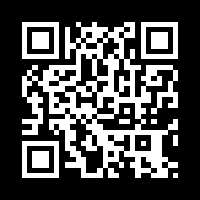
4. Inverted Colors
Black background with white foreground.
const qr = new QrBit({ text: "Inverted Colors", backgroundColor: "#000000", foregroundColor: "#FFFFFF"});await qr.toSvgFile("04_inverted.svg");
5. Red Theme
Custom red background theme.
const qr = new QrBit({ text: "Red Theme", backgroundColor: "#FF0000", foregroundColor: "#FFFFFF"});await qr.toPngFile("05_red_theme.png");
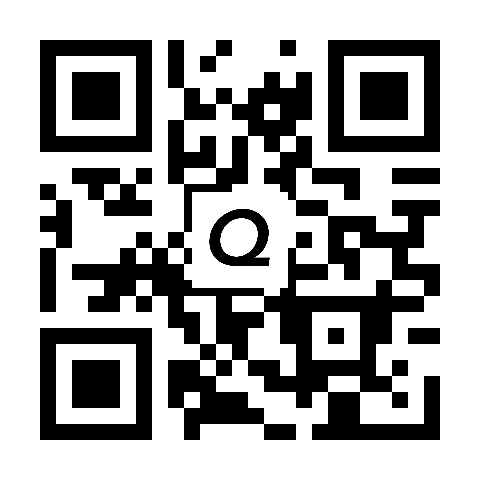
6. Small Logo
QR code with a small embedded logo.
const qr = new QrBit({ text: "logo small", logo: "./logo.png", logoSizeRatio: 0.2});await qr.toPngFile("06_logo_small.png");
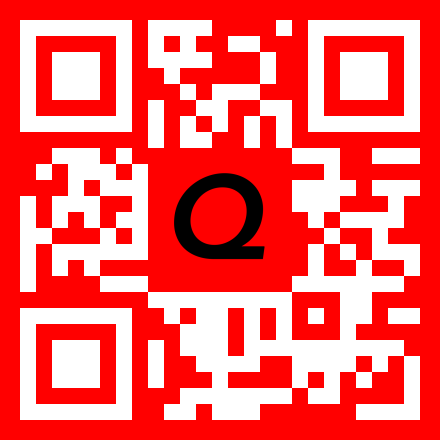
7. Large Logo with Custom Colors
Large logo with red background theme.
const qr = new QrBit({ text: "logo large red", logo: "./logo.png", size: 400, logoSizeRatio: 0.3, backgroundColor: "#FF0000", foregroundColor: "#FFFFFF"});await qr.toSvgFile("07_logo_large_red.svg");
8. WiFi QR Code
QR code for WiFi network connection.
const qr = new QrBit({ text: "WIFI:T:WPA;S:MyNetwork;P:MyPassword;;"});await qr.toPngFile("08_wifi.png");
9. Large Margin with Blue Theme
Custom margin and blue color scheme.
const qr = new QrBit({ text: "https://github.com/jaredwray/qrbit", size: 300, margin: 40, backgroundColor: "#0000FF", foregroundColor: "#FFFFFF"});await qr.toSvgFile("09_large_margin_blue.svg");
10. Buffer Logo
Using a logo loaded from a Buffer instead of file path.
const logoBuffer = fs.readFileSync("./logo.png");const qr = new QrBit({ text: "Buffer Logo", logo: logoBuffer, logoSizeRatio: 0.2, backgroundColor: "#F0F0F0", foregroundColor: "#333333"});await qr.toPngFile("10_buffer_logo.png");
11. High Quality JPEG
JPEG format with high quality setting.
const qr = new QrBit({ text: "High Quality JPEG", size: 300});await qr.toJpgFile("11_jpg_high_quality.jpg", { quality: 95 });
12. JPEG with Logo and Blue Theme
JPEG with embedded logo and custom blue background.
const qr = new QrBit({ text: "JPEG with Logo", logo: "./logo.png", size: 400, logoSizeRatio: 0.25, backgroundColor: "#2196F3", foregroundColor: "#FFFFFF"});await qr.toJpgFile("12_jpg_logo_blue.jpg", { quality: 90 });
13. Compressed JPEG with Green Theme
JPEG with lower quality for smaller file size.
const qr = new QrBit({ text: "https://github.com/jaredwray/qrbit", size: 300, backgroundColor: "#4CAF50", foregroundColor: "#FFFFFF"});await qr.toJpgFile("13_jpg_compressed_green.jpg", { quality: 70 });
14. JPEG with Buffer Logo and Orange Theme
JPEG using buffer-based logo with orange background.
QR code with low (L) error correction level, suitable for clean environments with minimal risk of damage.
const qr = new QrBit({ text: "https://github.com/jaredwray/qrbit?test=this+is+an+error+correction+test", size: 400, errorCorrection: "L", backgroundColor: "#1e3a5f", foregroundColor: "#FFFFFF"});await qr.toPngFile("19_ec_low.png");
20. High Error Correction
QR code with high (H) error correction level, recovers up to 30% damage — ideal for logos or printed codes.
const qr = new QrBit({ text: "https://github.com/jaredwray/qrbit?test=this+is+an+error+correction+test", size: 400, errorCorrection: "H", backgroundColor: "#1e3a5f", foregroundColor: "#FFFFFF"});await qr.toPngFile("20_ec_high.png");
These examples demonstrate the versatility and capabilities of QrBit for generating QR codes with various customizations, from simple text encoding to complex styled codes with embedded logos, supporting SVG, PNG, JPEG, and WebP formats.