Skip to content package
react-native-material-design-styles v0.2.6 Material Design styles for React Native
node any 0 deps cjs open source
overview readme
license MIT
deps 0
unpacked Unknown
files Unknown
node any $ npm install react-native-material-design-styles@0.2.6n npmREADME GitHub-flavored package documentation.
downloads Across all versions.
Download trend unavailable.
compatibility Runtime metadata.
keywords Tagged topics.
react-native material-design style
versions Latest published Sep 12, 2017
maintainers Registry package owners.
contents
React Native Material Design Styles is based on paper-style which provides simple ways to use Material Design CSS styles in your application. The difference is that this project is available in the form of React Native.
Recommend
A Material Design style React Native component library.
Table of contents
Quick start
Install with npm : npm install react-native-material-design-styles --save.
Documentation
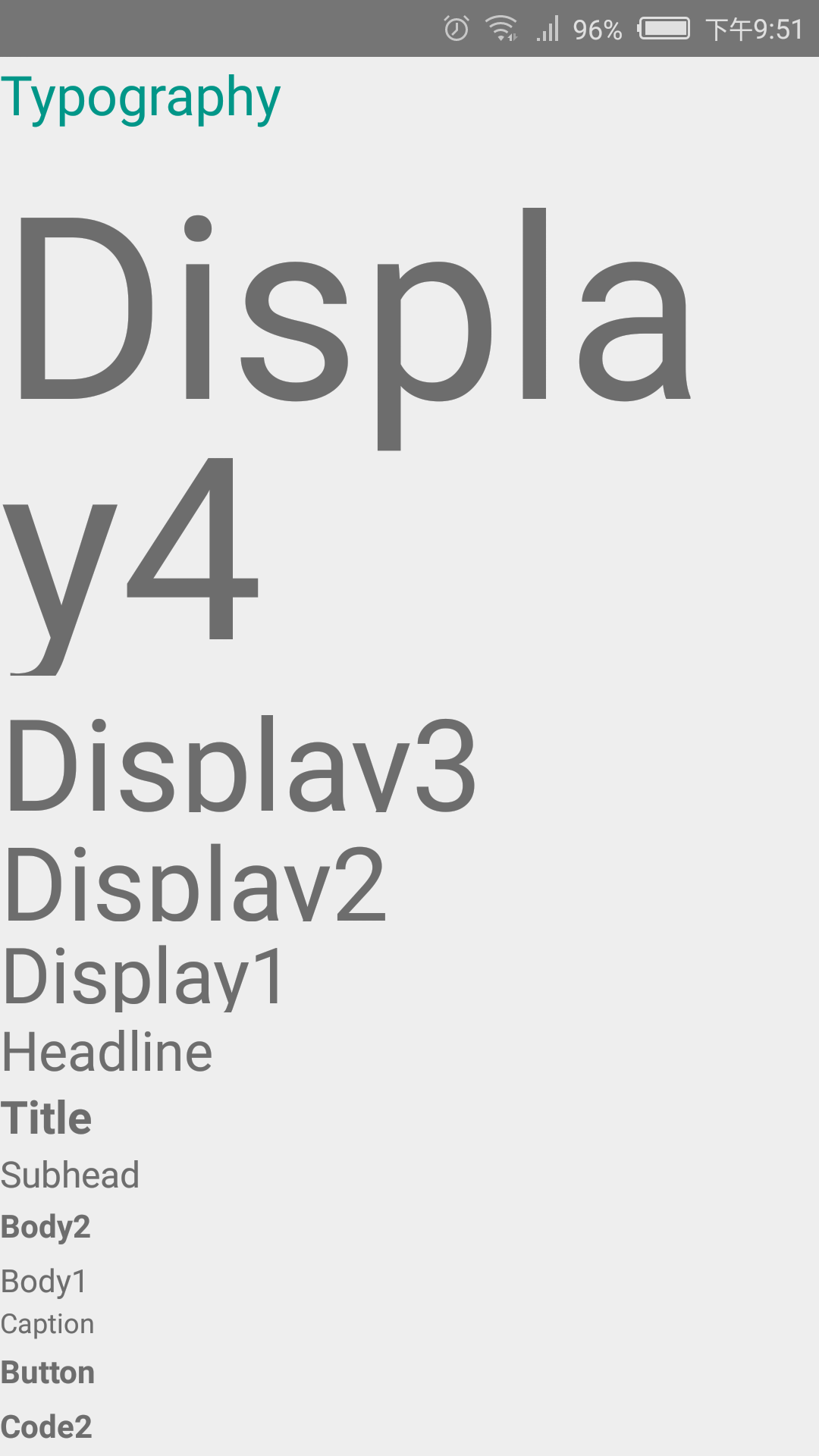
Typography
import { StyleSheet } from 'react-native' ; import { typography } from 'react-native-material-design-styles' ; const typographyStyle = StyleSheet. create (typography); copy Now we can use Material Design typography in our JSX code.
< Text style={ [typographyStyle.paperFontHeadline, colorStyle.paperTeal500] }> Typography </ Text > < Text style={ [typographyStyle.paperFontDisplay4] }> Display4 </ Text > < Text style={ typographyStyle.paperFontDisplay3 }> Display3 </ Text > < Text style={ typographyStyle.paperFontDisplay2 }> Display2 </ Text > < Text style={ typographyStyle.paperFontDisplay1 }> Display1 </ Text > < Text style={ typographyStyle.paperFontHeadline }> Headline </ Text > < Text style={ typographyStyle.paperFontTitle }> Title Here is what it look:
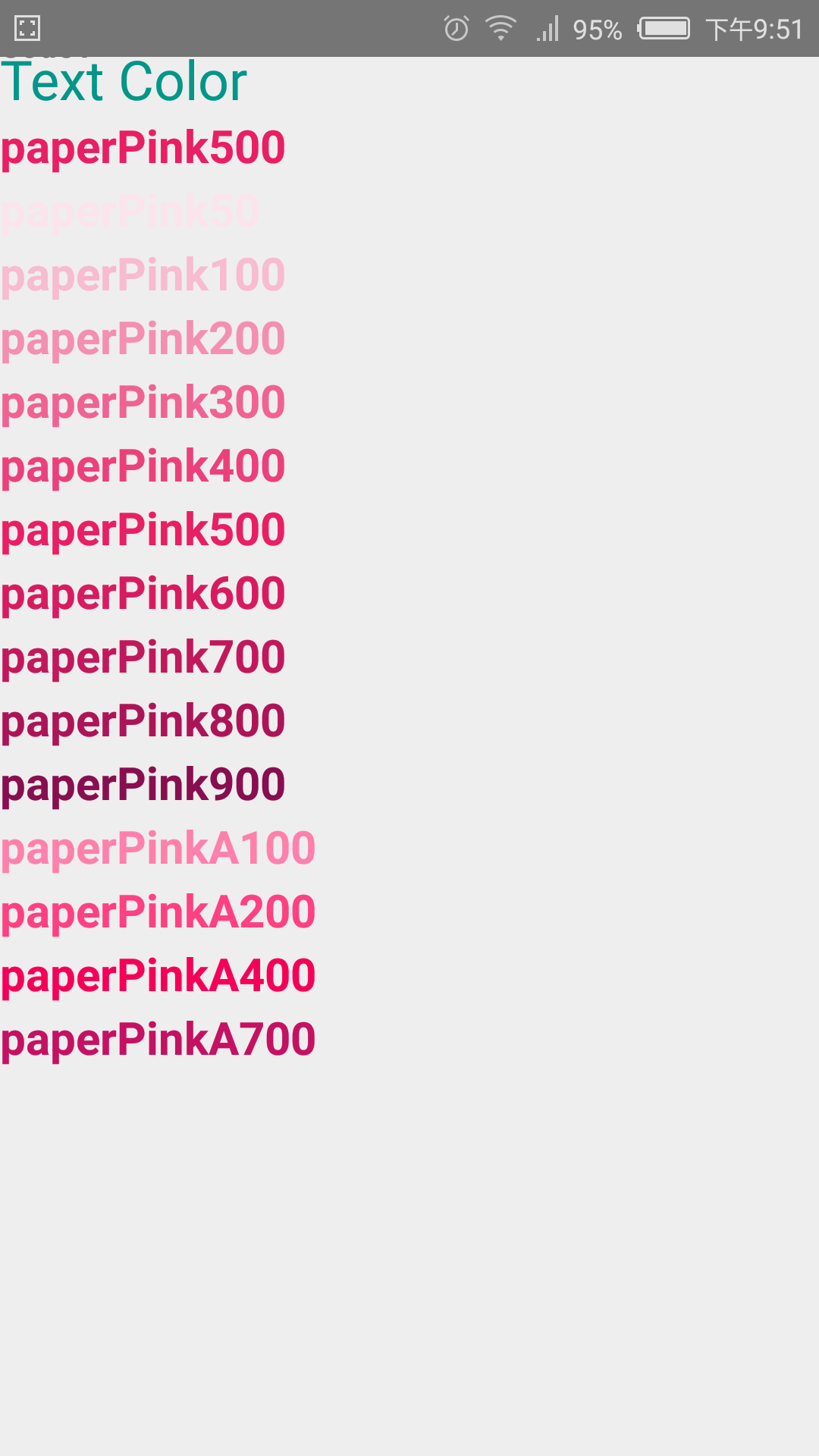
Color
import { StyleSheet } from 'react-native' ; import { color } from 'react-native-material-design-styles' ; const typographyStyle = StyleSheet. create (typography); copy Using for Text
< Text style={ [typographyStyle.paperFontHeadline, colorStyle.paperTeal500] }> Text Color </ Text > < Text style={ [typographyStyle.paperFontTitle, colorStyle.paperPink500] }> paperPink500 </ Text > < Text style={ [typographyStyle.paperFontTitle, colorStyle.paperPink50] }> paperPink50 </ Text > < Text style={ [typographyStyle.paperFontTitle, colorStyle.paperPink100] }> paperPink100 </ Text > < Text style={ [typographyStyle.paperFontTitle, colorStyle.paperPink200] }> paperPink200 </ Text > < Text style={ [typographyStyle.paperFontTitle, colorStyle.paperPink300] }> paperPink300 </ Text > < Text style={
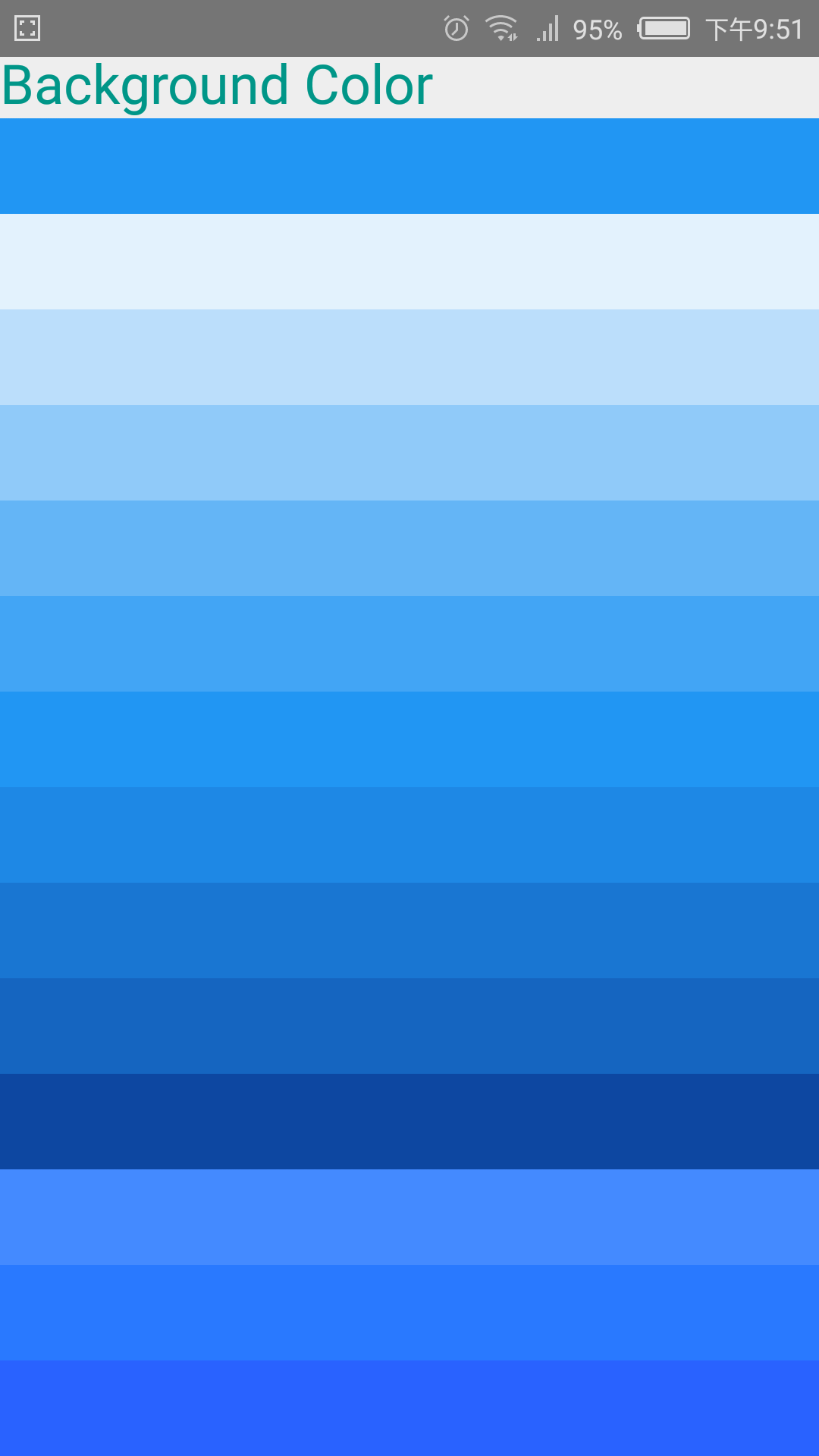
Using for background or other ways
< View style={ [styles.colorItem,{backgroundColor: color.paperBlue500.color}] }></ View > < View style={ [styles.colorItem,{backgroundColor: color.paperBlue50.color}] }></ View > < View style={ [styles.colorItem,{backgroundColor: color.paperBlue100.color}] }></ View > < View style={ [styles.colorItem,{backgroundColor: color.paperBlue200.color}] }></ View > < View style={ [styles.colorItem,{backgroundColor: color.paperBlue300.color}] }></ View > < View style={ [styles.colorItem,{backgroundColor: color.paperBlue400.color}] }></ View > < View style={ [styles.colorItem,{backgroundColor: color.paperBlue500.color}] }></ View > < View style={ [styles.colorItem,{backgroundColor: color.paperBlue600.color}]
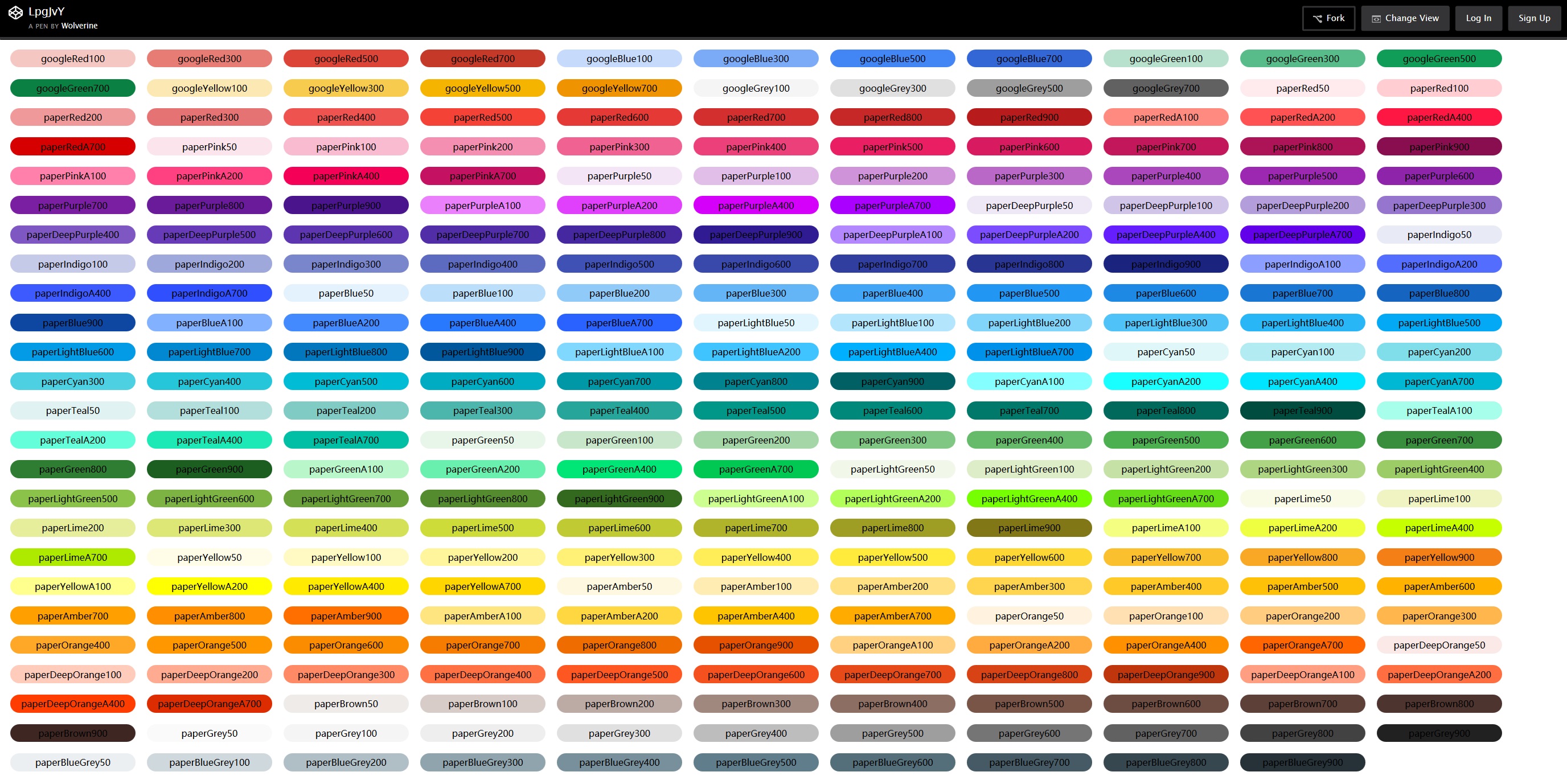
All colors
All color is show below, you can also Watch in fullScreen and you can copy color name.
</
Text
>
< Text style={ typographyStyle.paperFontSubhead }> Subhead </ Text >
< Text style={ typographyStyle.paperFontBody2 }> Body2 </ Text >
< Text style={ typographyStyle.paperFontBody1 }> Body1 </ Text >
< Text style={ typographyStyle.paperFontCaption }> Caption </ Text >
< Text style={ typographyStyle.paperFontButton }> Button </ Text >
< Text style={ typographyStyle.paperFontCode2 }> Code2 </ Text >
< Text style={ typographyStyle.paperFontCode1 }> Code1 </ Text >
copy
[typographyStyle.paperFontTitle, colorStyle.paperPink400]
}>
paperPink400
</
Text
>
< Text style={ [typographyStyle.paperFontTitle, colorStyle.paperPink500] }> paperPink500 </ Text >
< Text style={ [typographyStyle.paperFontTitle, colorStyle.paperPink600] }> paperPink600 </ Text >
< Text style={ [typographyStyle.paperFontTitle, colorStyle.paperPink700] }> paperPink700 </ Text >
< Text style={ [typographyStyle.paperFontTitle, colorStyle.paperPink800] }> paperPink800 </ Text >
< Text style={ [typographyStyle.paperFontTitle, colorStyle.paperPink900] }> paperPink900 </ Text >
< Text style={ [typographyStyle.paperFontTitle, colorStyle.paperPinkA100] }> paperPinkA100 </ Text >
< Text style={ [typographyStyle.paperFontTitle, colorStyle.paperPinkA200] }> paperPinkA200 </ Text >
< Text style={ [typographyStyle.paperFontTitle, colorStyle.paperPinkA400] }> paperPinkA400 </ Text >
< Text style={ [typographyStyle.paperFontTitle, colorStyle.paperPinkA700] }> paperPinkA700 </ Text >
copy
}></
View
>
< View style={ [styles.colorItem,{backgroundColor: color.paperBlue700.color}] }></ View >
< View style={ [styles.colorItem,{backgroundColor: color.paperBlue800.color}] }></ View >
< View style={ [styles.colorItem,{backgroundColor: color.paperBlue900.color}] }></ View >
< View style={ [styles.colorItem,{backgroundColor: color.paperBlueA200.color}] }></ View >
< View style={ [styles.colorItem,{backgroundColor: color.paperBlueA400.color}] }></ View >
< View style={ [styles.colorItem,{backgroundColor: color.paperBlueA700.color}] }></ View >
copy