Installation
npm install streamline-flamegraph
Recording
First you need to instrument your code to record performance counters:
var recorder = require('streamline-flamegraph/lib/record').create(options).run();
This will start the recording and create a perf-recorded.gz file in the current working directory of the process.
The recording can be stopped by calling recorder.stop() but you don't need to call it if you want to record till the process exits.
Generating the flamegraph
Once you have recorded data, you need to transform it into a flame graph. This is done with a simple command:
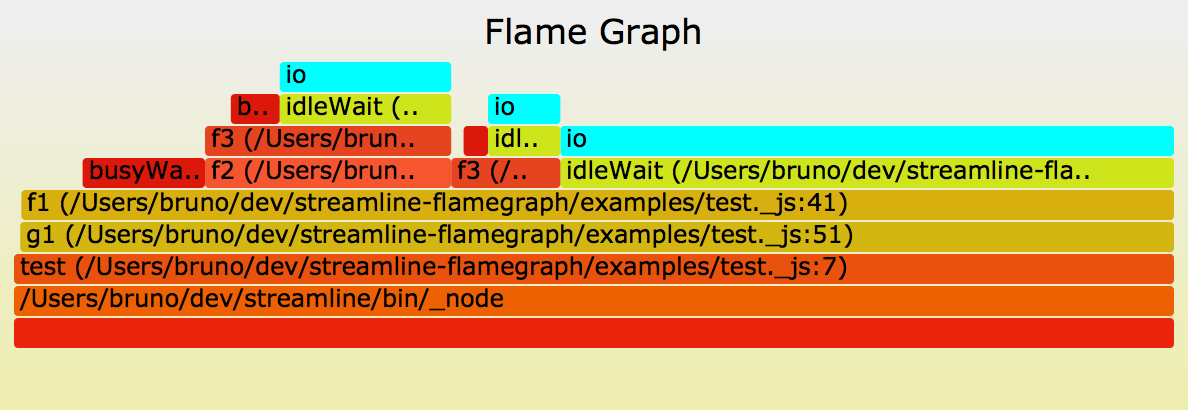
This will generate two flame graphs in the current directory:
Configuration
You can pass the following configuration options to the create call.
{
	// sampling rate, in milliseconds, 1 by default
	rate: 1,
	// root of source tree (will be trimmed from full file names to get relative paths)
	// by default: ""
	sourceRoot: __dirname,
	// pattern for source link URLs
	// by default: "file://{fullpath}#{line}"
	sourceUrl: "https://github.com/Sage/streamline-flamegraph/tree/master/{relpath}#L{line}",
}
The sourceUrl option allows you to create hyperlinks to the your github repository, or to open your favorite source editor (for example "subl://open/?url=file://{fullpath}&line={line}" for Sublime Text with subl:// URL handler extension).
Gotchas
API may still evolve so I haven't documented it yet.