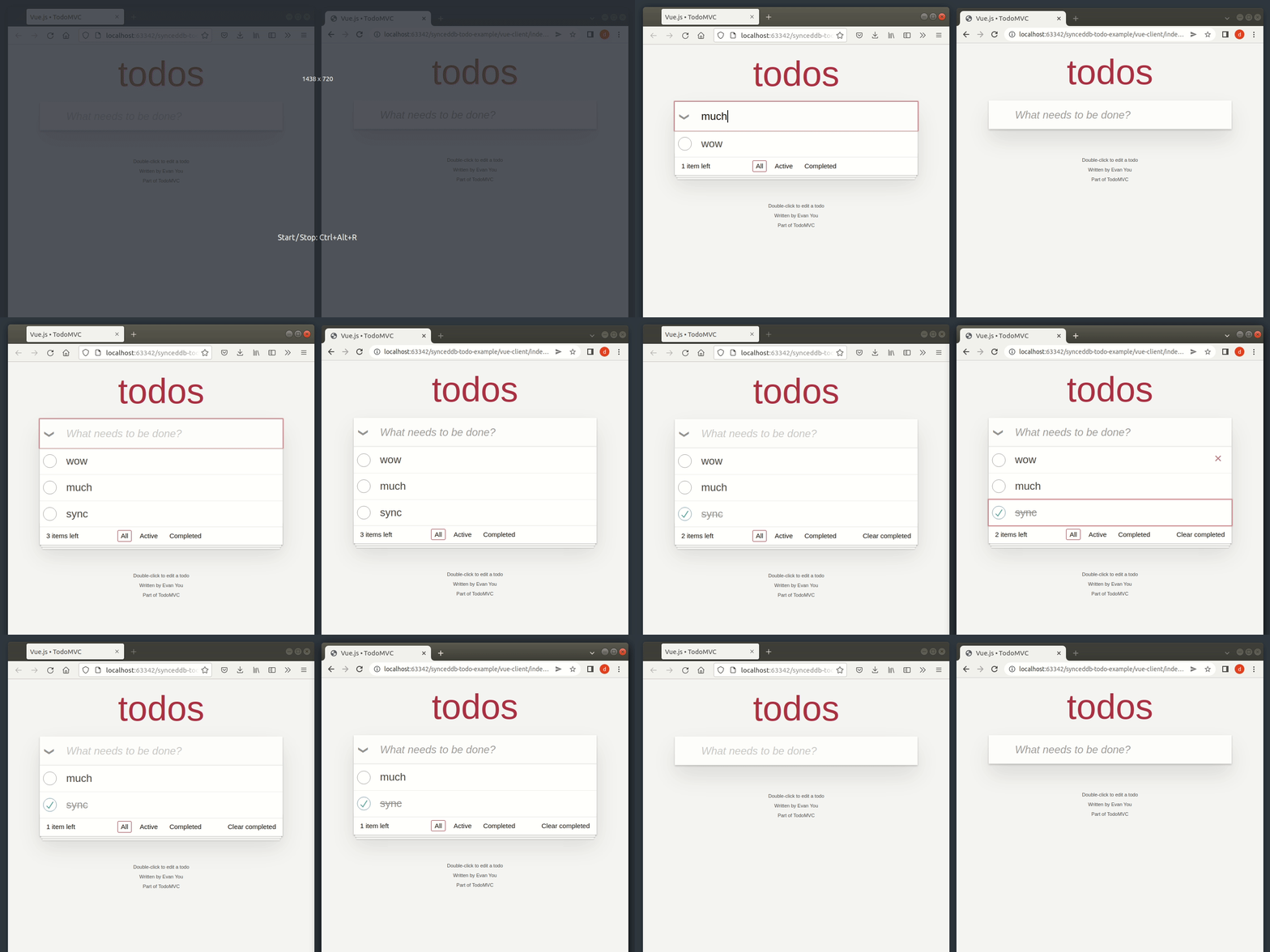
Every change is tracked in a store. The SyncManager then sync these changes with the remote REST API when the connection is available, making it easier to build offline-first applications.
import { openDB, SyncManager } from 'synceddb';const db = await openDB('my-awesome-database');const manager = new SyncManager(db, 'https://example.com');manager.start();// will result in the following HTTP request: POST /itemsawait db.add('items', { id: 1, label: 'Dagger' });// will result in the following HTTP request: DELETE /items/2await db.delete('items', 2);
The LiveQuery provides a way to run a query every time the underlying stores are updated:
import { openDB, LiveQuery } from 'synceddb';const db = await openDB('my awesome database');let result;const query = new LiveQuery(['items'], async () => { // result will be updated every time the 'items' store is modified result = await db.getAll('items');});// trigger the liveQueryawait db.put('items', { id: 2, label: 'Long sword' });// or manually run itawait query.run();
A computed store is a bit like a materialized view in PostgreSQL, it is updated every time one of the source object stores is updated:
import { openDB, createComputedStore } from 'synceddb/with-async-ittr';const db = await openDB('my awesome database');await createComputedStore(db, 'invoices-with-customer', 'invoices', ['customers'], async (tx, change) => { const computedStore = tx.objectStore('invoices-with-customer'); if (change.storeName === 'invoices') { if (change.operation === 'add' || change.operation === 'put') { const invoice = change.value; // fetch the customer object invoice.customer = await tx.objectStore('customers').get(invoice.customerId); // update the computed store computedStore.put(invoice); } else { // change.operation === 'delete' computedStore.delete(change.key); } } if (change.storeName === 'customers') { if (change.operation === 'put') { const customer = change.value; // update all invoices with the given customer in the computed store for await (const cursor of computedStore.index('by-customer').iterate(change.key)) { const invoice = cursor.value; if (invoice.customerId === customer.id) { invoice.customer = customer; cursor.update(invoice); } } } }});
This feature is great when you need to:
apply some filters on an aggregation of multiple object stores (no need to compute the JOIN in memory, and then apply the filters)
compute statistics over historical data (as the data is computed incrementally)
Disclaimer
no version history
Only the last version of each entity is kept on the client side.
basic conflict management
The last write wins (though you can customize the behavior in the onpusherror handler).
Installation
npm install synceddb
Then:
import { openDB, SyncManager, LiveQuery } from 'synceddb';async function doDatabaseStuff() { const db = await openDB('my awesome database'); // sync your database with a remote server const manager = new SyncManager(db, 'https://example.com'); manager.start(); // create an auto-reloading query let result; const query = new LiveQuery(['items'], async () => { // result will be updated every time the 'items' store is modified result = await db.getAll('items'); });}
API
For database-related operations, please see the idbdocumentation.
SyncManager
import { openDB, SyncManager } from 'synceddb';const db = await openDB('my-awesome-database');const manager = new SyncManager(db, 'https://example.com');manager.start();
Options
fetchOptions
Additional options for all HTTP requests.
import { openDB, SyncManager } from 'synceddb';const db = await openDB('my-awesome-database');const manager = new SyncManager(db, 'https://example.com', { fetchOptions: { headers: { 'accept': 'application/json' }, credentials: 'include' }});manager.start();
import { openDB, SyncManager } from 'synceddb';const db = await openDB('my-awesome-database');const manager = new SyncManager(db, 'https://example.com');manager.start();
stop()
Stops the sync process.
import { openDB, SyncManager } from 'synceddb';const db = await openDB('my-awesome-database');const manager = new SyncManager(db, 'https://example.com');manager.stop();
clear()
Clears the local stores.
import { openDB, SyncManager } from 'synceddb';const db = await openDB('my-awesome-database');const manager = new SyncManager(db, 'https://example.com');manager.clear();
hasLocalChanges()
Returns whether a given entity currently has local changes that are not synced yet.
import { openDB, SyncManager } from 'synceddb';const db = await openDB('my-awesome-database');const manager = new SyncManager(db, 'https://example.com');await db.put('items', { id: 1 });const hasLocalChanges = await manager.hasLocalChanges('items', 1); // true
onfetchsuccess
Called after some entities are successfully fetched from the remote server.
import { openDB, SyncManager } from 'synceddb';const db = await openDB('my-awesome-database');const manager = new SyncManager(db, 'https://example.com');manager.onfetchsuccess = (storeName, entities, hasMore) => { // ...}
onfetcherror
Called when something goes wrong when fetching the changes from the remote server.
import { openDB, SyncManager } from 'synceddb';const db = await openDB('my-awesome-database');const manager = new SyncManager(db, 'https://example.com');manager.onfetcherror = (err) => { // ...}
onpushsuccess
Called after a change is successfully pushed to the remote server.
import { openDB, SyncManager } from 'synceddb';const db = await openDB('my-awesome-database');const manager = new SyncManager(db, 'https://example.com');manager.onpushsuccess = ({ operation, storeName, key, value }) => { // ...}
onpusherror
Called when something goes wrong when pushing a change to the remote server.
import { openDB, SyncManager } from 'synceddb';const db = await openDB('my-awesome-database');const manager = new SyncManager(db, 'https://example.com');manager.onpusherror = (change, response, retryAfter, discardLocalChange, overrideRemoteChange) => { // this is the default implementation switch (response.status) { case 403: case 404: return discardLocalChange(); case 409: // last write wins by default response.json().then((content) => { const version = content[VERSION_ATTRIBUTE]; change.value[VERSION_ATTRIBUTE] = version + 1; overrideRemoteChange(change.value); }); break; default: return retryAfter(DEFAULT_RETRY_DELAY); }}
LiveQuery
The first argument is an array of stores. Every time one of these stores is updated, the function provided in the 2nd argument will be called.
import { openDB, LiveQuery } from 'synceddb';const db = await openDB('my awesome database');let result;const query = new LiveQuery(['items'], async () => { // result will be updated every time the 'items' store is modified result = await db.getAll('items');});
Example with React
import { openDB, LiveQuery } from 'synceddb';import { useEffect, useState } from 'react';export default function MyComponent() { const [items, setItems] = useState([]); useEffect(() => { let query; openDB('test', 1, { upgrade(db) { db.createObjectStore('items', { keyPath: 'id' }); }, }).then(db => { query = new LiveQuery(['items'], async () => { setItems(await db.getAll('items')); }); query.run(); }); return () => { // !!! IMPORTANT !!! This ensures the query stops listening to the database updates and does not leak memory. query?.close(); } }, []); return ( <div> <!-- ... --> </div> );}
Example with Vue.js
<script setup>import { openDB, LiveQuery } from 'synceddb';import { ref, onBeforeUnmount } from 'vue';const items = ref([]);const db = await openDB('test', 1, { upgrade(db) { db.createObjectStore('items', { keyPath: 'id' }); },})const query = new LiveQuery(['items'], async () => { items.value = await db.getAll('items');});await query.run();onBeforeUnmount(() => { // !!! IMPORTANT !!! This ensures the query stops listening to the database updates and does not leak memory. query.close();});</script>
createComputedStore()
Arguments:
db: the database object
computedStoreName: the name of the computed store
mainStoreName: the name of main source store (used to init the computed store)
secondaryStoreNames: the names of any additional source stores
onChange: the handler for the change
tx: the transaction
change: the change (fields: storeName, operation, key, value)
Example:
import { openDB, createComputedStore } from 'synceddb/with-async-ittr';const db = await openDB('my awesome database');await createComputedStore(db, 'invoices-with-customer', 'invoices', ['customers'], async (tx, change) => { const computedStore = tx.objectStore('invoices-with-customer'); if (change.storeName === 'invoices') { if (change.operation === 'add' || change.operation === 'put') { const invoice = change.value; // fetch the customer object invoice.customer = await tx.objectStore('customers').get(invoice.customerId); // update the computed store computedStore.put(invoice); } else { // change.operation === 'delete' computedStore.delete(change.key); } } if (change.storeName === 'customers') { if (change.operation === 'put') { const customer = change.value; // update all invoices with the given customer in the computed store for await (const cursor of computedStore.index('by-customer').iterate(change.key)) { const invoice = cursor.value; if (invoice.customerId === customer.id) { invoice.customer = customer; cursor.update(invoice); } } } }});
In the example above, the invoices-with-customer store will be updated every time the invoices or the customers store is updated, either by a manual update from the user or when fetching updates from the server.
Expectations for the REST API
Fetching changes
Changes are fetched from the REST API with GET requests:
GET /<storeName>?sort=updated_at:asc&size=100&after=2000-01-01T00:00:00.000Z&after_id=123
Explanations:
sort=updated_at:asc indicates that we want to sort the entities based on the date of last update
size=100 indicates that we want 100 entities max
after=2000-01-01T00:00:00.000Z&after_id=123 indicates the offset (with an update date above 2000-01-01T00:00:00.000Z, excluding the entity 123)
The query parameters can be customized with the buildFetchParams option.
Success must be indicated by an HTTP 2xx response. Any other response status means the change was not properly synced. You can customize the error handling behavior with the onpusherror method.
Please see the Express server there for reference.
Alternatives
Here are some alternatives that you might find interesting: