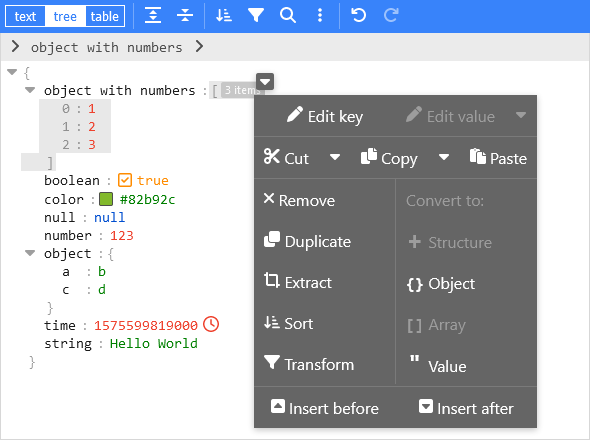
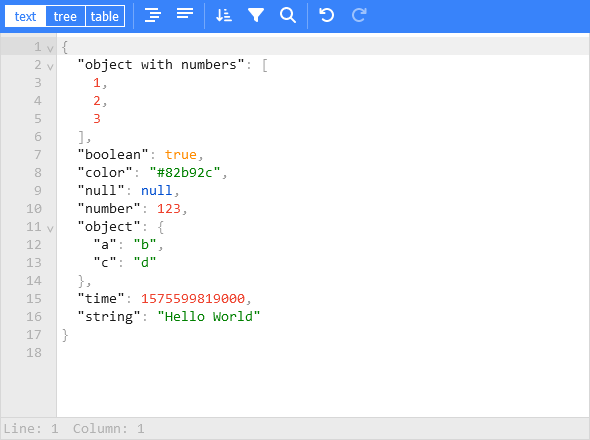
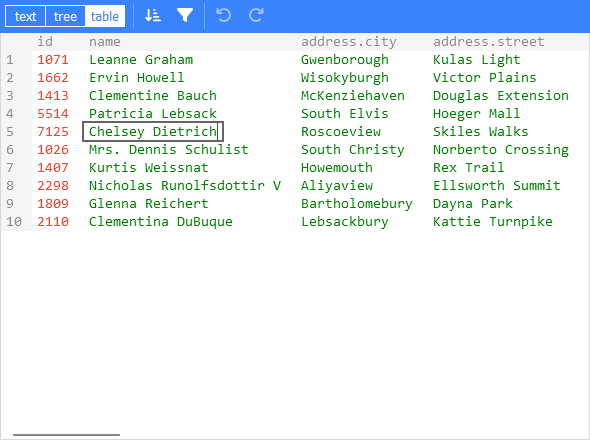
This is the vanilla variant of svelte-jsoneditor, which can be used in vanilla JavaScript or frameworks like SolidJS, React, Vue, Angular.
Features
View and edit JSON
Has a low level text editor and high level tree view and table view
Format (beautify) and compact JSON
Sort, query, filter, and transform JSON
Repair JSON
JSON schema validation and pluggable custom validation
Color highlighting, undo/redo, search and replace
Utilities like a color picker and timestamp tag
Handles large JSON documents up to 512 MB
Install
Install using npm:
npm install vanilla-jsoneditor
Remark: for usage in a Svelte project, install and use svelte-jsoneditor instead of vanilla-jsoneditor.
Use
If you have a setup for your project with a bundler (like Vite, Rollup, or Webpack), it is best to use the default ES import:
// for use in a React, Vue, or Angular projectimport { createJSONEditor } from 'vanilla-jsoneditor'
If you want to use the library straight in the browser, use the provided standalone ES bundle:
// for use directly in the browserimport { createJSONEditor } from 'vanilla-jsoneditor/standalone.js'
The standalone bundle contains all dependencies of vanilla-jsoneditor, for example lodash-es and Ajv. If you use some of these dependencies in your project too, it means that they will be bundled twice in your web application, leading to a needlessly large application size. In general, it is preferable to use the default import { createJSONEditor } from 'vanilla-jsoneditor' so dependencies can be reused.
Use (Browser example loading the ES module)
<!doctype html><html lang="en"> <head> <title>JSONEditor</title> </head> <body> <div id="jsoneditor"></div> <script type="module"> import { createJSONEditor } from 'vanilla-jsoneditor/standalone.js' // Or use it through a CDN (not recommended for use in production): // import { createJSONEditor } from 'https://unpkg.com/vanilla-jsoneditor/index.js' // import { createJSONEditor } from 'https://cdn.jsdelivr.net/npm/vanilla-jsoneditor/index.js' let content =
Use (React example, including NextJS)
First, create a React component to wrap the vanilla-jsoneditor
Depending on whether you are using JavaScript of TypeScript, create either a JSX or TSX file:
If you are using NextJS, you will need to use a dynamic import to only render the component in the browser (disabling server-side rendering of the wrapper), as shown below in a NextJS TypeScript example.
If you are using React in an conventional non-NextJS browser app, you can import the component using a standard import statement like import JSONEditorReact from '../JSONEditorReact'
//// demo.tsx for use with NextJS//import dynamic from 'next/dynamic'import { useCallback, useState } from 'react'//// In NextJS, when using TypeScript, type definitions// can be imported from 'vanilla-jsoneditor' using a// conventional import statement (prefixed with 'type',// as shown below), but only types can be imported this// way. When using NextJS, React components and helper// functions must be imported dynamically using { ssr: false }// as shown elsewhere in this example.//import type { Content, OnChangeStatus } from 'vanilla-jsoneditor'//// In NextJS, the JSONEditor component must be wrapped in// a component that is dynamically in order to turn off// server-side rendering of the component. This is neccessary// because the vanilla-jsoneditor code attempts to use// browser-only JavaScript capabilities not available// during server-side rendering. Any helper functions
//// TextContent.tsx//// (wrapper around toTextContent for use with NextJS)//import { Content, toTextContent } from 'vanilla-jsoneditor'interface IOwnProps { content: Content}const TextContent = (props: IOwnProps) => { const { content } = props return ( <p> The contents of the editor, converted to a text string, are: {toTextContent(content).text} </p> )}export default TextContent