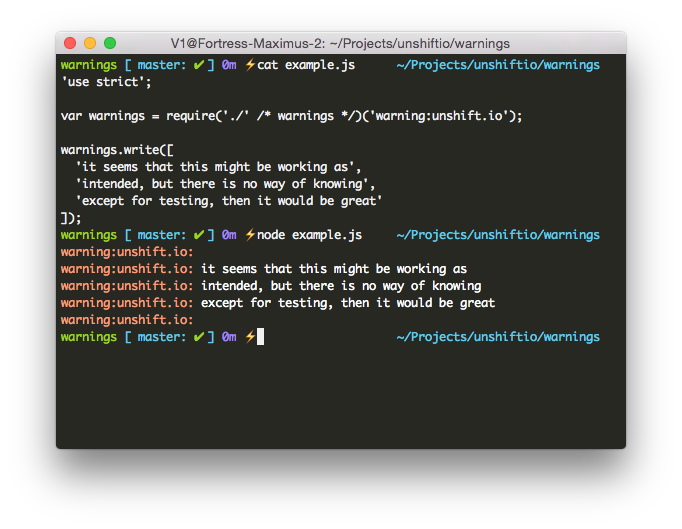
The first argument is the prefix which all your messages will be prefixed with.
It makes sense to use the name of your library here so developers know who is
writing these messages. The second argument is optional, see the advanced
section for more information the options you can provide there.
In addition to the API provided in the basic example we also support a
constructor format.
The following options are supported:
stream: The Stream we should write the warnings to. This is the
process.stderr by default, but you can also give it a fs.createWriteStream
or basically any other stream where the messages should be written in.
colors: An object with colors we should use in the console. By default we
will use an orange-ish for the prefix and white the text content but this can
be configured to match the style / colors of your application. You should
supply an object with HEX color codes you want to use. This object should
contain colors for:
prefix, prefix color
line, text color
If you just want to change one color instead of both of them you can also set
these using the prefix and line options.
atty We want to figure out we're allowed to write colors to the supplied
stream so we test it with isatty from the tty module. But this might fail
for custom streams you can force this property manually.
warnings.read
Read various of warnings from a json or js file. These files should either
export and array with warning objects or an object where the key is name of the
warning and the value is the warning object. Please note that this is a sync
operation and should only done during the startup phase of your application.
warning spec
A warning object can have the following properties:
name: The name of the warning on which it's triggered with using the
warn.about(name) method. You don't need to set this property if you supply
an object instead of an array of warnings as we will use the key for the name
instead.
message: Actual message that needs to be written to the user. It can be a
string (with new lines) or an array with multiple lines. Try to limit your
self to the amount of chars per line as not everybody will sit behind big ass
monitors.
conditional: Allows you to only execute this message when it passes a
truth test. This value can be set to a:
function: It will receive the second argument from the warn.about method
as argument and should return a boolean as indication if the message should
be shown.
regexp: A regexp where the second argument of warn.about should be
tested against.
anything else: This will be tested using a simple === test, where it
will be compared with the second argument of the warn.about call.
Manually set warnings. This method requires 2 arguments:
The name on which we should trigger the message. This should be the same
value as you pass in to the warn.about method as first argument.
Either a string or array which would be the message that gets outputted or an
object that follows warning spec as mentioned above.
warn.set('https', 'Please supply a HTTPS instead of a HTTP server.');warn.set('https', { message: 'Using a HTTPS servers instead of a HTTP server will prevent connection blocking', conditional: function check(server) { return !(server instanceOf require('https').Server); }});
warnings.about
Trigger the messages based on the provided name. This method accepts 2
arguments:
The name of the message should be triggered.
A value that is needed to pass the conditional truth test of the specified
message.
The method will return a boolean as indication if a message was outputted. If
you supply it with an unknown, disabled name or fail to pass the conditional test
of a message it will return false or will output the returned value of the
stream.write.
We will automatically remove the message that we're outputting to prevent
messages from being displayed twice. Informing the users is nice, but the
spamming isn't ;-).
Suppress warnings from being written. This would still allow you to call
warn.about(name) in your code but it just returns false and will not write
anything to the console. The disable method accepts a bunch of different ways
for disabling messages.
warn.disable('foo').disable('bar');warn.disable('foo', 'bar');warn.disable({foo: 1, bar: 'what ever' });warn.disable(['foo', 'bar']);
So pick what ever suites your needs.
warnings.destroy
Completely kill the instance and remove all internal references so we can free
up memory again. The method will return a boolean indicating if a destruction
was successful.