Wiby is a tool that will inform and trigger actions on a package to notify it that a registered dependency change may break
it. This is different from triggering tests once a dependency has been published. The goal is to inform before publication.
This will answer the question, "will I break you?", not "did I break you?".
The most basic notification of a change in a dependency will be a PR raised in the the dependent repository.
Wiby provides 5 basic commands test, clean, close, validate & result. The tool is intended to provide maintainers with a
mechanism to both test and inform dependents of possible future breakages.
Terminology
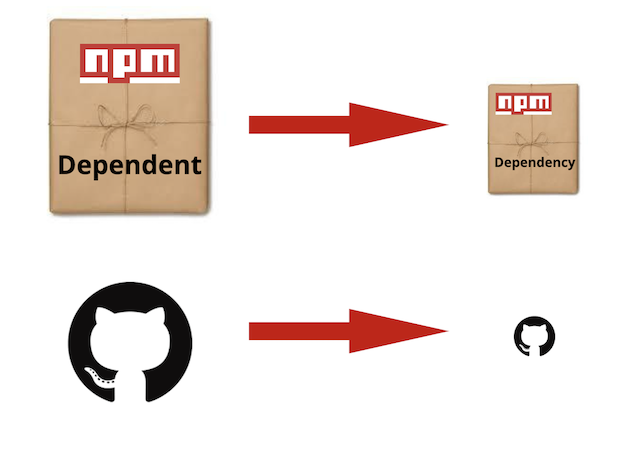
The term depenedent shall mean an npm package that consumes another npm package, called a dependency, directly
or indirectly via a tree of reliance through the package.json file. The wiby program exists to create a notification to the dependent
package maintainers of changes made in a dependency. The WIBY program, when configured correctly, will raise a Pull
Request against the dependent package informing of the change. The intent is to provide a notification of possible
breakages of the dependent due to reliance on a dependency. No distinction is made between dev and non-dev dependencies.
They are all dependencies that could break "the-example-dependent" in some operational or test manner. It is noted that
in general dependent and dependencies are modules they can equally be repositories. For the purpose of this readme examples
use github.
Pre-requisites
Github Token
wiby requires an environment variable GITHUB_TOKEN set to a Github access token. This token needs to be granted push
permissions to the dependent repos.
Example: export GITHUB_TOKEN=XXXXX
For more information on creating a github token see Github's docs
Running location
wiby is designed to be run from inside the folder containing your source code. This folder needs to be a git repository with a package.json that contains information about the packages source on Github.
Example:
In the examples the dependent npm package has the following package.json file. From this it is clear it has a dependency
on an example called example-dependency-id-a. The examples given
will show how to configure wiby so that the dependency "example-dependency-id-a" will be able to inform the dependent,
example-dependent-id-a, of prospective issues.
In this simple case the dependent package is called "example-dependent-id-a" and the dependencies are
tap
@gvhinks/example-dependency-id-a
If WIBY were configured in the dependencies @gvhinks/example-dependency-id-a then changes in the that
dependency would raise a Pull Request agaist the "example-dependent-id-a" when the WIBY command was run within this
repository.
Example 1 wiby test, simply dependent breakage check run locally
The following is the most simple use case for wiby test. Given a dependent, example-dependent-id-a, and its dependency
example-dependency-id-a the following steps are required to raise a notification against the dependent of changes in the
dependency.
install wiby as a dependency of example-dependency-id-a
create the .wiby.json configuration file
ensure that GITHUB_TOKEN is exported
run wiby test in the dependency example-dependency-id-a
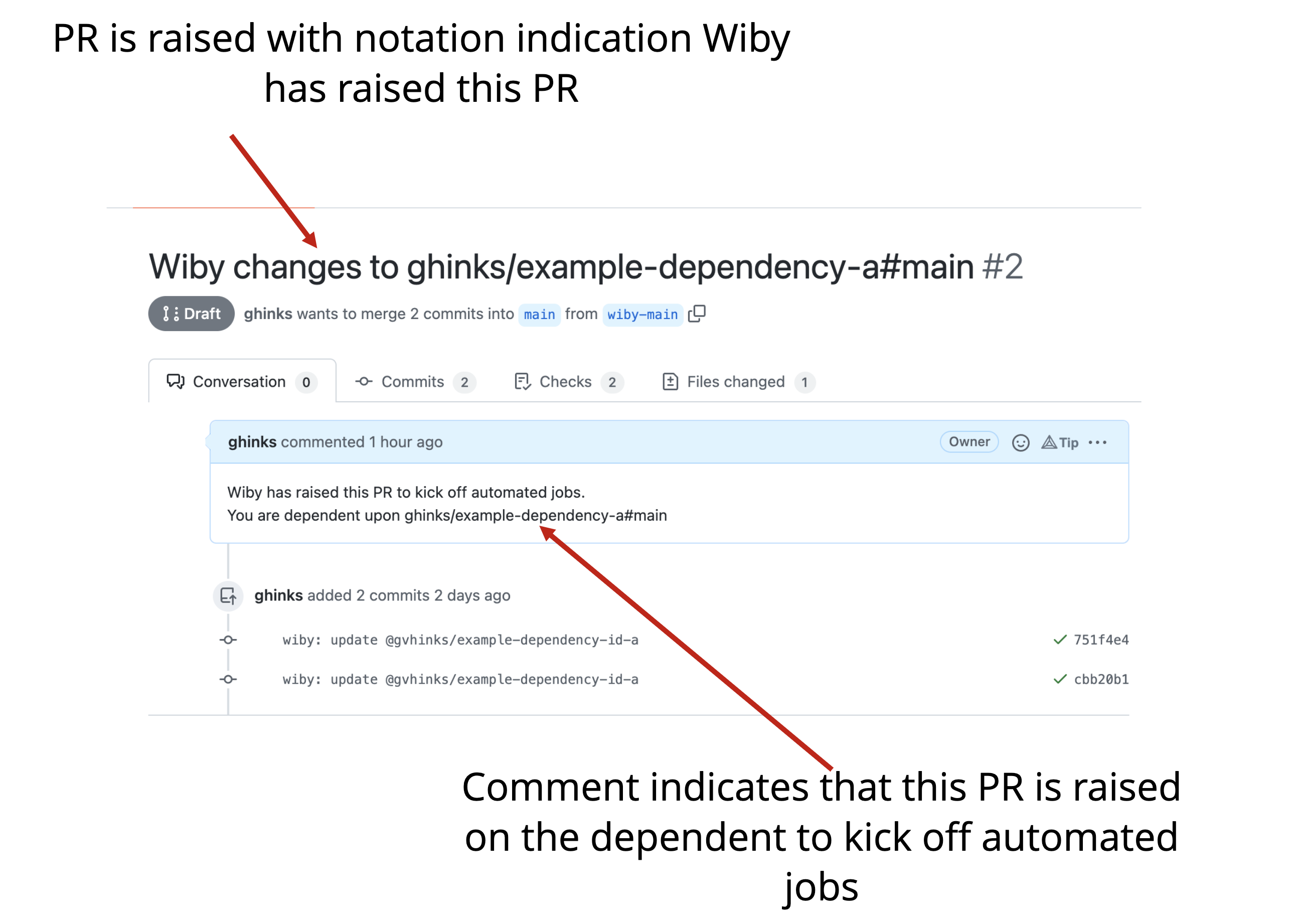
This will raise a PR against the dependent configured in the .wiby.json configuration file. It is also possible to use
wiby with command line arguments and this will be shown in a subsequent example.
This means that example-dependency-id-a knows that upstream example-dependent-id-a consumes it.
Step #3 ensure GITHUB_TOKEN is exported
export GITHUB_TOKEN=XXXXX
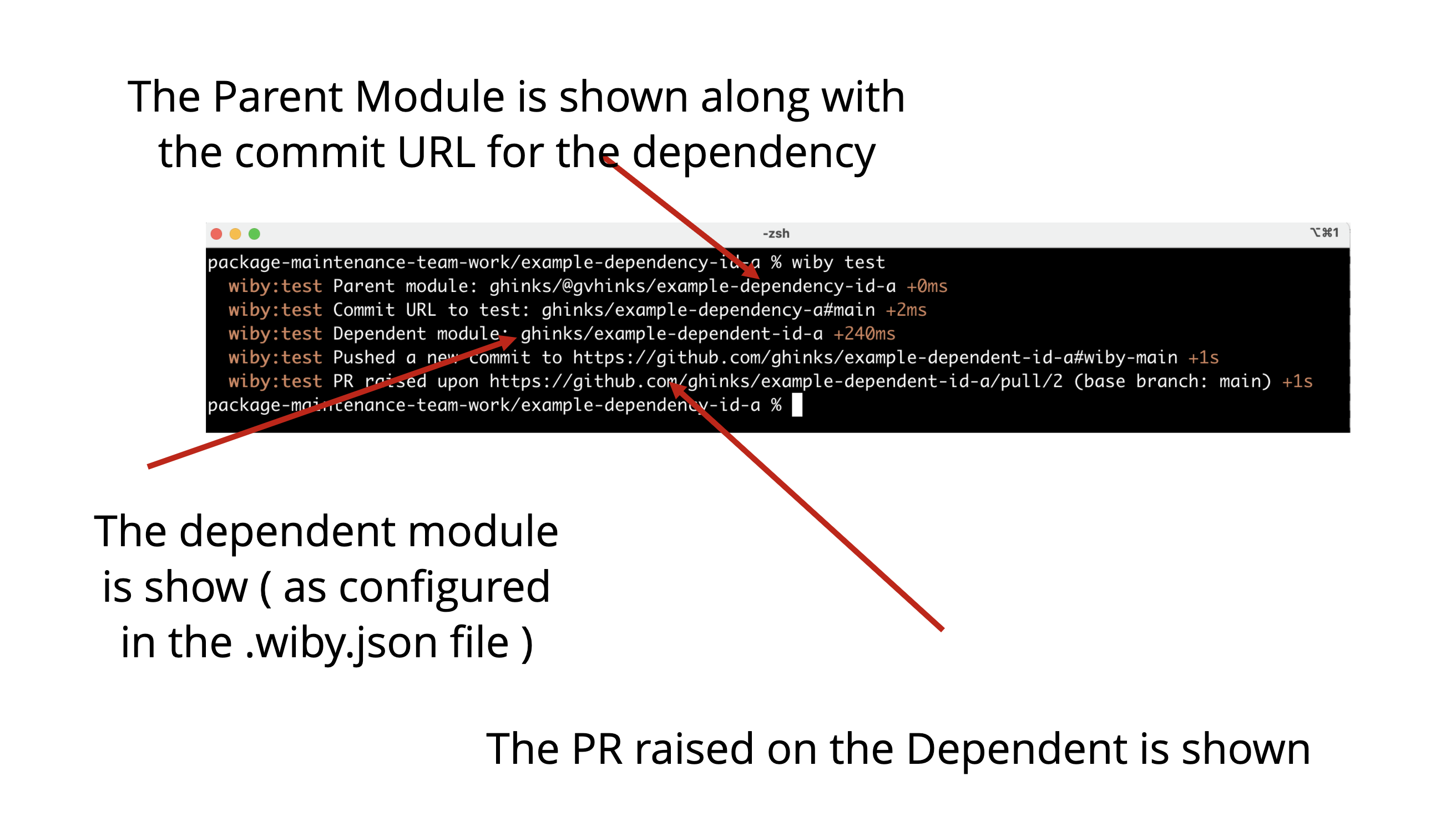
Step #4 Run Wiby locally
wiby test
This raises a PR against the dependent as specified in the ".wiby.json" file
It is to be noted that this example only uses one dependent object in the dependents array. The intent is that
many dependents may be tested in a real world scenario.
Example 2 Wiby Clean
The Wiby Test command results in a PR being raised on the dependent package. The opposite of raising a PR would be to
delete a PR that has been previously raised by Wiby. The wiby clean command carries out this action. It removes a
PR that was previously raised by running the wiby test command. Note that the PR is deleted no matter the state of the
PR. Meaning the PR will be deleted if the tests passed or failed.
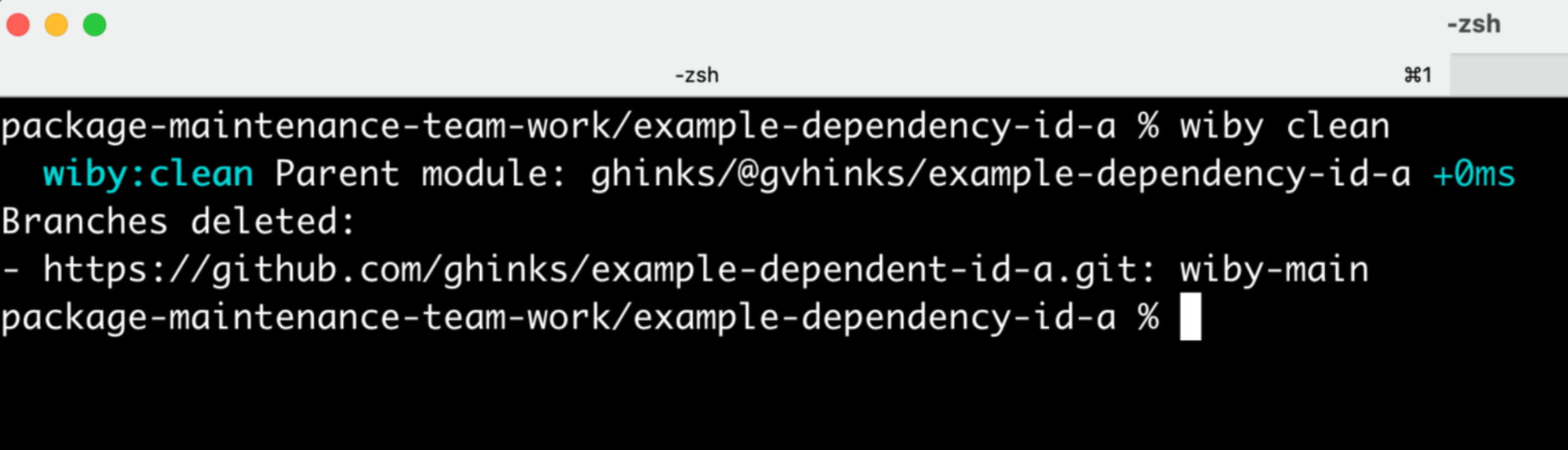
The following example demonstrates the use of wiby clean based upon the specified dependents in the ".wiby.json"
configuration file. It is to be noted that command line arguments may also be used instead of the ".wiby.json" file.
The PR raised in the dependent is identified using wiby's PR naming schema.
The following steps are required to run wiby clean
ensure that GITHUB_TOKEN is exported
run wiby clean in the dependency example-dependency-id-a
for this example it is assumed that the dependency "example-dependency-id-a" has a ".wiby.json" that contains
This means that example-dependency-id-a knows that upstream example-dependent-id-a consumes it.
When wiby clean is run. The parent dependency's PR, in this case example-dependency-id-a, is deleted.
It is to be noted that this example only uses one dependent object in the dependents array. The intent is that
many dependents may be cleaned in a real world scenario.
Example 3 Wiby close-pr
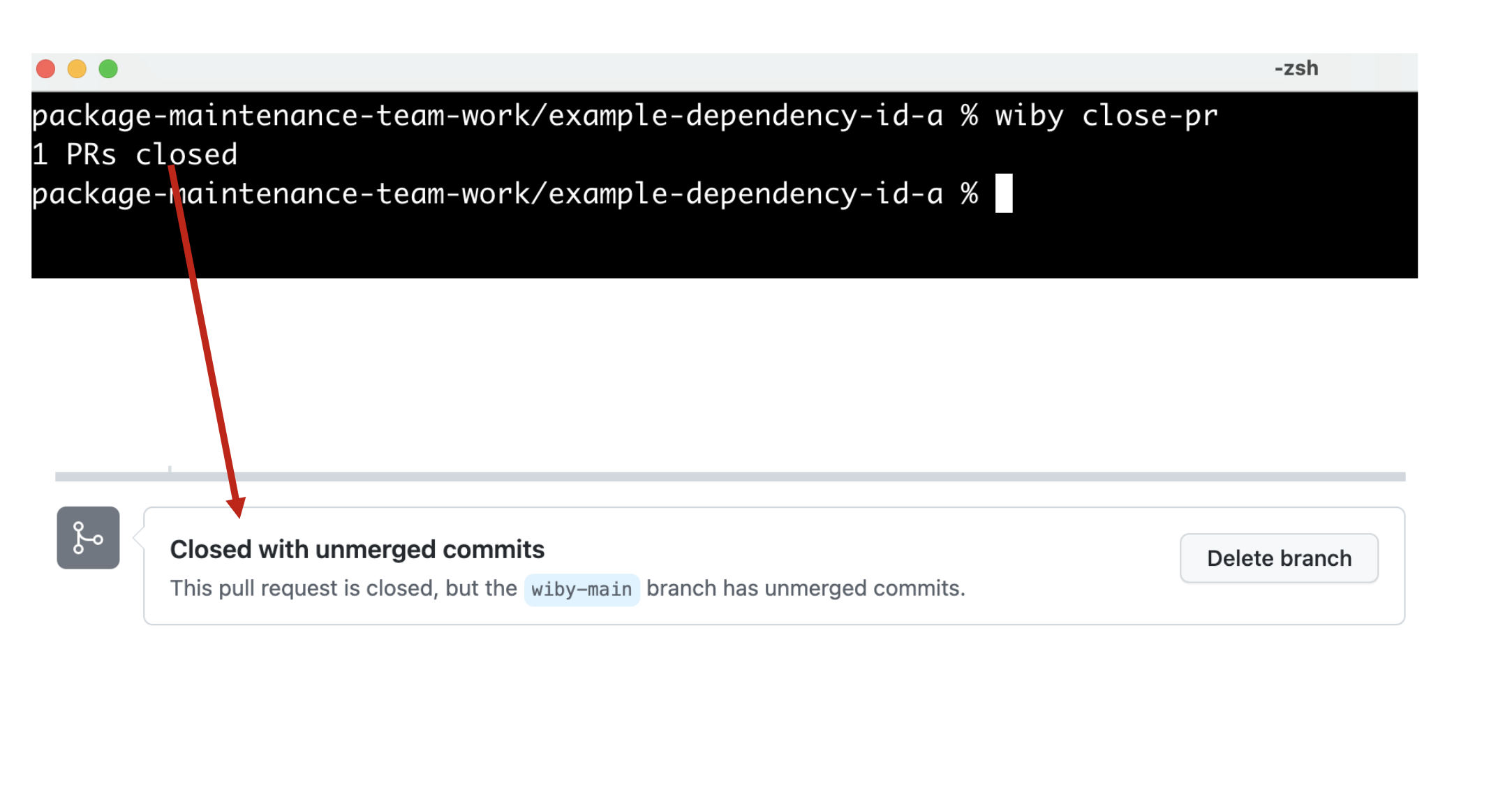
When tests have been run successfully by wiby you can close the raised PRs with the wiby close pr command. The same
pre-requisite of having a GITHUB_TOKEN applies.
ensure that GITHUB_TOKEN is exported
run wiby close-pr
wiby close-pr
Only those tests that have passed successfully will have their PRs closed.
The close-pr command does delete the branch that was used to create the pull request.
Example 4 Wiby validate
The although you can pass command line arguments to wiby the .wiby.json file is envisioned as the primary automation
configuration file. The .wiby.json file has a particular schema which is enforced. To validate your .wiby.json file
run the wiby validate command in the directory with your .wiby.json file.
The validation is based upon the schema.
wiby validate
This will validate the .wiby.json file. Or the command
wiby validate --config other-config.json
Will validate a file of another name for the schema below.
The repository field must be a valid URI with protocols
https
git
git+https
Example 5 Wiby Result
When a wiby test is run the resulting PR raised will trigger the automated testing in the dependent's CI system. The
status of the PR raised by wiby can be interrogated using the wiby result command. This will fetch the status of
the PR back to the command line.
ensure that GITHUB_TOKEN is exported
run wiby close-pr
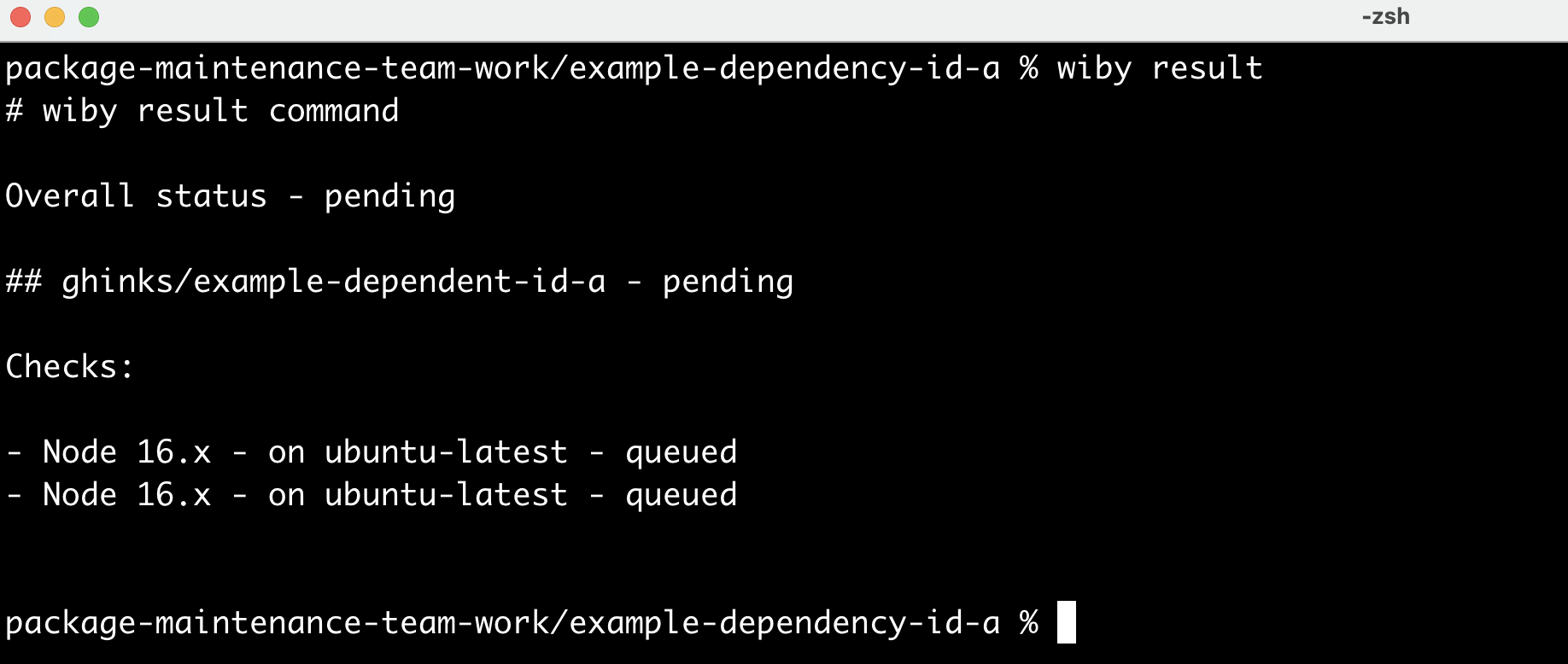
Immediately the wiby test command is run the
After the tests have been queued the results will show that the checks are null.
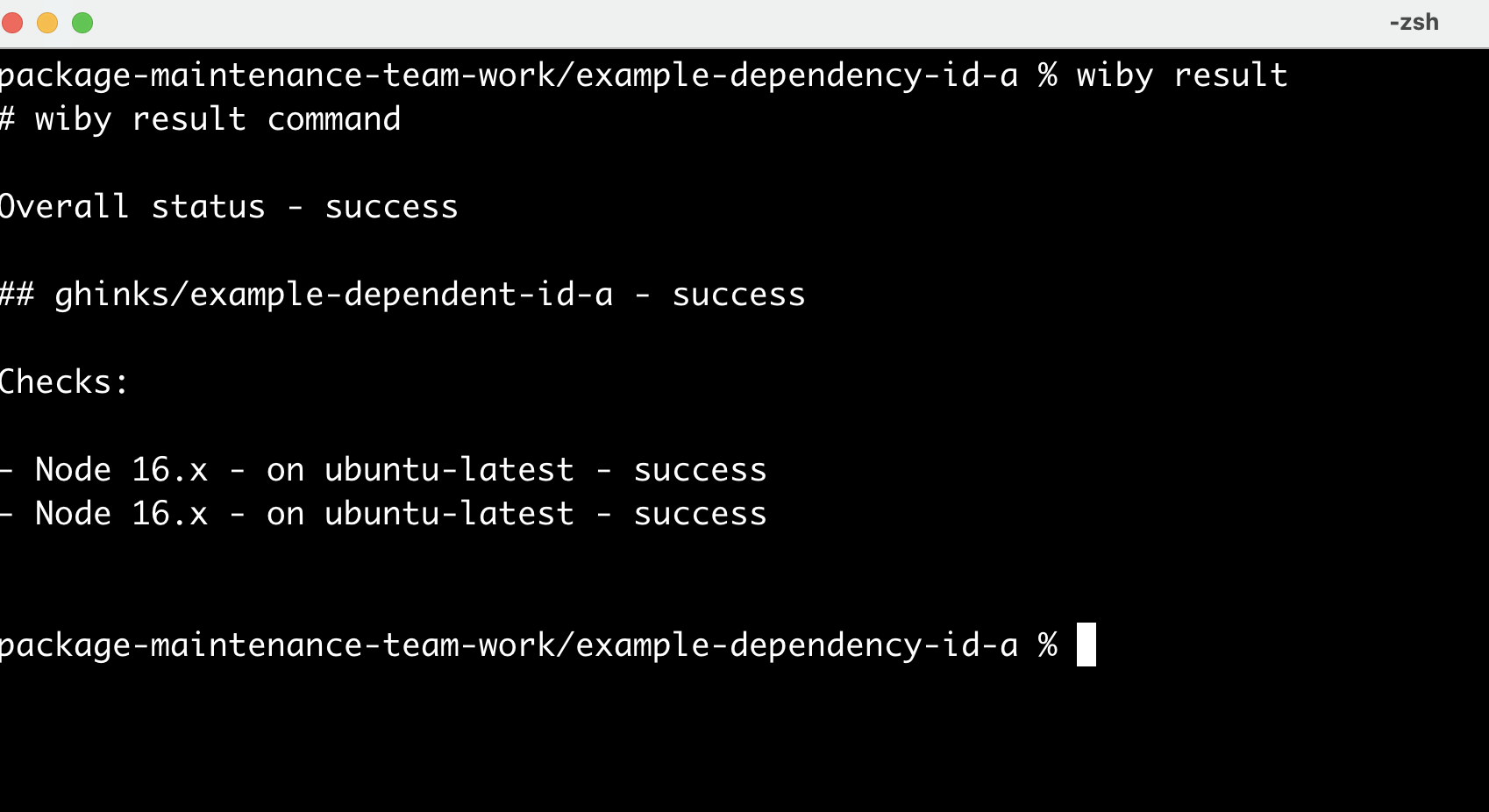
After the tests have run the results will show that the checks are successful.